Agent setup

wAnywhere Agent Windows Installation Guide

Get help with easy-to-follow steps to start working with wAnywhere.

Windows logo Windows
Overview

AI based work from anywhere solution

Follow each phase below to download, install, and launch the wAnywhere Agent on Windows.

~10 min setup Beginner friendly
01

Download & prepare

Get the installer package ready on your computer

  1. Download the application zip file from the URL.
  2. Extract the zip file into your desired folder.
  3. Two files shall be visible.
    1. setup.exe
    2. wAnywhereInstaller.msi
  4. Double click on setup.exe to install the wAnywhere Agent manually.
02

Install the agent

Complete Windows security prompts and the setup wizard

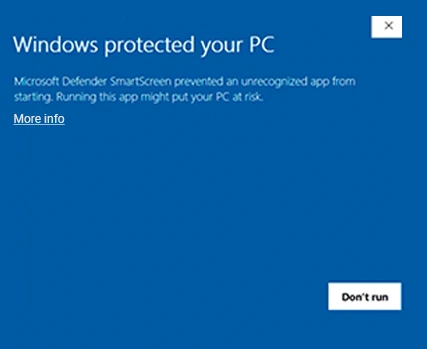
  1. If Microsoft Defender SmartScreen appears, click More info. If not, skip to the setup wizard step.

    SmartScreen: Windows may block unrecognized apps. Use More infoRun anyway to continue.

    SmartScreen — More info
    Fig 2 — SmartScreen (click More info)
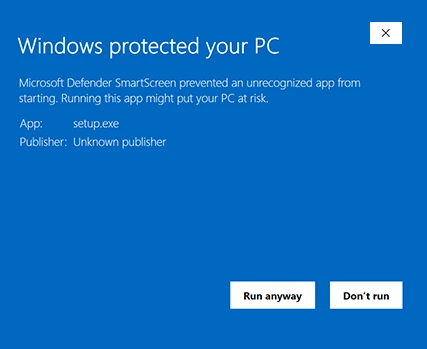
  2. Click Run anyway to proceed with installation.
    Run anyway
    Fig 3 — Run anyway
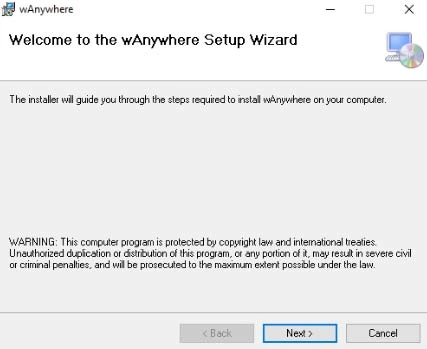
  3. On the setup wizard welcome screen, click Next.
    Setup wizard
    Fig 4 — Setup wizard
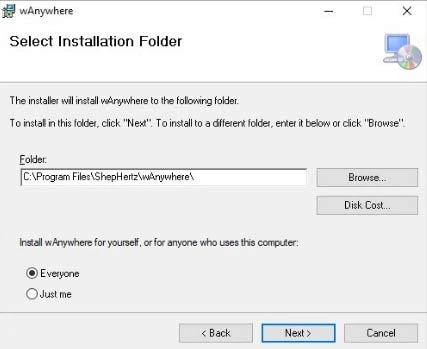
  4. Choose the installation folder, then select Everyone or Just me.
    1. Everyone: Installs for all users on this PC.
    2. Just me: Installs only for your user account.
    Installation folder
    Fig 5 — Installation folder
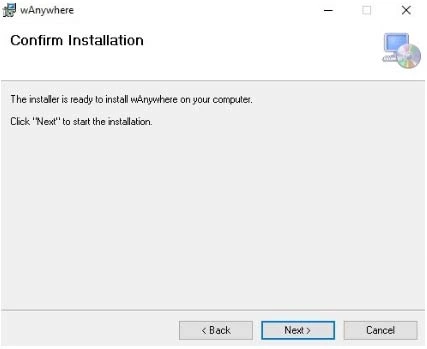
  5. Click Next, then confirm installation on the next screen.
    Confirm install
    Fig 6 — Confirm installation
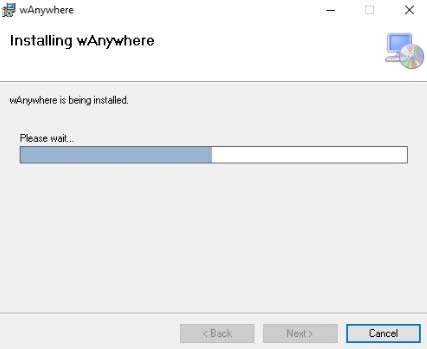
  6. Enter admin credentials if prompted. Installation will begin automatically.
    Installing
    Fig 7 — Installation in progress
03

Launch & sign in

Open the app and authenticate to start working
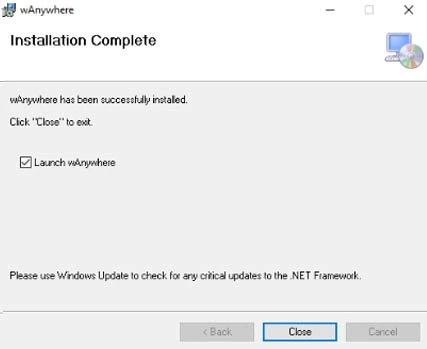
  1. When installation completes, click Close. wAnywhere should launch automatically.
    Complete
    Fig 8 — Installation complete
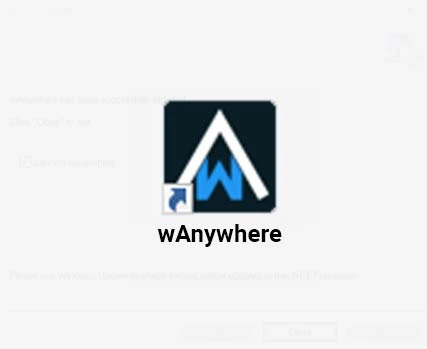
  2. If it does not open, use the desktop shortcut.
    Shortcut
    Fig 9 — Desktop shortcut
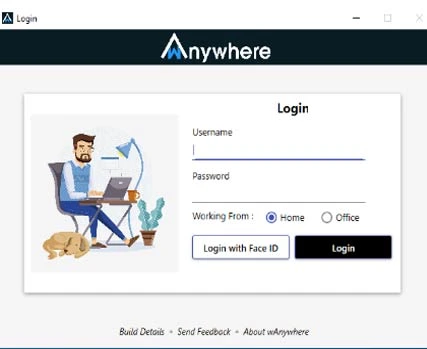
  3. Sign in with username/password or Login with Face ID.
    Login
    Fig 10 — Login window
wAnywhere chatbot
wAnywhere ai-chatbot

wAnywhere ChatBot

Online

chatbot Close button icon
Chat AI icon

Hi there! 👋 How can I help you today?