
USER MANAGEMENT
How do I add a user in my team?
This document explains the steps of how more users can be onboarded to the team.
01
Add a New User
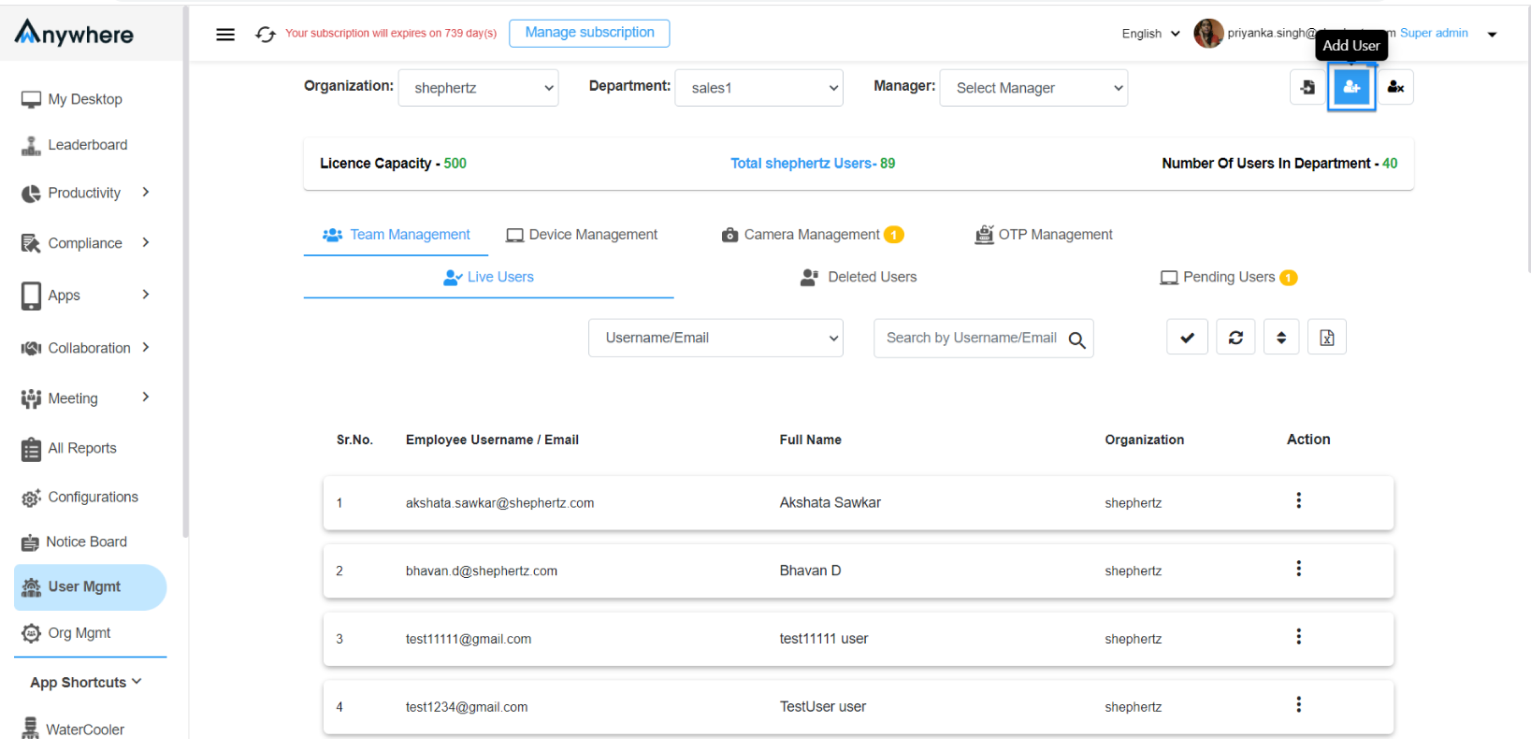
Under User Management, add a new User by clicking ‘Add User Icon’ at the top right corner.
02
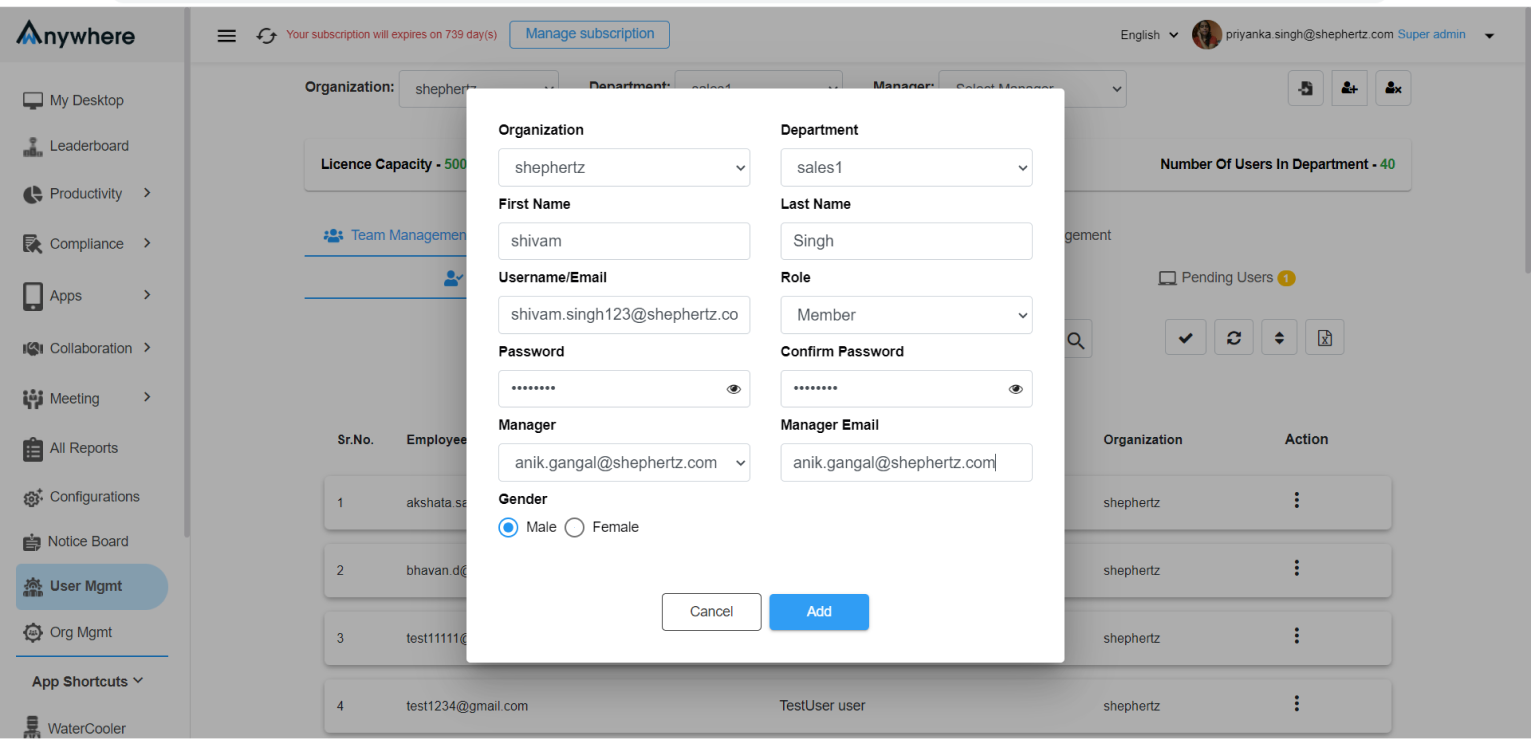
Enter User Details
A new dialogue box opens where Super Admin/Admin needs to provide the required details and click ‘Add’ to create the user.
03
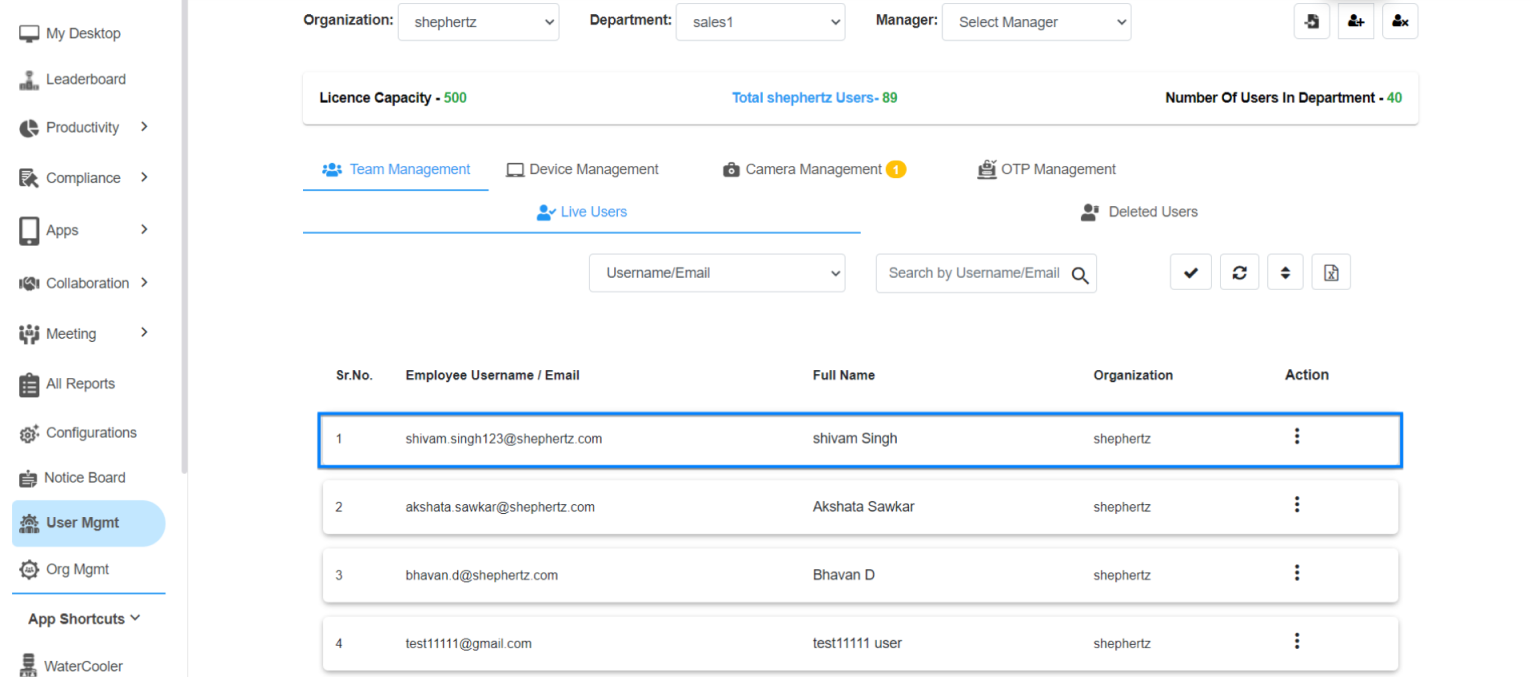
User Successfully Added
The user is added successfully and can be viewed under ‘Live Users’.
04
Need Assistance?
For more queries, please contact
cst@shephertz.com.


