SCREENSHOT MONITORING
How to enable the Screenshots feature on wAnywhere Agent Application?
This document explains how to enable screenshot monitoring and view screenshots captured by the wAnywhere Agent Application.
Overview
This feature allows administrators to capture screenshots of the user’s machine while the user is logged in to the Agent Application.
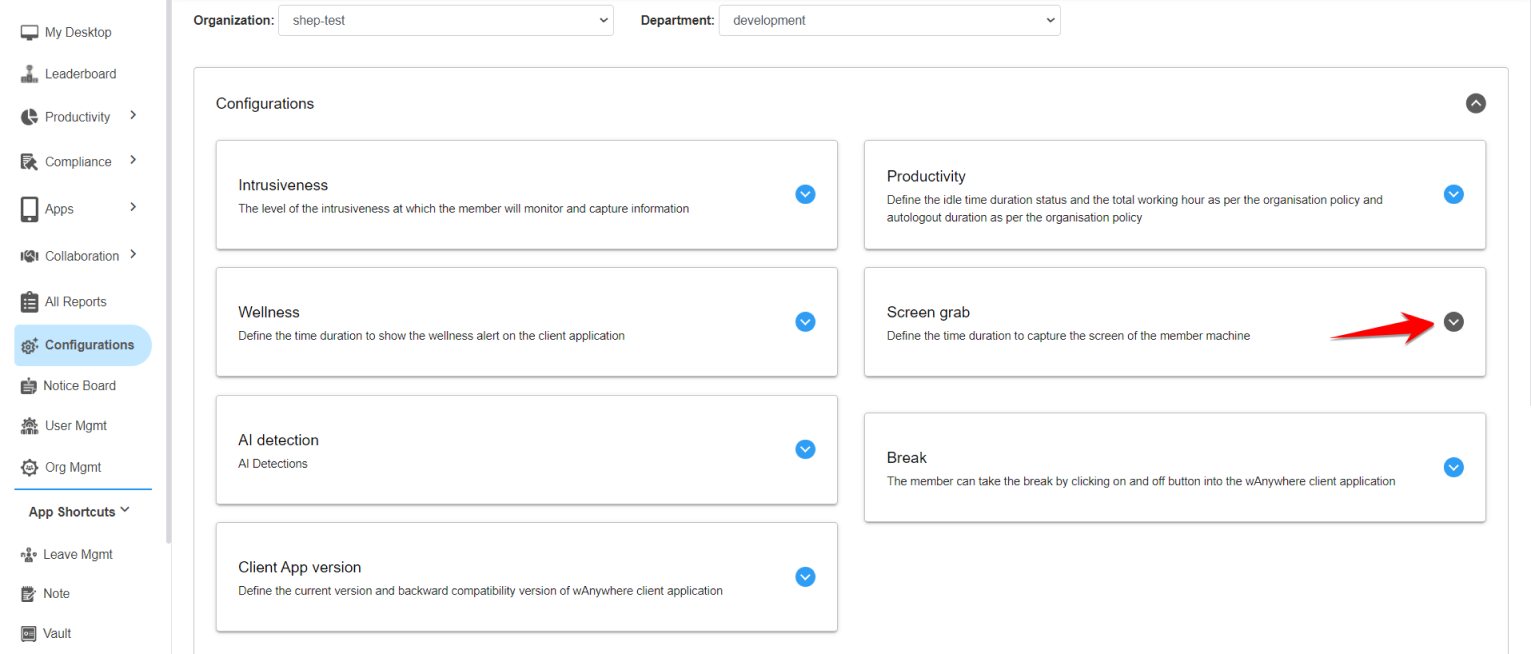
Enable Screengrab Feature
Navigate to the Configurations section and enable the Screengrab feature.
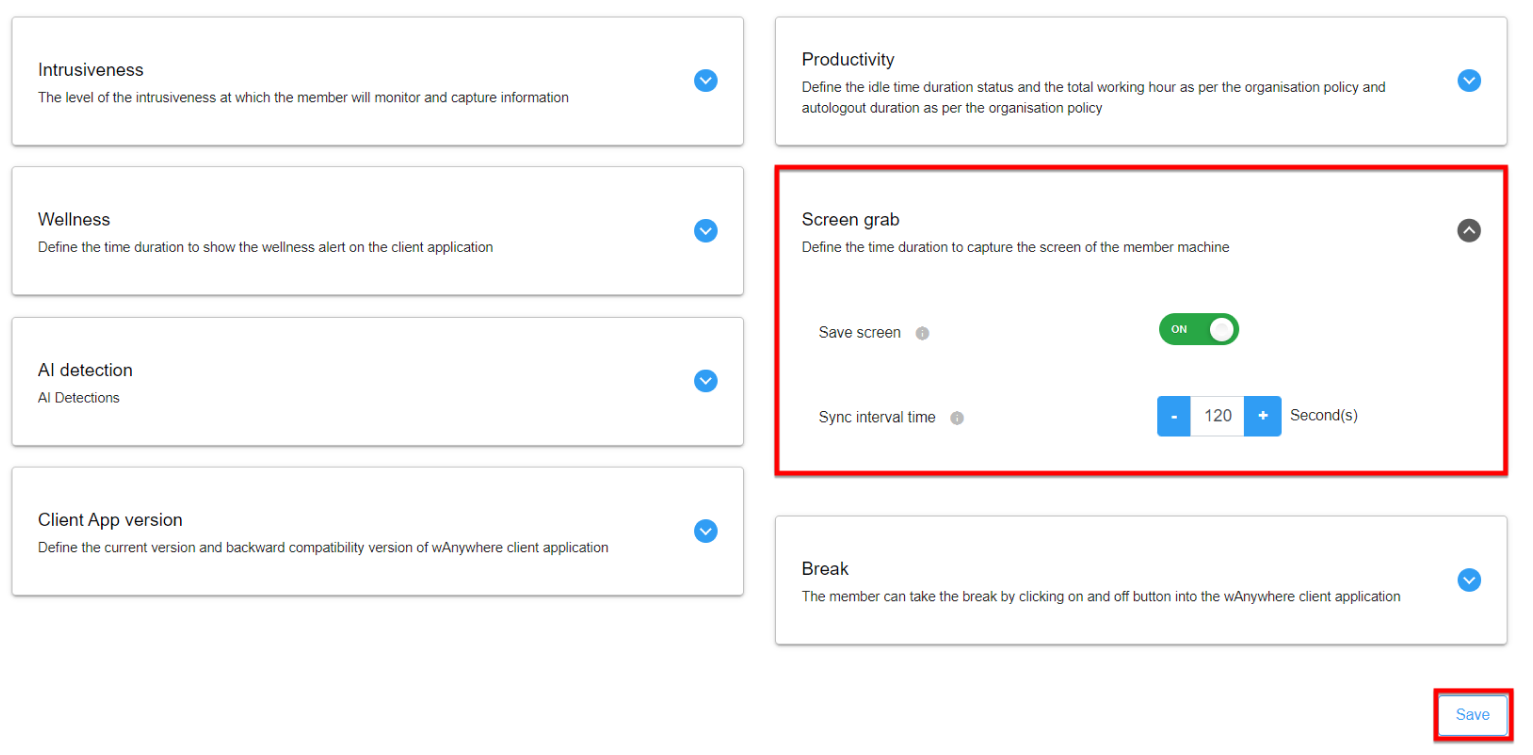
Screenshot Capture Interval
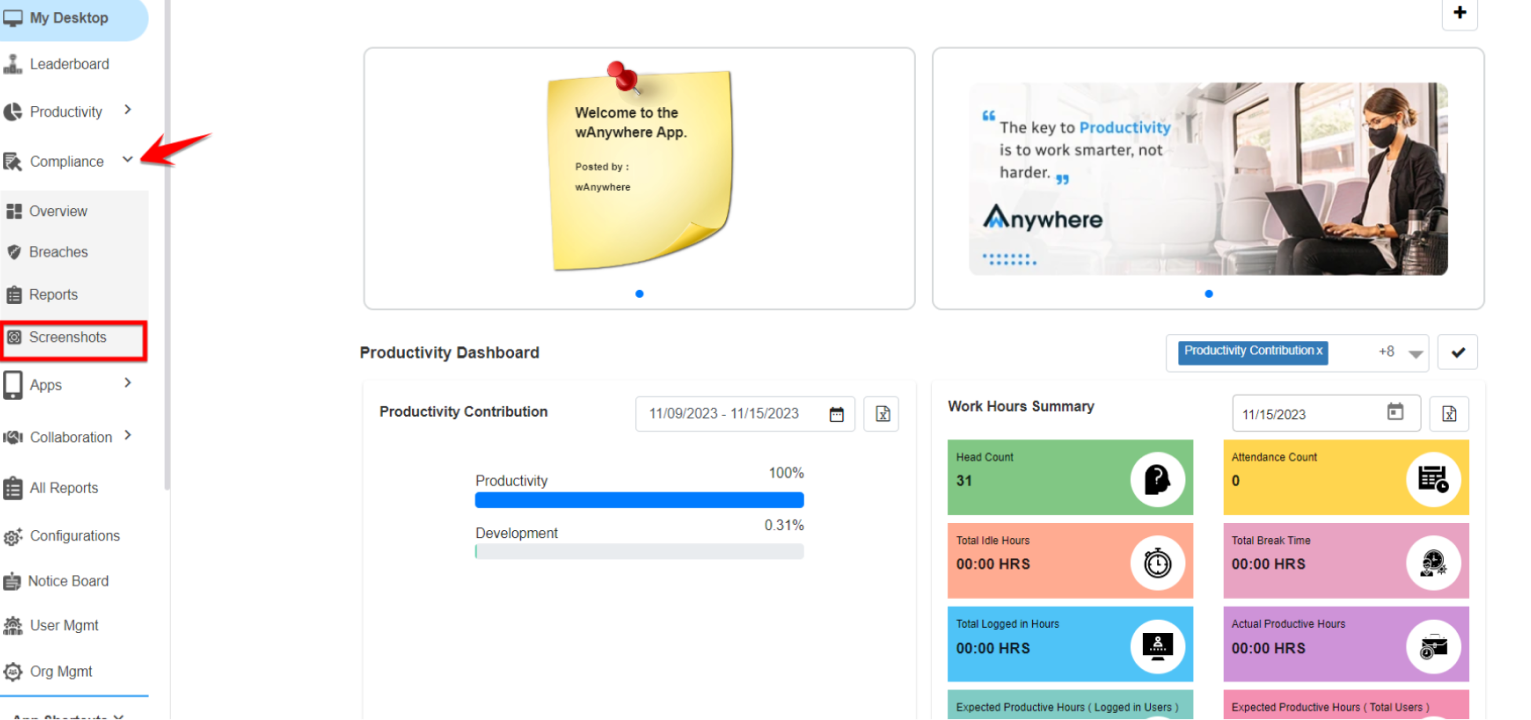
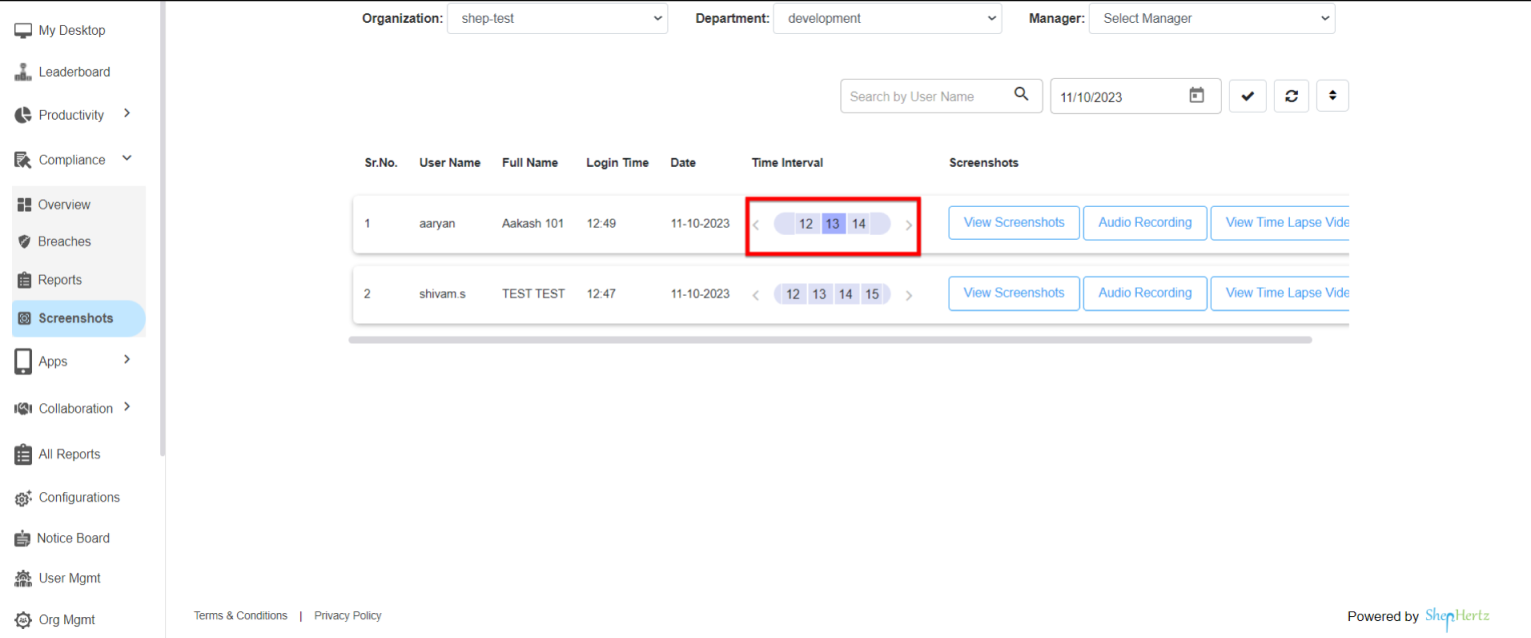
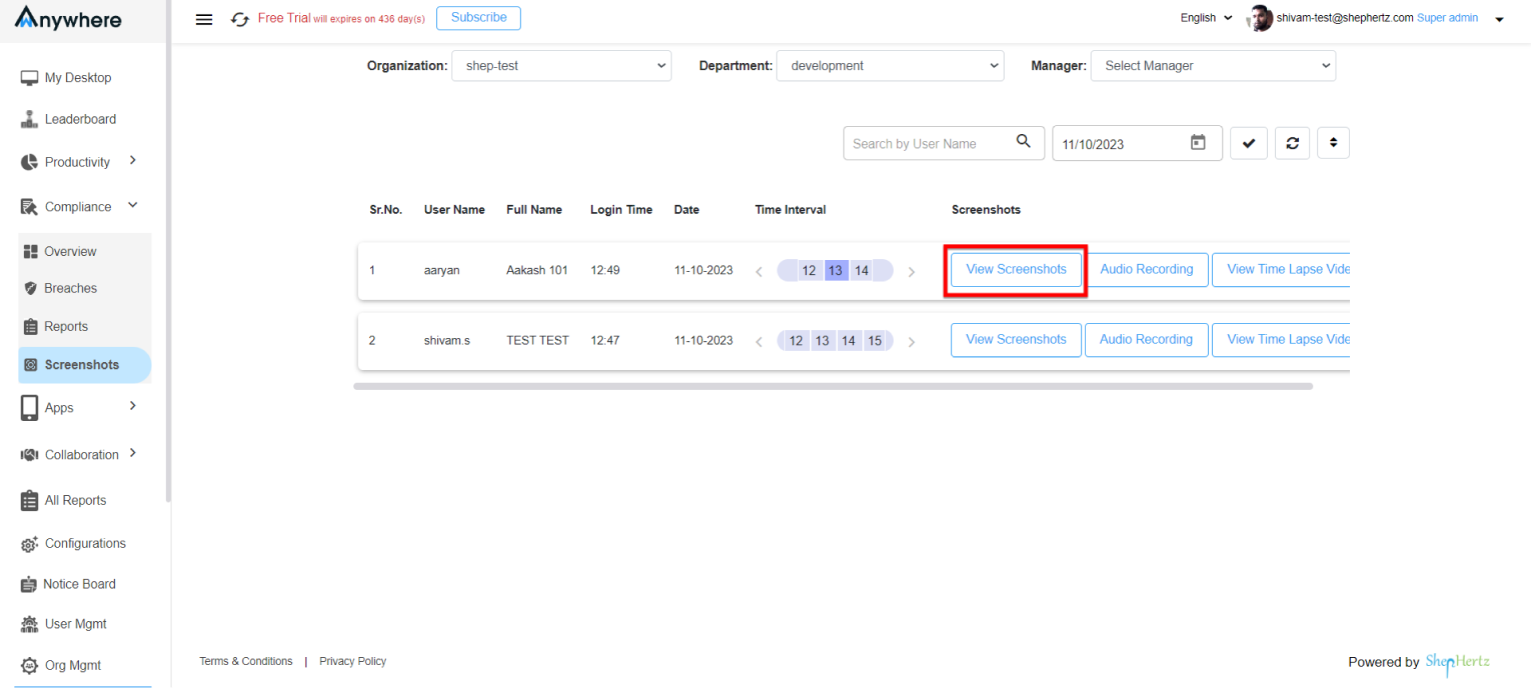
Based on the selected configuration, screenshots will be captured automatically at the configured interval and stored under Compliance → Screenshots.
Configure Sync Interval
Select the Sync Interval Time. A minimum interval of 60 seconds is recommended.
View Captured Screenshots
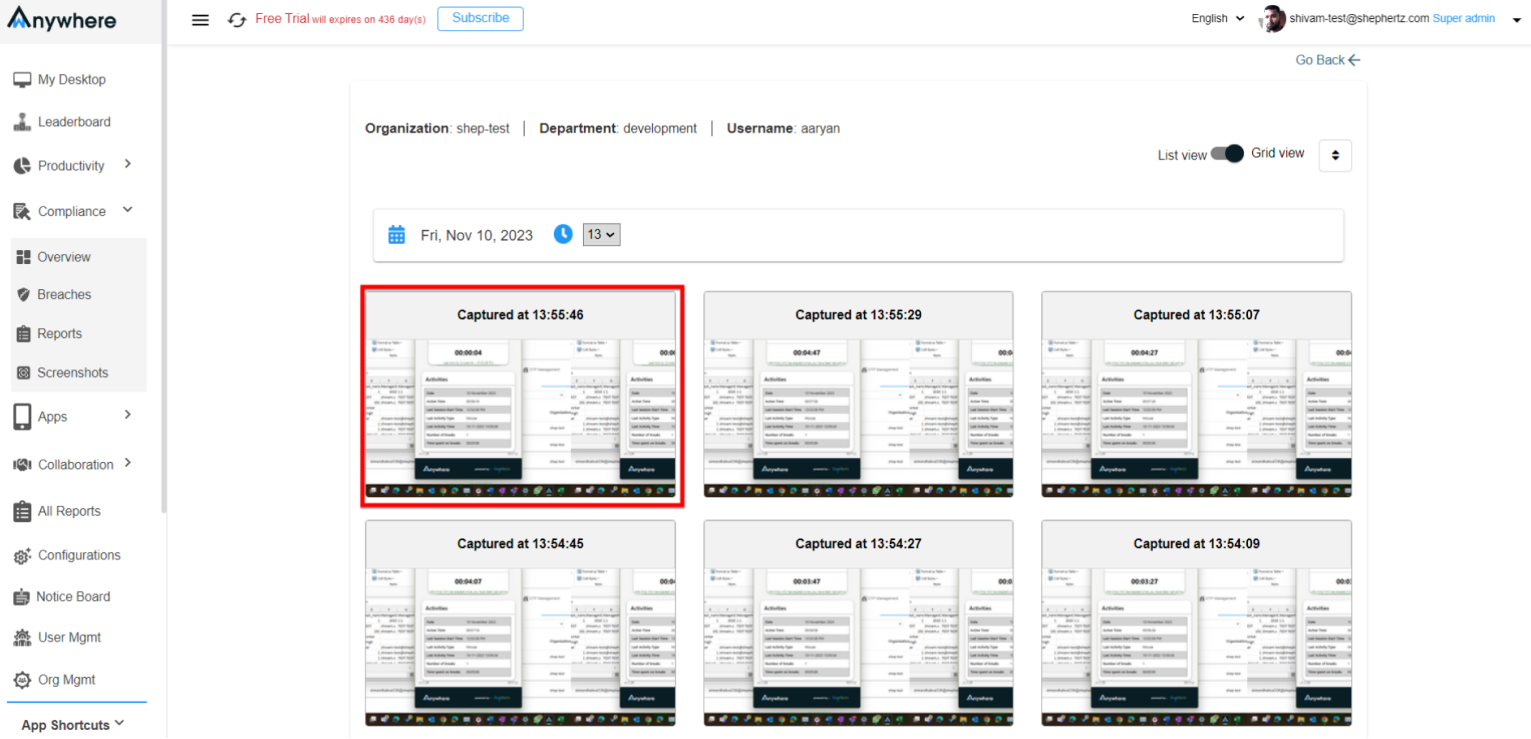
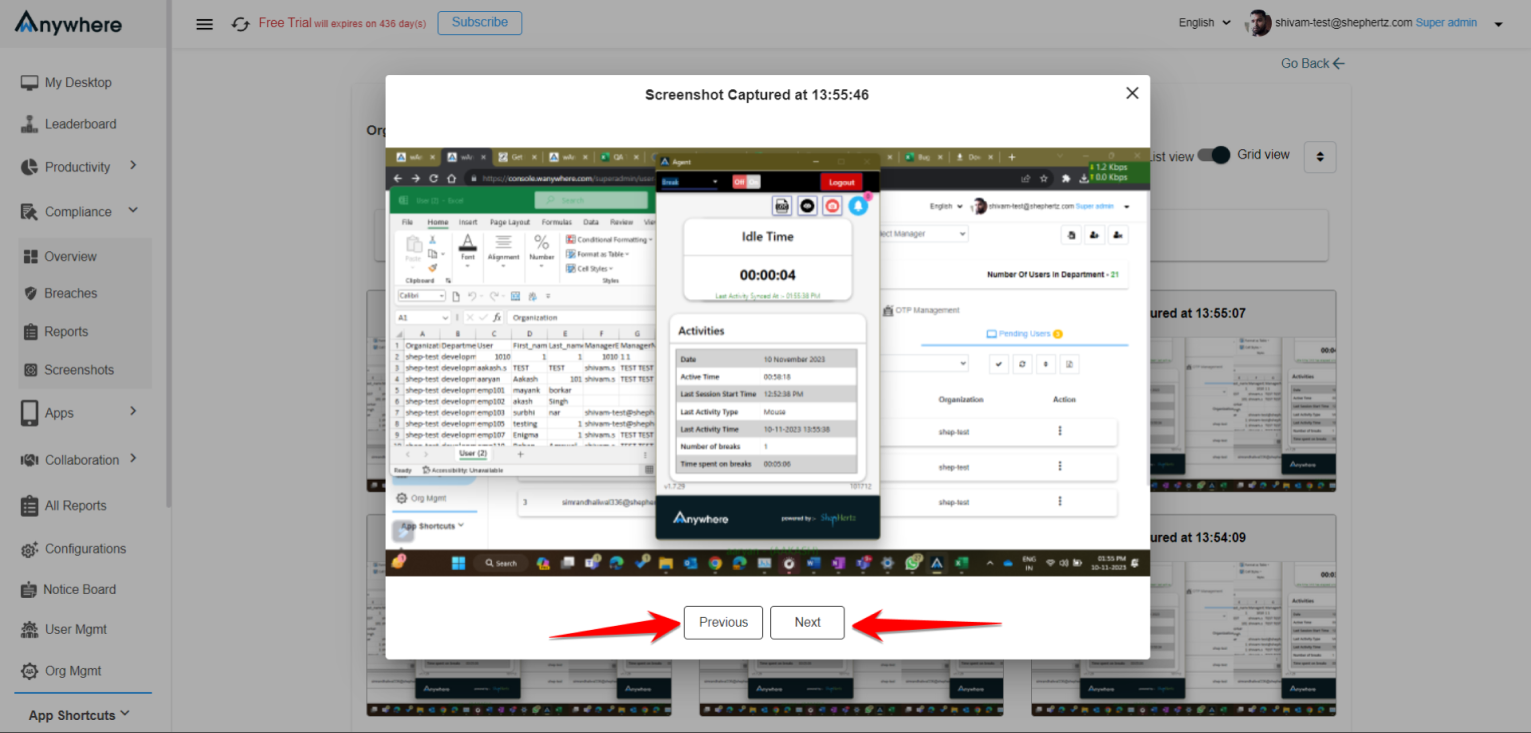
Administrators can review screenshots captured by the Agent Application.
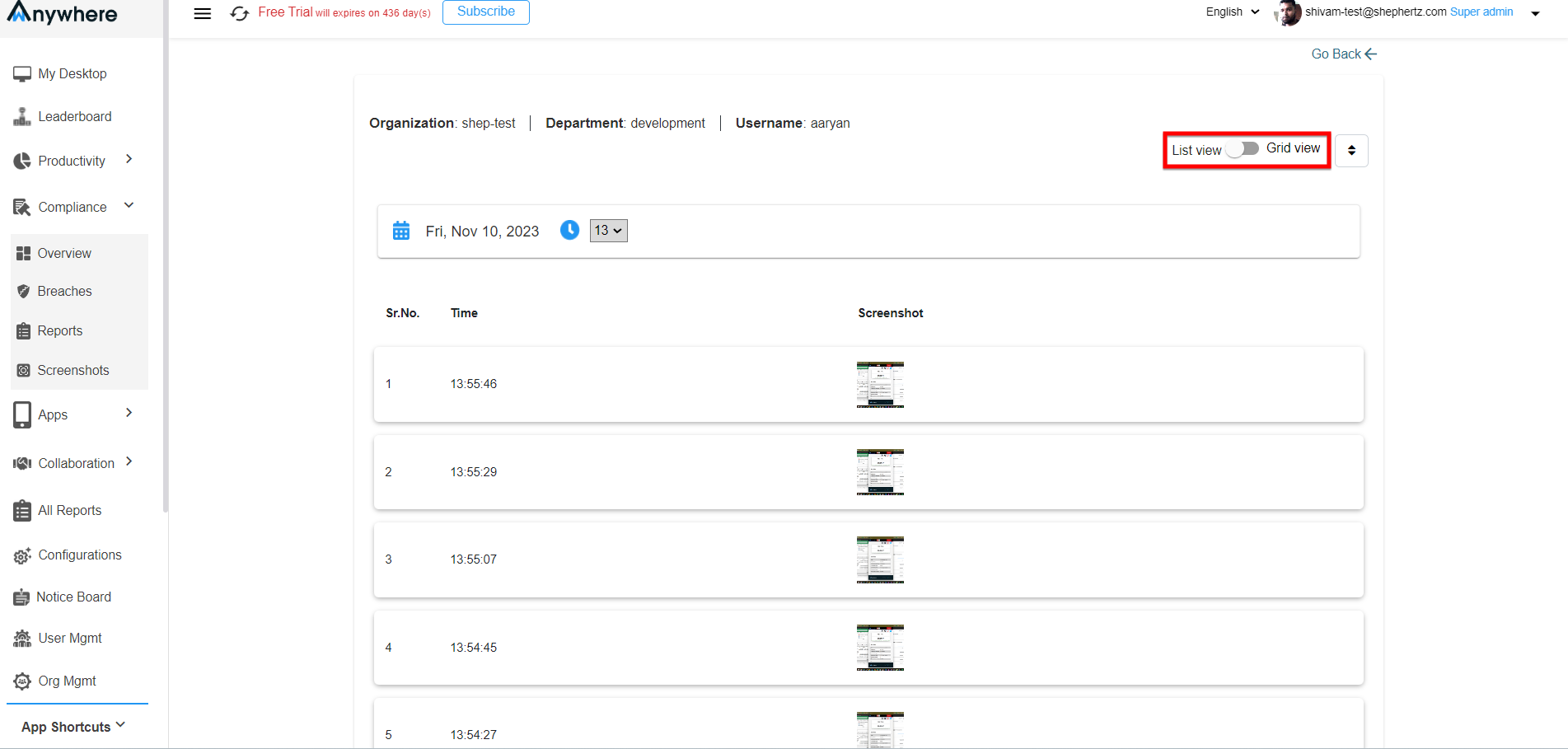
Switch Between Views
Screenshots can be viewed in both Grid View and List View using the available toggle option.