
FACE AUTHENTICATION
How to Resolve the Unauthorized Face Detected Error?
This guide explains how to troubleshoot the
“Unauthorized Face Detected” error while logging into the
Agent Application.
Understand the Error
This issue occurs when the Agent Application detects
an unauthorized or unrecognized face during login.
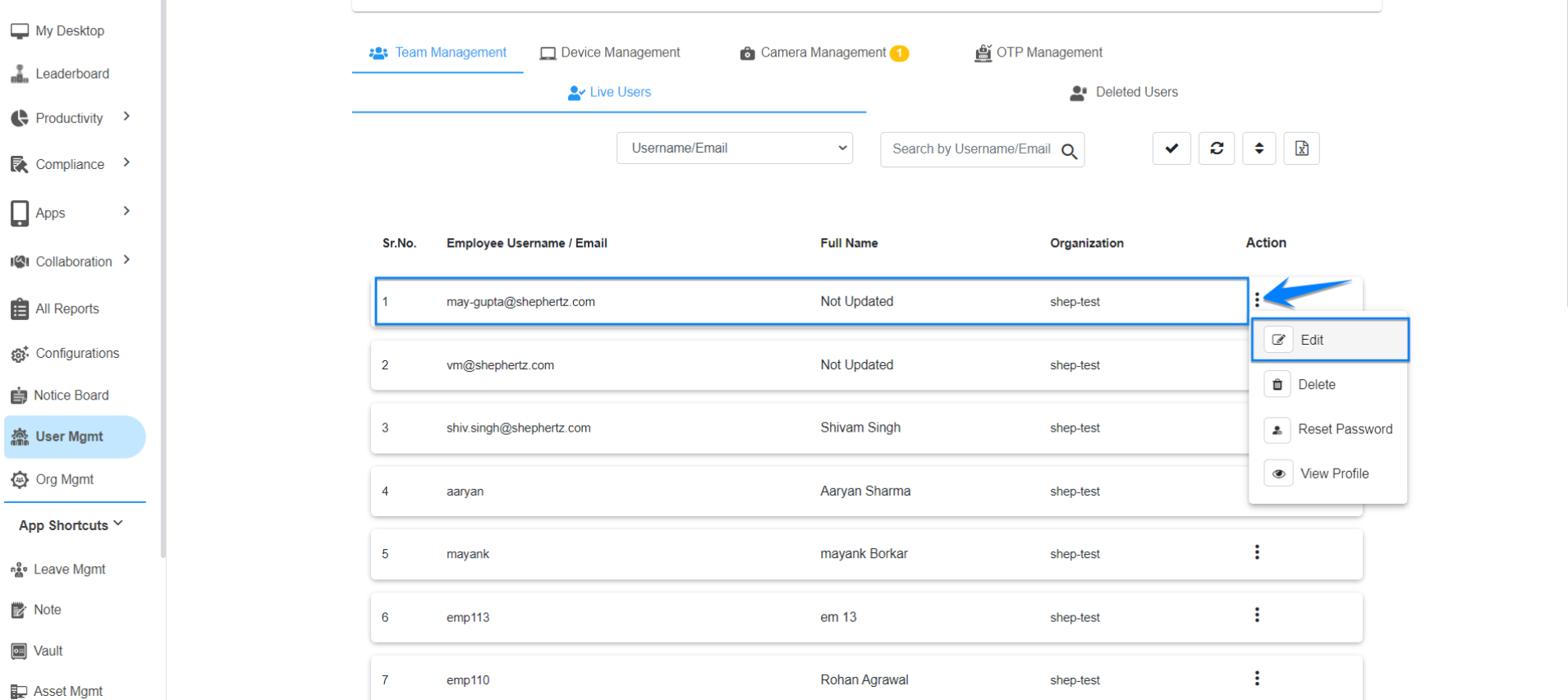
Open User Management
The Super Admin/Admin should navigate to the
‘User Management’ section and locate the affected user.
Edit User Details
Click on the three dots against the username and
select ‘Edit’ to access the User Details section.
Check Face Registration
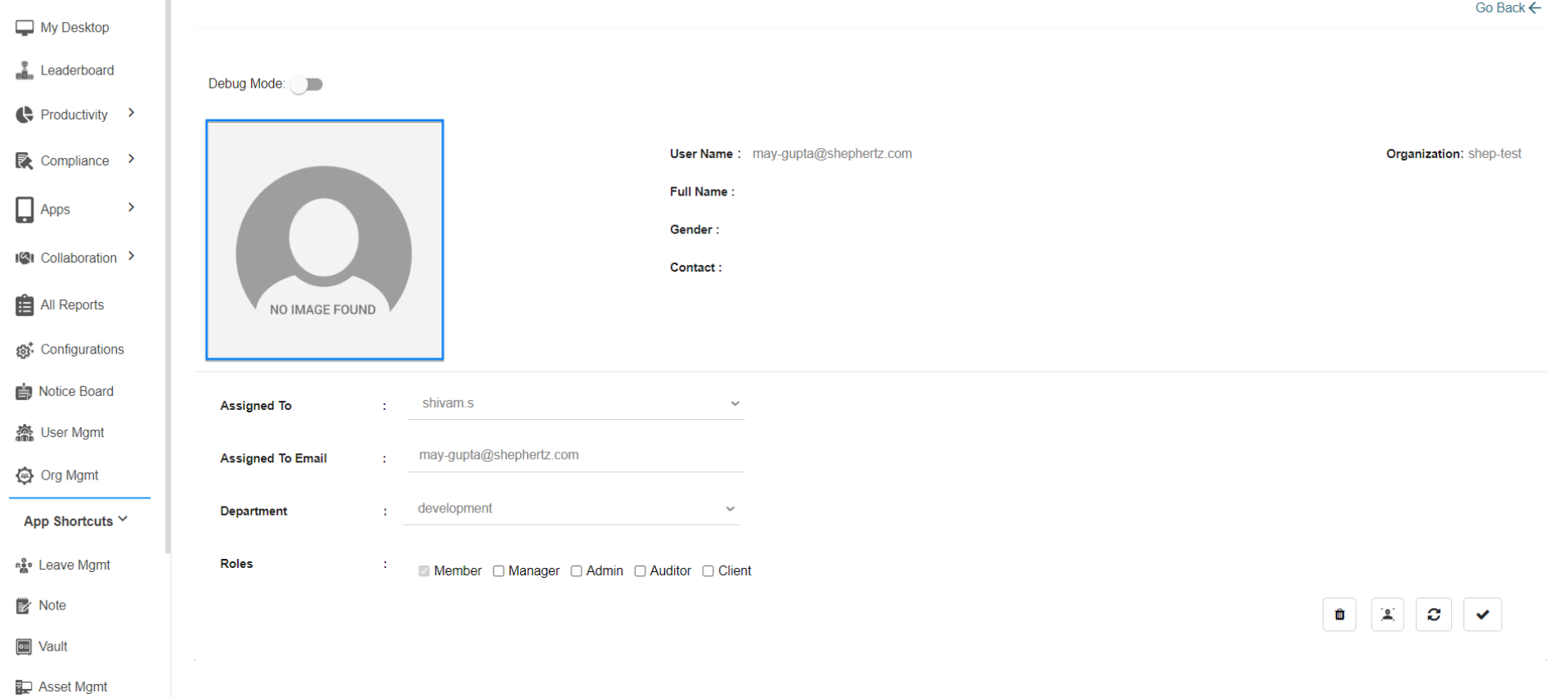
Verify whether the user’s face image is available
in the User Details section.
Register User Face
If the user’s face data is not available, the user
must register their face by following the
“How to Register User Face” guide.
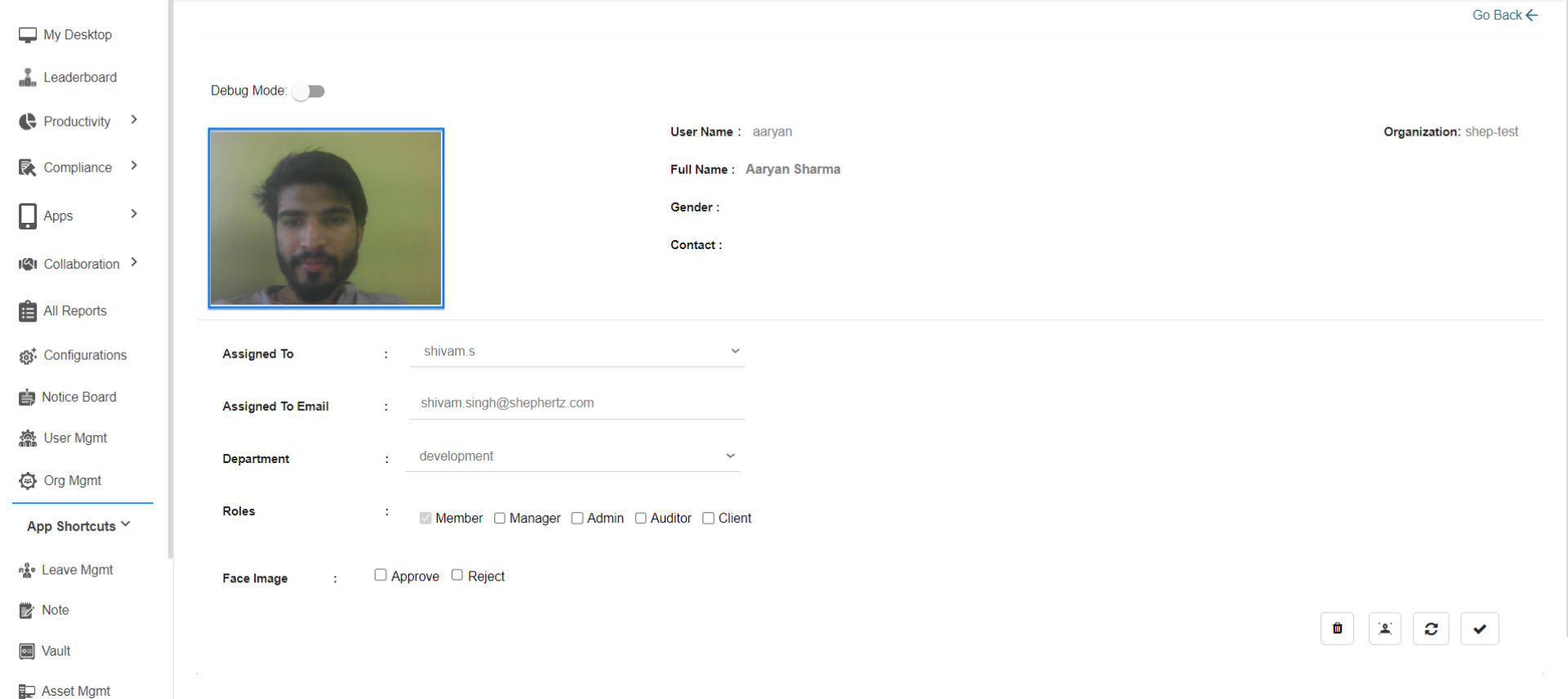
Retrain Existing Face
If the user’s face is already available in the User
Details section, the face needs to be retrained.
Follow Face Retraining Guide
Retrain the user’s face by following the
“How to Retain User Face” guide.
Need Assistance?
For more queries, please contact
cst@shephertz.com


