Set as a preferred Google source
TL;DR
- Shoulder surfing is the theft of information by visual observation, with no malware, no network traffic and no digital evidence left behind.
- A Ponemon Institute experiment sponsored by 3M found that in 88 percent of attempts a white hat hacker was able to capture sensitive information just by looking.
- It is fast and it goes unchallenged. Nearly half of successful hacks took under 15 minutes, and office staff said nothing in 70 percent of attempts.
- BPO, BFSI and healthcare floors carry the highest exposure because agents hold another company’s customer data on screen for most of a shift.
- The fix is layered. Clean desk policy, line of sight control, privacy filters, automatic screen locks, camera restrictions and detection of unknown people at the desk.
An agent pulls up a customer record to verify a payment. Behind her, someone waiting near the printer glances at the screen for four or five seconds and walks away. Nothing was downloaded, no file was opened and no alert fired anywhere. The account number is already gone.
Shoulder surfing is the oldest data theft method still in daily use, and it survives because it leaves no trace. Every other control in a security stack watches digital movement. A screen read over someone’s shoulder never becomes a log entry, which is why it rarely appears in an incident report even when it is the thing that started the breach.
The threat has grown rather than shrunk. Hybrid work moved screens into cafes, airports and shared homes. Office floors became open plan. Phone cameras made capture instant and silent.
The short answer. Shoulder surfing is the act of obtaining sensitive information by looking at someone’s screen, keyboard or documents without permission. At work it is stopped by a combination of physical controls, clear policy and AI security and compliance tooling that notices when an unknown person is standing at a workstation.

See Who Is Standing At Your Agent Desks
wAnywhere flags unknown faces, multiple people and unattended screens in real time across every workstation.
What Is Shoulder Surfing
Shoulder surfing is a social engineering technique in which an attacker obtains confidential information by observing a target directly. The classic shoulder surfing definition covers watching someone type a password, reading a screen from behind or over a partition, and photographing a monitor or a printed document.
Nothing about it is technical. There is no exploit, no payload and no code. The attacker uses line of sight, proximity and the fact that most people do not notice who is behind them.
Observe → Capture → Reuse elsewhere
That last step is what makes it serious. Shoulder surfing is almost never the end of an attack. It is the opening move. A credential read off a screen is used later from a different device, at a different time, and the login looks entirely legitimate because it is.
Shoulder Surfing Vs Visual Hacking
The two terms describe the same risk at different scales. Shoulder surfing usually refers to one person observing another. Visual hacking is the broader security term covering any unauthorized capture of information through sight, including photographing documents on a printer, reading a whiteboard or copying login details taped to a monitor.
Security teams tend to use visual hacking in policy documents. Everyone else says shoulder surfing. The controls are identical either way.
Also Read: How To Enforce A Clean Desk Policy In Your Business
Why Shoulder Surfing Still Works At Work
Most organizations treat visual exposure as a minor issue, somewhere below phishing and ransomware on the priority list. The evidence does not support that ranking.
In the Visual Hacking Experiment run by the Ponemon Institute and sponsored by 3M, a researcher posing as a temporary worker entered the offices of eight participating United States companies and attempted to capture sensitive information using sight alone. The study found that 88 percent of those attempts succeeded. A later global version of the experiment put the figure at 91 percent across all regions.
Those studies are now several years old, and the conditions behind them have not improved. Screens are larger, open plan floors are more common and cameras are better.
How Fast A Visual Hack Happens
Speed is the reason it is so hard to interrupt. Infosecurity Magazine reported that 45 percent of successful hacks in the experiment took under 15 minutes, and 63 percent took under 30 minutes. A single credential or account number takes seconds.
Why Nobody Says Anything
The most uncomfortable finding in the experiment was behavioral rather than technical. Office personnel did not question or report the researcher in 70 percent of attempts, even while he walked the floor photographing screens. In the 30 percent of cases where he was challenged, he had already collected an average of 2.8 pieces of company information before anyone spoke up.
People do not want to accuse a colleague. That hesitation is the control gap, and no amount of security software fixes it on its own.
Where Shoulder Surfing Happens In A Workplace
The risk is not evenly spread. A handful of locations account for most of the exposure.
| Location | What Is Exposed | Why It Is Missed |
| Open plan desks | Screens facing walkways and shared aisles | Normal foot traffic looks like nothing |
| Shared and hot desks | Sessions left logged in between users | No single owner feels responsible |
| Printers and scanners | Documents sitting in the output tray | Treated as a convenience area, not a control point |
| Meeting rooms | Screens on display, whiteboards left uncleared | Visitors and vendors move through freely |
| Reception and waiting areas | Front desk screens angled outward | Outsiders are expected to be there |
| Home and hybrid setups | Screens visible to family, flatmates or visitors | Outside every office control |
| Cafes, trains and airports | Everything on screen, plus typed passwords | Nobody is watching the watcher |
Hybrid And Remote Setups Are The Blind Spot
Office controls stop at the office door. A shared flat, a coworking desk or a kitchen table in a family home puts a live customer record in front of people who were never background checked and never signed a confidentiality agreement. For regulated work this is a contractual problem as much as a security one.
Public Spaces Remain The Easiest Target
On a train or in an airport lounge, screens are visible from several angles at once, people are tired, and typing a password in full view feels normal because everyone around is doing the same thing.
Also Read: How User Behavior Analytics Helps Organizations Ensure Compliance At Work
What Attackers Actually Look For
A shoulder surfing attack is rarely opportunistic browsing. The observer usually knows what has value.
- Login credentials, especially passwords typed slowly or written on a note beside the keyboard
- One time passcodes and authentication codes shown on screen
- Customer names, addresses, phone numbers and identity numbers
- Card numbers, account numbers and payment details held open during a call
- Patient and member health information on healthcare queues
- Internal pricing, client lists and contract terms visible in documents
- System names, internal URLs and admin screens that reveal how the environment is built
The last item is easy to overlook. An attacker who learns the name of your ticketing system and the format of your employee IDs has enough to build a convincing phishing message, even without a single credential.
Why BPO And BFSI Floors Carry The Highest Risk
Outsourced and financial services operations concentrate every risk factor in one room.
- Large agent populations seated close together, often at shared or rotating desks
- Customer records held on screen for most of a shift rather than opened briefly
- Another organization’s data, governed by client contracts and service agreements
- Regulated information covered by frameworks such as PCI DSS, HIPAA or GDPR depending on the account
- High visitor and contractor movement, including client auditors and facility staff
- Shift handovers where one workstation passes between several people in a day
For a provider, this is not only a security exposure. Protecting client data is part of what the client is paying for, and a visual leak is still a leak when the contract is reviewed.
How Exposed Is Your Floor Right Now?
Run a quick check on workstation activity, unattended screens and unknown presence before you rewrite policy.
How To Stop Shoulder Surfing At Work
No single control closes this gap. The combination below works because each layer catches what the one before it misses.
Write And Enforce A Clean Desk Policy
Papers, notepads and printed reports left on a desk are the easiest target in the room because they do not time out. A clean desk policy sets what may stay out, what gets locked away and what gets shredded. Enforcement matters more than the document. A policy nobody checks changes nothing.
Fix The Line Of Sight First
This is the cheapest control available and it is usually skipped. Walk your floor and look at it the way a visitor would. Turn monitors away from walkways, aisles and reception. Move high sensitivity queues, such as payments or healthcare, away from through traffic and into positions where screens face a wall.
Use Privacy Filters Where Angles Cannot Be Fixed
Where a desk cannot be moved, a privacy screen filter narrows the viewing angle so the display reads as dark from the side. These are most useful for reception desks, hot desks near corridors and laptops used in transit.
Lock Screens Automatically And Quickly
An unattended logged in session is an open invitation and it is the most common failure on any floor. Set a short automatic lock, measured in a couple of minutes rather than fifteen, and make manual locking a reflex when leaving a desk for any reason.
Detect Unknown People At The Workstation
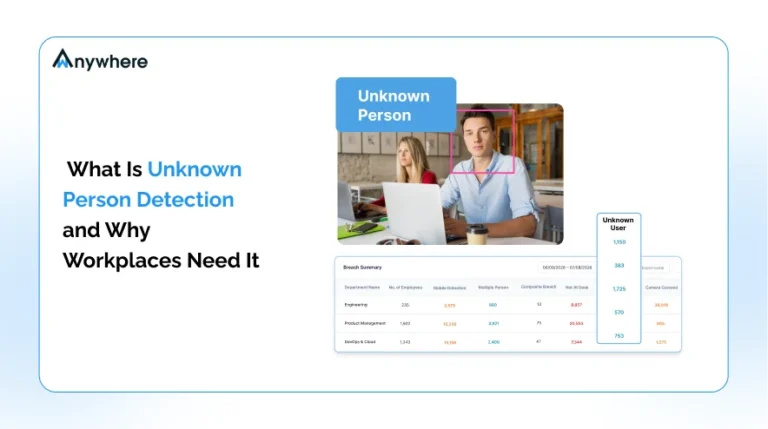
Physical controls assume someone is watching. Nobody can watch a floor of four hundred agents continuously. Camera based unknown person detection flags when a face that is not the assigned user appears at a workstation, when a second person is present during a session on a restricted queue, or when a session stays active with nobody in front of it. It turns an invisible event into a logged one, which is the only way it ever gets reviewed.
Restrict Cameras And Phones On Secure Floors
A photograph takes less than a second and captures far more than a glance. Many regulated operations already run phone free floors. Where a full ban is impractical, restrict devices on the highest sensitivity queues and make the rule visible so it is understood as a data rule rather than a trust issue.
Mask Sensitive Fields So There Is Less To See
The strongest version of this control removes the information from the screen entirely. Masking of confidential PII and PHI hides card numbers, identity numbers and health identifiers unless the agent actively needs them, so a passing glance captures nothing usable.
Train People To Speak Up Without Awkwardness
The 70 percent who said nothing were not careless. They were being polite. Give staff a simple, neutral line to use, such as asking whether someone is looking for a particular person, and make it clear that nobody will be criticized for asking. Pair that with a reporting route that takes seconds rather than a form that takes ten minutes.
Also Read: How wAnywhere Leverages AI To Maintain Security And Compliance For Remote Work
Shoulder Surfing Controls Compared
Each control covers a different part of the problem, and the gaps are the point of the table.
| Control | What It Stops | What It Misses |
| Clean desk policy | Printed documents and written notes left exposed | Anything displayed on screen |
| Screen positioning | Casual viewing from walkways and aisles | Someone standing directly behind the user |
| Privacy filters | Viewing from an angle | Direct over the shoulder viewing and photography |
| Automatic screen lock | Unattended sessions | Viewing while the user is seated and working |
| Camera and phone restriction | Photographic capture | Memorized credentials and account numbers |
| PII and PHI masking | Exposure of the highest value fields | Non masked context such as names and ticket history |
| Unknown person detection | Unrecognized presence at a workstation | Observation from outside the camera field of view |
| Employee awareness | Repeat and sustained observation | A single quick glance nobody registers |
Read the right hand column together and the conclusion is straightforward. Physical controls reduce opportunity, policy reduces what is available to see, and detection supplies the evidence when something happens anyway. Remove any one of the three and the other two leave a hole.
How wAnywhere Helps Teams Close The Visual Gap
Visual exposure sits at the point where physical security and endpoint security meet, which is why it falls between the two in most organizations. wAnywhere covers that overlap by combining workforce visibility with security and compliance controls, with the focus on protecting data rather than watching people.
Within that approach, wAnywhere supports:
- Camera based checks that flag an unknown person, multiple people or an employee absent from an active workstation
- Masking of confidential PII and PHI so sensitive fields are not sitting on screen by default
- Automated responses such as screen blackout, manager alerts and violation triggered screenshots
- Department and process level policies, so a payments or healthcare queue can run stricter rules than general support
- Audit ready records of who was present, when and which policy was triggered, with reports and API access for incident handling
- Clean desk and endpoint controls in the same platform, covering USB, Bluetooth, screenshots and copy paste alongside visual risk
If you are working out how much of your floor is visible to the wrong person, it is worth reviewing how these controls map to your own layout and queues. You can explore wAnywhere’s data breach security capabilities to see where the visual layer fits alongside the rest.
Turn An Invisible Risk Into A Logged Event
Unknown person detection, PII masking and real time alerts in one AI security and compliance platform.
Closing The Visual Gap At Work
Shoulder surfing stays on the margins of most security programs for a simple reason. It produces no evidence, so it never shows up in the numbers that drive budget. The absence of evidence gets read as an absence of risk.
The Ponemon experiment shows how misplaced that reading is. Most attempts succeed, most happen in under half an hour, and most go unchallenged while people watch. On a BPO or BFSI floor, where another organization’s customer data stays on screen through an entire shift, the margin for that kind of oversight is thin.
Fixing it does not need a large programme. Turn the screens, shorten the lock timeout, write a clean desk policy somebody actually checks, mask what does not need to be visible, and put detection on the workstations where the most sensitive queues sit. Each step is small. Together they turn a risk nobody can see into one you can measure.
Frequently asked questions
What Is Shoulder Surfing In Cyber Security
In cyber security terms it is classed as a low technology social engineering attack and is often referred to as visual hacking. It matters because it usually supplies the first credential in a longer attack chain. The resulting login looks legitimate in the logs, so the real entry point is never identified.
How Common Is Shoulder Surfing At Work
More common than most teams assume. In the Visual Hacking Experiment conducted by the Ponemon Institute and sponsored by 3M, 88 percent of attempts to capture sensitive information by sight alone succeeded, and office staff failed to challenge the researcher in 70 percent of attempts.
How Do You Prevent Shoulder Surfing
Use layers rather than a single control. Position screens away from walkways, fit privacy filters where angles cannot be changed, set short automatic screen locks, enforce a clean desk policy, mask sensitive fields, restrict cameras on high risk floors, and use detection that flags an unknown person at a workstation.
Is Shoulder Surfing Illegal
It depends on jurisdiction and on what happens next. The act of looking is often difficult to prosecute on its own, but using the information obtained, such as accessing an account with an observed password, is generally a criminal offence. For regulated data it is also a reportable breach regardless of how the information was taken.
Do Privacy Screens Stop Shoulder Surfing On Their Own
No. A privacy filter narrows the viewing angle, which handles casual viewing from the side. It does not stop someone standing directly behind the user, and it does not stop a photograph taken from behind. Treat it as one layer alongside positioning, screen locks and detection.
What Is The Difference Between Shoulder Surfing And Eavesdropping
Shoulder surfing is visual and eavesdropping is auditory. On a contact centre floor both run at the same time, because an agent reading an account number aloud to verify a caller exposes the same data a neighbour could read off the screen.

Table of Contents
Boost productivity and compliance with wAnywhere
Read summarized version with