
FACE MANAGEMENT
How to Clear Face Data of Registered Users on wAnywhere Application Through Console?
This document explains how Super Admins/Admins can clear the existing
face data of registered users from the wAnywhere Console.
Overview
This document explains the steps to clear the existing face
data of registered users on the Console.
Access User Face Management
Super Admin/Admin can clear the registered face data of users
directly from the Console.
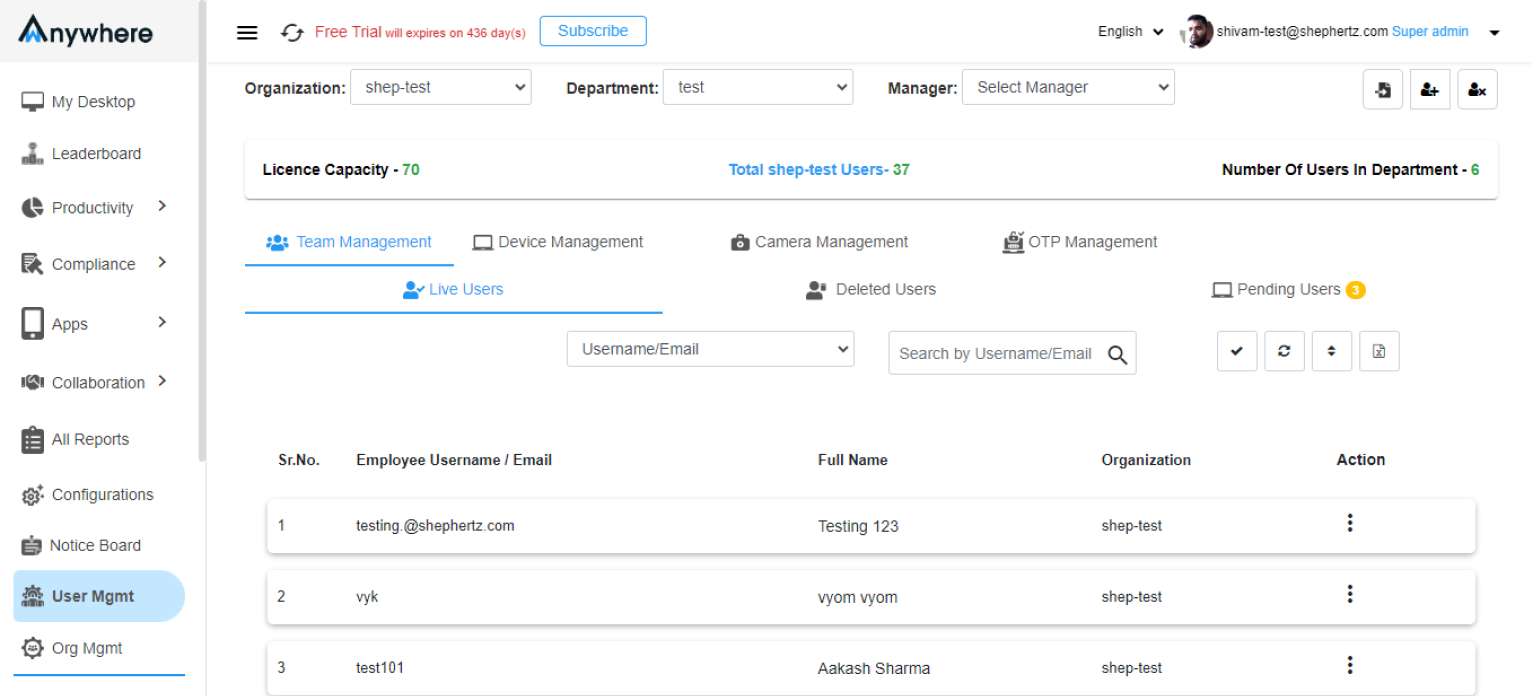
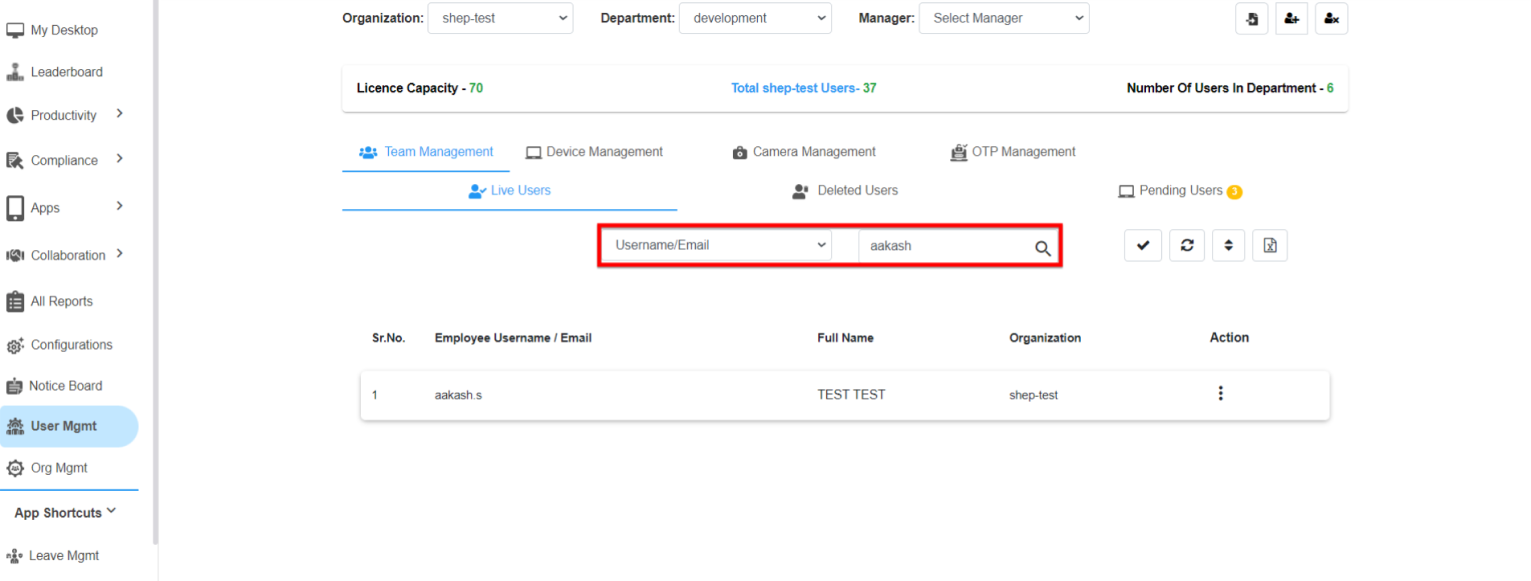
Search the User
Navigate to User Mgmt and search for the user
by Username whose face data needs to be cleared.
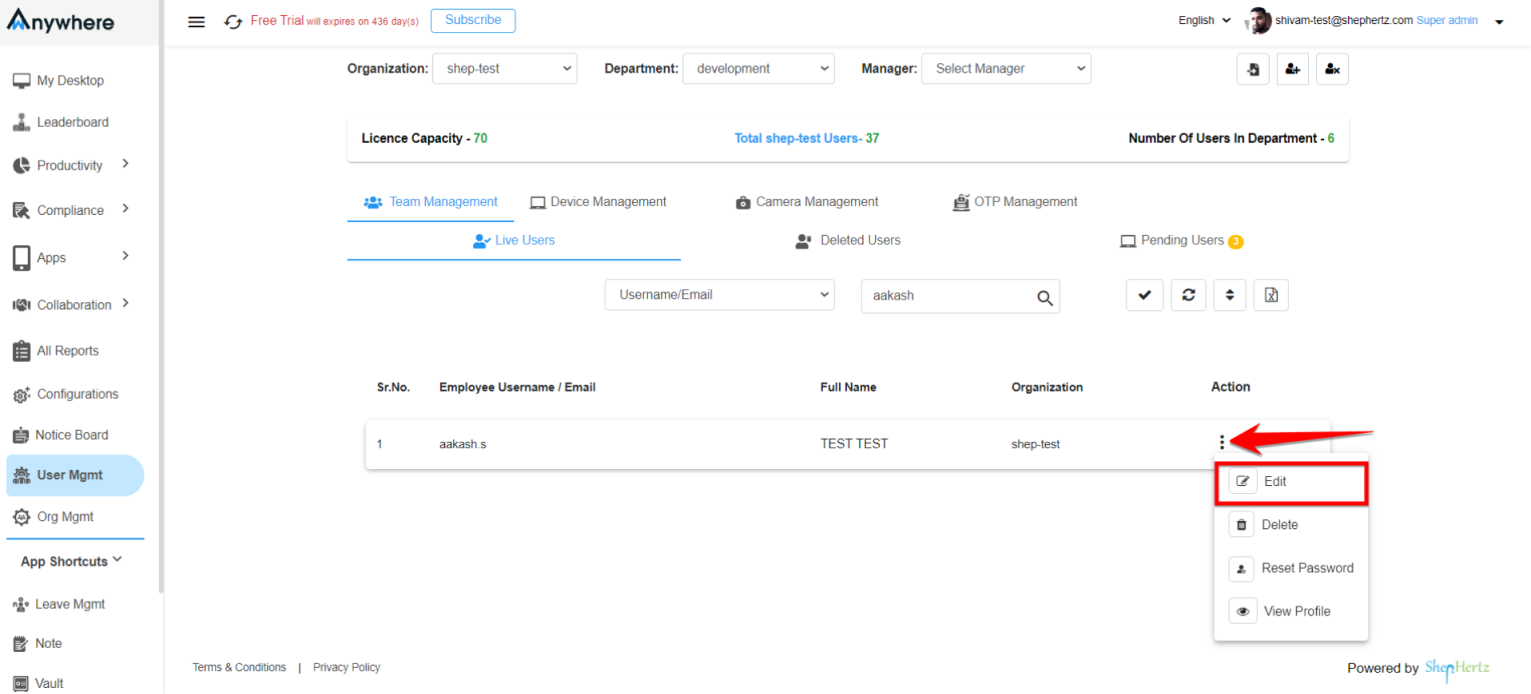
Edit User Profile
Click on the Edit button to access the user’s
profile and manage face data.
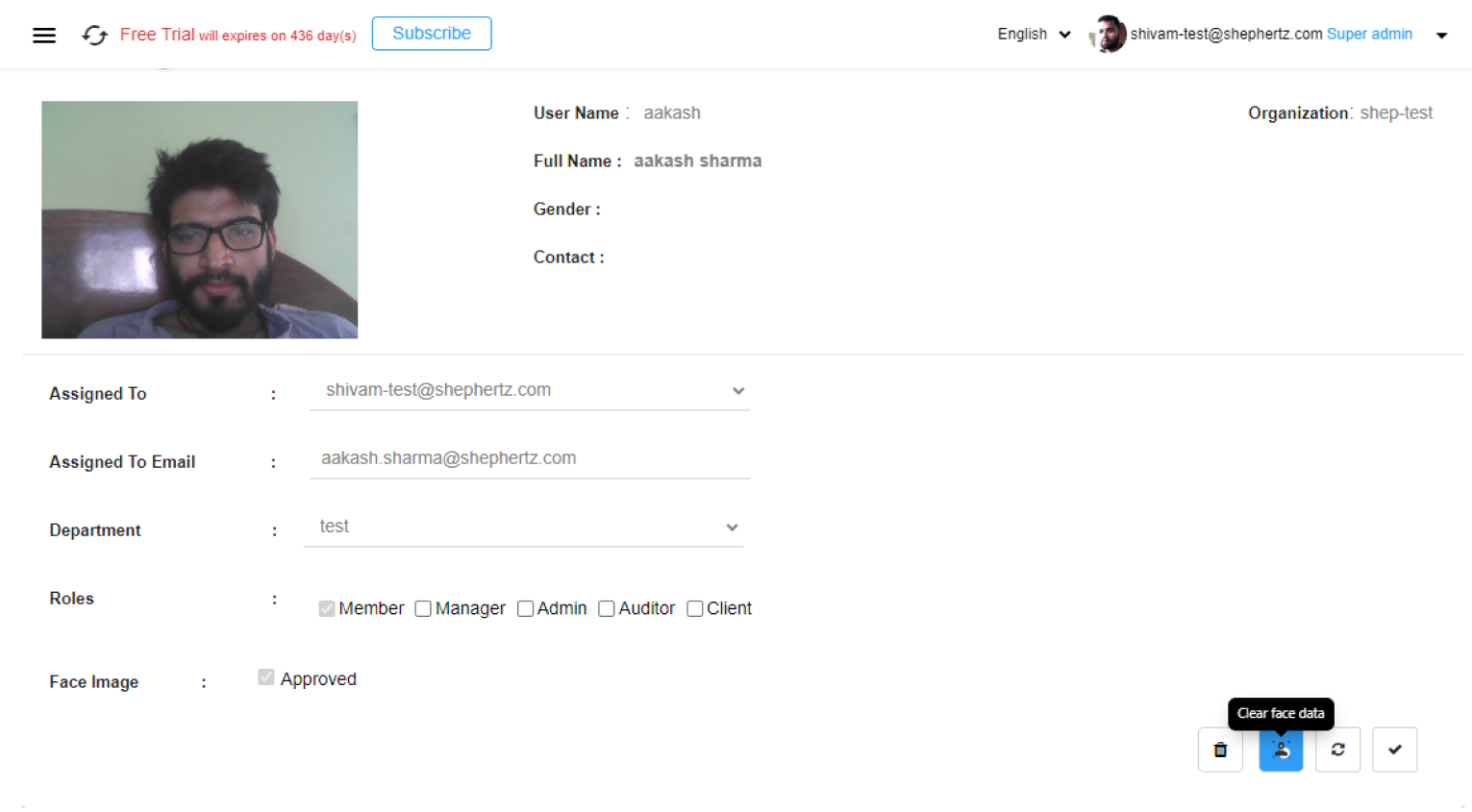
Clear Face Data
Click on the Clear Face Data button to remove
the user’s registered face information.
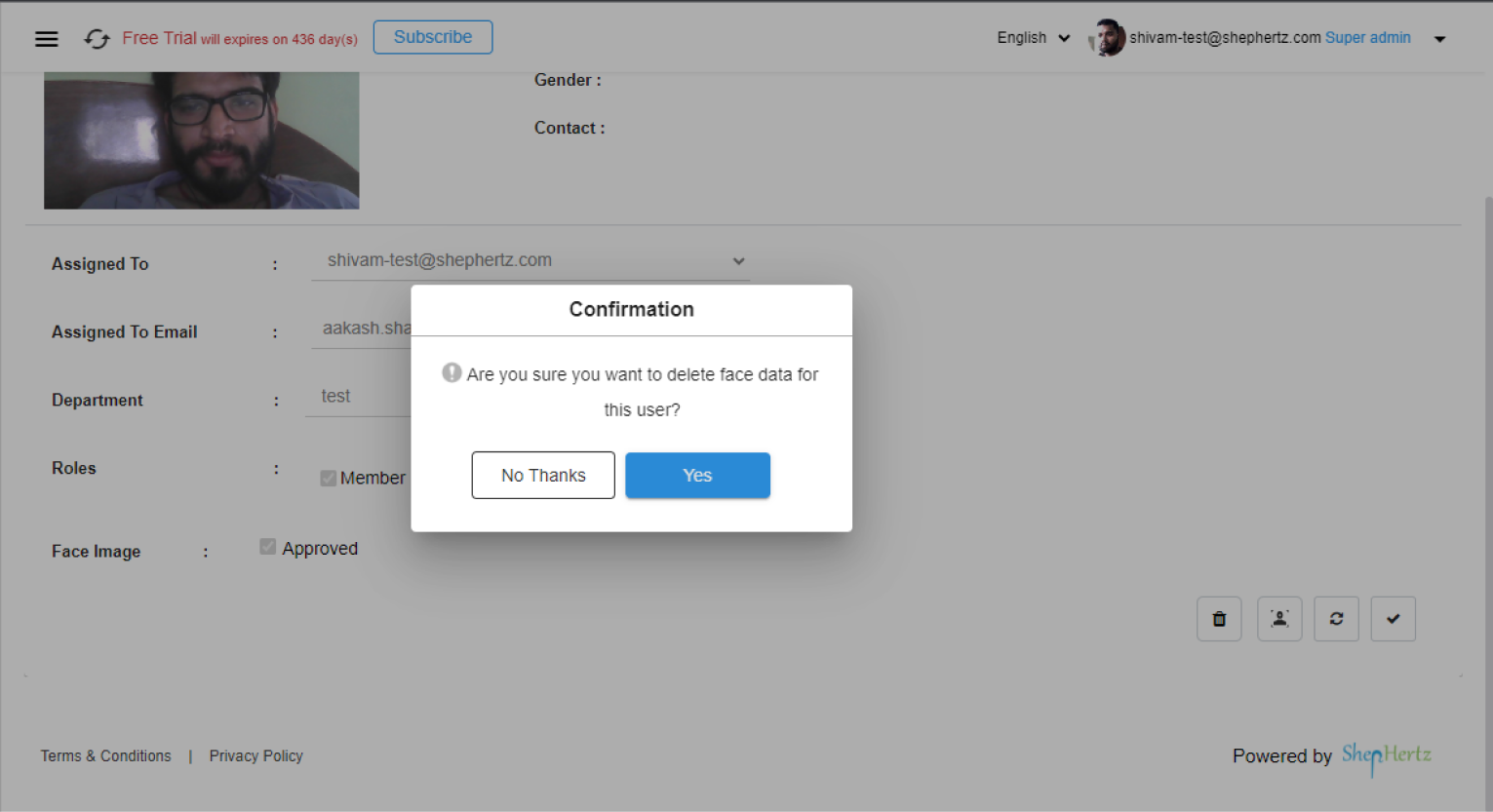
Confirm Removal
Click Yes in the confirmation dialog box to
permanently remove the user’s face data from the Console.
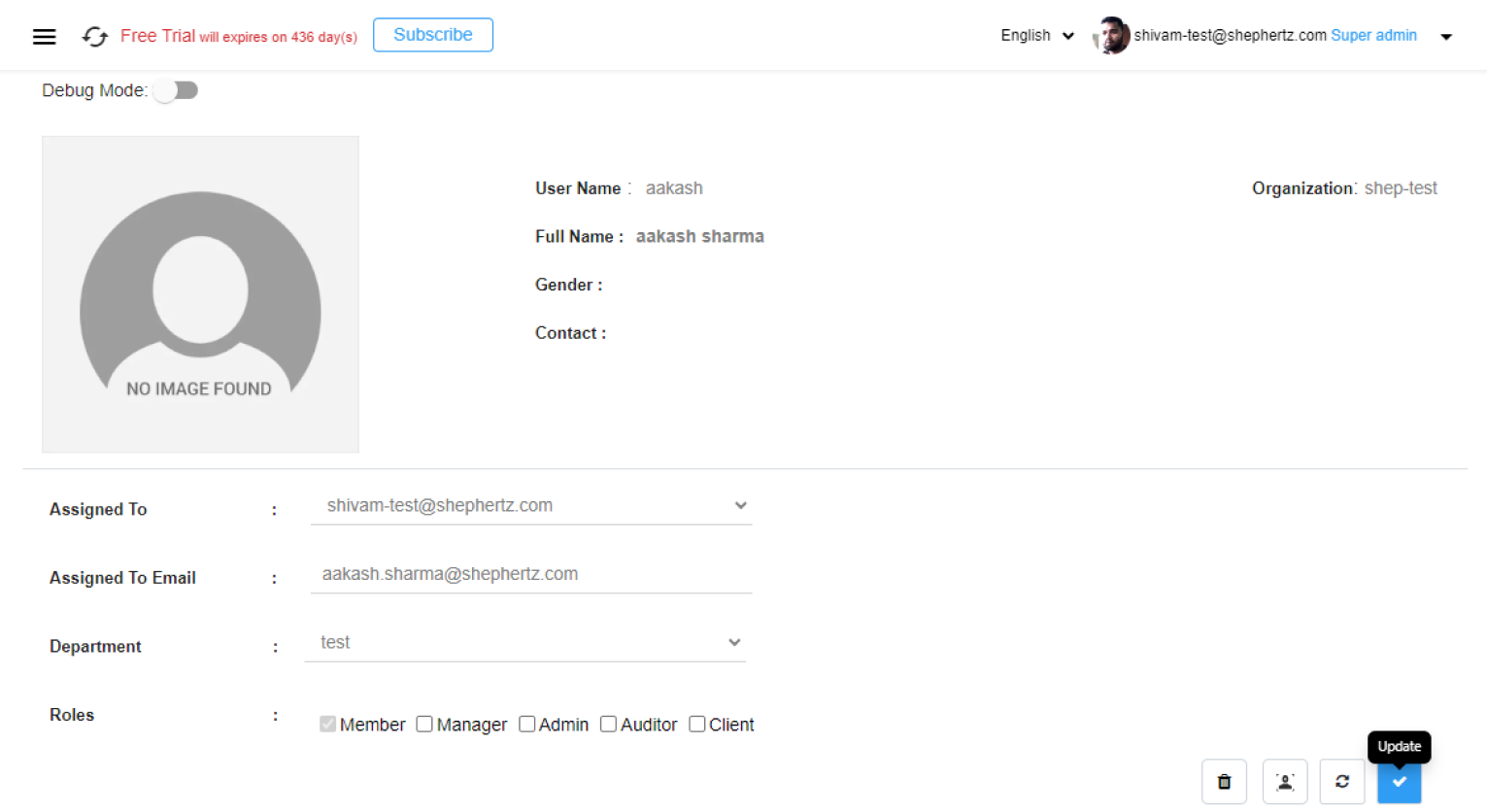
Update User Profile
Click on the Update button after clearing the
face data to save and apply the changes.
Re-register User Face
Users can register their face again by following the Face
Registration process whenever required.


