 Set as a preferred Google source
TL;DR
Manual timesheets look free but aren’t. The real cost hides in employee entry time, manager follow-ups, payroll corrections, missed billable hours, delayed approvals, and poor workforce visibility, costs that grow as headcount scales. Online timesheets doesn’t just digitize the spreadsheet; it removes the manual work sitting around it, and wAnywhere automates that entire process end to end.
This article covers
- What counts as a manual timesheet and why the process persists
- The seven places the hidden cost of manual logs builds up
- A way to calculate that cost for your own team
- What online timesheet software actually automates
- The features worth checking on a shortlist
- How to move from manual logs without disrupting payroll
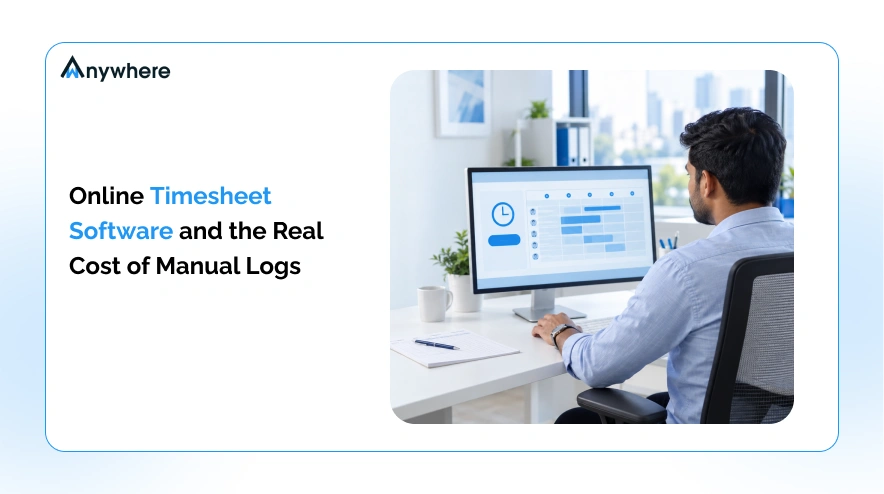
A spreadsheet costs nothing to create. Maintaining it does. Many organizations still track time through Excel, paper registers, or memory at week’s end. On paper, this looks inexpensive, since there is no subscription fee. In practice, the cost has moved into the minutes employees spend logging entries, the hours managers spend chasing submissions, and the corrections payroll teams make every cycle. The real cost of manual timesheets is not the spreadsheet itself, but everything around it, exactly what time tracking software is built to absorb.
What Are Manual Timesheets And Why Do Businesses Still Use Them
Manual timesheets cover any process where an employee records hours without a dedicated system capturing, calculating or routing them. That still describes how many organizations track time today, largely because the process feels familiar.
Paper Timesheets
Paper timesheets rely on handwritten hours, physical collection by a supervisor, manual addition of totals, and difficult retrieval when someone needs a record from months ago.
Spreadsheet Timesheets
Spreadsheet timesheets move the same process into Excel or Google Sheets, where employees enter their own hours, managers scan for anything unusual, and HR or finance consolidate sheets before payroll runs.
End Of Week Or End Of Month Time Entry
Many teams log hours retrospectively rather than as work happens. Employees end up reconstructing their week from memory, which naturally introduces small inaccuracies that accumulate across a team.
Manual timesheets are not always the wrong choice. For very small teams or occasional projects, a spreadsheet can still do the job. The problems tend to surface once the number of people, projects or approvals grows.
Also Read : 15 Free Timesheet Templates For Excel, Word And PDF

Stop Managing Timesheets Manually
Automate timesheet management, reduce repetitive work and get clearer visibility into employee hours with wAnywhere.
The Real Cost Of Manual Timesheets Goes Beyond Payroll
Most businesses using manual timesheets have asked one question, how much does the process cost? The honest answer is close to zero, since a blank template costs nothing to create and no subscription invoice ever arrives. Few ask the harder question, which is how many hours it takes to keep that free template running every week. That gap is the hidden operational cost of manual time tracking, and it rarely shows up as a line item anywhere in the budget.
Instead, it shows up in time spent filling out entries, chasing signatures, fixing payroll mistakes and reconciling numbers that should have matched the first time. None of these tasks appears on an invoice, so none of them gets flagged as a cost. They simply become part of how work gets done, absorbed into everyone’s week rather than counted anywhere. The more people, projects and approvals a business adds, the larger that invisible total grows, even though the spreadsheet itself never changes price.
7 Hidden Costs Of Manual Time Logs
These are the categories where the hidden cost of manual timesheets tends to build up fastest.
1. Employee Time Spent Filling Out Timesheets
Employees on manual timesheets are not only doing their actual work. They are also remembering hours, entering them, categorizing the work and correcting mistakes a manager rejected. Even a few minutes per employee per day adds up at scale.
As an illustrative example only, 100 employees spending 10 minutes a day on entry across 20 working days works out to roughly 333 employee hours a month, none of which goes toward the work the timesheet was meant to record.
2. Manager Time Spent Chasing And Approving Logs
Missing submissions, incomplete entries and incorrect project codes all land on a manager’s desk, and managers often become the reminder system for their own team. An employee forgets, a manager follows up, the entry gets edited, and HR reconciles it once more.
3. Payroll Errors And Reconciliation Work
Incorrect work hours, overtime or attendance records can introduce payroll discrepancies, and HR or finance spend extra time correcting them before a run can close. A survey by Ernst and Young (EY) found that one in five payroll runs in the United States contains an error, at an average cost of 291 dollars to correct. Digital timesheets can reduce these errors, though not eliminate every mistake.
4. Lost Or Inaccurately Recorded Hours
Forgotten work, late entries and unrecorded overtime all fall here, and for client facing organizations, inaccurate records can affect billing accuracy. Rather than borrowing a loss percentage from a marketing page, run the numbers for your own team. As an illustrative example only, ten employees each missing 15 minutes of billable time a day works out to roughly 32 hours of unbilled work a month.
5. Delayed Approvals And Slower Processes
A typical manual approval chain runs from employee submission to manager review, correction, reapproval and sign off. Each step adds a delay, and a single missing signature can stall the whole chain. Timesheet software can centralize this workflow with reminders and status visibility.
6. Poor Workforce Visibility
Manual logs typically confirm one fact, that an employee worked eight hours. They rarely show when the work happened, how workload is distributed, or how remote and office patterns compare. A timesheet is not the same as productivity monitoring, and treating the two as interchangeable is misleading.
7. The Cost Of Scaling Manual Processes
Manual timesheets become harder to sustain as an organization adds people, not simply because there are more employees, but more employees, managers, projects and approvals all at once. A process that worked for 20 people rarely holds up at 500.
Also Read: Why Do Businesses Need Time Tracking Software
How To Calculate The Real Cost Of Manual Timesheets
Rather than asserting that manual timesheets are expensive, here is a way to estimate the cost for your own organization. Treat each formula below as an illustrative starting point, not an audited figure.
Step 1 Calculate Employee Time Spent Logging Hours
Employees multiplied by minutes spent per day, multiplied by working days, divided by 60, gives employee hours spent on entry alone each month.
Step 2 Calculate Manager Or Admin Time
Managers and admins multiplied by time spent reviewing and correcting entries, multiplied by their hourly cost, gives the review side of the equation.
Step 3 Estimate Payroll Or Correction Overhead
Add the time spent on corrections, reconciliation and resubmissions each pay cycle. An EY survey found a 1,000 employee organization spends the equivalent of 29 workweeks a year fixing common payroll errors, a useful sense of scale.
Step 4 Estimate Lost Or Unbilled Hours
For billable teams, multiply unrecorded hours by the applicable billable rate.
Step 5 Add The Costs Together
Total manual timesheet cost equals employee admin time, plus manager admin time, plus correction and reconciliation cost, plus potential lost billing. Running this once for your own numbers says more than any industry average.
Manual Timesheets Vs Online Timesheet Software
The difference is less about whether time gets recorded and more about how much manual effort sits around that record. Depending on the platform, not every tool includes every capability below, so check a shortlist against your own requirements.
| Factor | Manual Timesheets | Online Timesheet Software |
| Time entry | Employee entered | Digital, automated workflows |
| Accuracy | Depends heavily on manual input | More consistent data capture |
| Calculations | Manual | Automated calculations |
| Approvals | Email or spreadsheets | Centralized workflow |
| Corrections | Manual follow up | Controlled edits |
| Reporting | Spreadsheet based | Centralized reports |
| Data availability | Delayed | More timely |
| Scalability | Increasing admin effort | Easier to scale |
| Audit trail | Often limited | Can include change history |
| Payroll workflow | Manual transfer | Export or integration options |
What Does Online Timesheet Software Actually Automate
Automation in this context does not mean removing people from the process. It means removing the repetitive parts of the process so people only step in where judgment is actually needed.
- Time Capture
Digital clock in and clock out records replace handwritten or remembered start and stop times.
- Timesheet Creation
Depending on the platform, timesheets can be automatically generated or pre populated from captured time data rather than built from scratch each period.
- Break And Overtime Calculations
Configured rules can apply break deductions and overtime thresholds automatically instead of requiring someone to calculate them by hand.
- Approvals And Reminders
Automated notifications and defined approval workflows replace manual follow up emails.
- Reporting And Exports
Employee, department and project level reports, along with downloadable and payroll ready exports, become available without manually assembling a spreadsheet.
- Integrations
Many platforms can connect with payroll, HRIS, project management or accounting systems, though not every tool integrates with every system, so confirm compatibility with your stack before choosing one.
8 Features To Look For In Online Employee Timesheet Software
The right feature set depends on team size and workflow, but a handful of capabilities show up consistently in reliable online employee timesheet software.
1. Automatic Or Low Friction Time Capture
Time entry should take seconds, not minutes, or it gets avoided or done inaccurately.
2. Employee Self Service
Employees should be able to view their entries, flag mistakes and request corrections rather than waiting on a manager to notice an error.
3. Manager Approval Workflows
A defined, visible approval path replaces ad hoc email chains and verbal sign offs.
4. Automated Reminders
Reminders for missing entries or pending approvals reduce how often a manager has to chase someone manually.
5. Overtime And Break Rules
Configurable rules keep calculations consistent across employees, shifts and locations.
6. Reports And Export Options
Usable reports at the employee, project and department level make the data worth collecting in the first place.
7. Audit Trails And Edit History
Knowing who changed an entry, when and why matters for payroll accuracy and for compliance in organizations that get audited on labor costs.
8. Integrations And Scalability
The software should fit your existing technology stack rather than becoming a separate system nobody fully adopts.
Also Read : 10 Best Employee Time Tracking Software For 2026
How Online Timesheet Software Helps Remote And Hybrid Teams
Different time zones, flexible schedules and field employees make manual tracking harder to keep consistent. Distributed teams make centralized, timely records more important, since managers cannot rely on a shared workplace to verify attendance or resolve a missing entry in person.
Having a timesheet software online can centralize these records in one place, regardless of where an employee logs in from, which matters more as hybrid and remote arrangements become the default. This does not mean distributed employees need closer watching, only that a consistent digital record becomes the fastest way to keep hours accurate and approvals moving.
Also Read : How To Track Remote And Field Employee Attendance Daily
Online Timesheet Software Vs Employee Productivity Software
Timesheet software answers one question, how much time was recorded. Productivity software helps answer a different one, how that recorded time was actually spent, adding detail about active hours, idle time, breaks and the applications or websites used along the way.
A timesheet might show eight hours logged for the day, while productivity data shows how much of that time was active work versus breaks or auxiliary tasks. An eight hour entry alone is not proof of eight hours of productive work, and productivity metrics alone do not capture everything relevant to a person’s contribution either. The two data sets are more useful read together than either one read in isolation.
How wAnywhere Simplifies Online Timesheet Management
wAnywhere approaches online timesheet management by reducing the manual work sitting around the timesheet itself, rather than simply digitizing the same paper process.
Replace Manual Sheets With Automated Timesheets
wAnywhere generates timesheets automatically from captured work data, cutting down on manual entry and record keeping errors. Timesheets can be exported to PDF or Excel for teams that still need those formats for payroll or client reporting.
Give Managers Clearer Workforce Reports
Department and organization level timesheets give managers a consolidated view instead of chasing individual spreadsheets, with support for hourly employees, freelancers and part time staff alongside full time teams.
Connect Timesheets With Time And Attendance Data
Project details and an integrated calendar sit alongside the timesheet, so hours tie back to the work and schedule they belong to, rather than existing as an isolated log.
Scale From Individual Employees To Departments
Tech stack integrations and cloud storage let the setup extend from a single team to an entire organization without rebuilding the process. If your team is still piecing hours together from spreadsheets, wAnywhere can automate that and give clearer visibility into how work hours are spent, with a free trial available.
Turn Time Logs Into Actionable Workforce Data
Auto-generated timesheets, payroll-ready exports and department-level reporting, all in one place.
How To Move From Manual Logs To Online Timesheet Software
Switching does not have to mean a disruptive overhaul. A staged approach works better than an organization wide switch on day one.
- Step 1 Audit Your Existing Timesheet Process
Identify where employees enter time, who reviews it, how corrections happen today, and where errors tend to originate.
- Step 2 Identify The Costliest Manual Tasks
Prioritize whichever category costs the most time right now, whether that is payroll reconciliation, approvals, missing entries or billing.
- Step 3 Choose The Right Timesheet Workflow
Consider remote versus office staff, shift patterns, project tracking needs, contractors and payroll integration requirements before selecting a workflow.
- Step 4 Pilot With One Team
Test the new process with a single team before rolling it out organization wide, so issues surface at a small scale first.
- Step 5 Measure The Difference
Track administration time, correction frequency, approval time and payroll discrepancies before and after the switch to see whether it actually helped.
Also Read : Free Hybrid Workforce ROI Calculator To Estimate Your Savings
Common Mistakes When Switching To Online Timesheet Software
A few patterns show up repeatedly when organizations move away from manual timesheets.
Choosing Based Only On Price
A lower sticker price can hide a higher total cost of ownership once implementation and training are factored in.
Overcomplicating Employee Time Entry
If logging time becomes harder than the old spreadsheet, adoption suffers regardless of how capable the software is.
Removing Employee Correction Options
Employees need a controlled way to flag a genuine mistake, rather than being locked out of their own record.
Ignoring Approval Workflows
Automation that only covers time capture and skips approvals still leaves most of the manual bottleneck in place.
Collecting More Data Than Necessary
Be transparent about what is collected and why, and collect only what the organization actually needs.
Conclusion
Manual timesheets look inexpensive because their real costs are spread across employees, managers, HR and finance rather than one invoice. Add up the entry time, the manager hours chasing and approving, the payroll corrections and the limited visibility, and the picture changes considerably. Online timesheet software does not simply replace a spreadsheet. It replaces the manual work sitting around it. If your organization is still reconstructing hours from memory each week, wAnywhere can help turn those logs into usable workforce data.
Frequently Asked Questions
How Does Online Timesheet Software Work
Most platforms follow a similar sequence: capture, calculate, review, approve, report. Time is logged, calculations apply automatically, a manager approves the entry, and data flows into reporting or payroll.
What Is The Difference Between Manual And Online Timesheets
Manual timesheets rely on employees and managers to enter, check and correct hours by hand. Online timesheet software automates much of that process, though the level of automation varies by platform.
How Does Online Timesheet Software Reduce Errors
It reduces repetitive data entry, automates calculations and centralizes reconciliation, which lowers the number of manual touchpoints where mistakes tend to enter the process.
Is Online Employee Timesheet Software Suitable For Remote Teams
Yes. Depending on the platform, access through a browser, cloud dashboard or mobile app lets remote and hybrid employees log hours from wherever they are working.
Can Online Timesheet Software Help With Payroll
Many platforms support payroll ready exports or direct integrations, though the exact calculations and connections supported depend on the specific tool.
Can Employees Correct Their Timesheets
Most reliable systems include a controlled correction process, where an employee can flag or edit an entry and a manager reviews the change before it is finalized.
What Should I Look For In Timesheet Software Online
Look for ease of use, automation of repetitive steps, clear approval workflows, solid reporting, integrations with your existing stack, security and room to scale as the team grows.
Is Online Timesheet Software Better Than Excel
There is no universal answer. A very small team with a simple workflow can still make a spreadsheet work. As employees, locations and reporting requirements grow, dedicated software tends to become more valuable than a spreadsheet stretched past its limits.
Can Timesheet Software Track Productivity
Not by itself. A timesheet records how much time was logged, not how that time was spent. Productivity or activity data, where available, adds that additional layer of context.

Table of Contents
Boost productivity and compliance with wAnywhere
Read summarized version with