


 Set as a preferred Google source
TL;DR
This article covers the following points.
- A valid login confirms credentials, not the person at the desk. AI-powered identity detection uses a webcam and computer vision to flag when someone other than the authorized user appears at a protected workstation.
- It is distinct from facial recognition, which is the underlying technology, and from multiple person detection, which flags anyone else in view whether recognized or not.
- Detection reduces risk only when it triggers a response, such as notifications, screen blackout, OS lock or OTP-based screen lock, and creates an auditable record.
- It is most valuable for BPOs, contact centers, BFSI, healthcare and remote or hybrid teams handling sensitive data.
- It supplements IAM, MFA, endpoint security and DLP rather than replacing them, and it needs clear privacy governance to be used responsibly.
A support agent logs in at 9 a.m. with valid credentials, clears multi-factor authentication and opens a client’s billing system. An hour later the session is still active, and every system check still reads “authorized.” The person now sitting at the keyboard, however, is someone else.
That is the gap most access controls were never designed to close. Authentication verifies a login. It does not verify who is physically present at the workstation after that login succeeds.
Unknown person detection is an AI and computer vision capability built for this gap. It identifies when an unrecognized or unauthorized person appears in front of a monitored workstation, which matters most when employees work with customer information, financial and healthcare data, credentials, business applications, confidential documents and client systems.
The core argument of this guide is straightforward. Identity visibility at the workstation adds a physical layer to workplace security, sitting between digital authentication and what actually happens at the desk. That is also why wAnywhere combines this capability with AI powered facial authentication and a wider set of AI compliance controls.
What Is Unknown Person Detection?
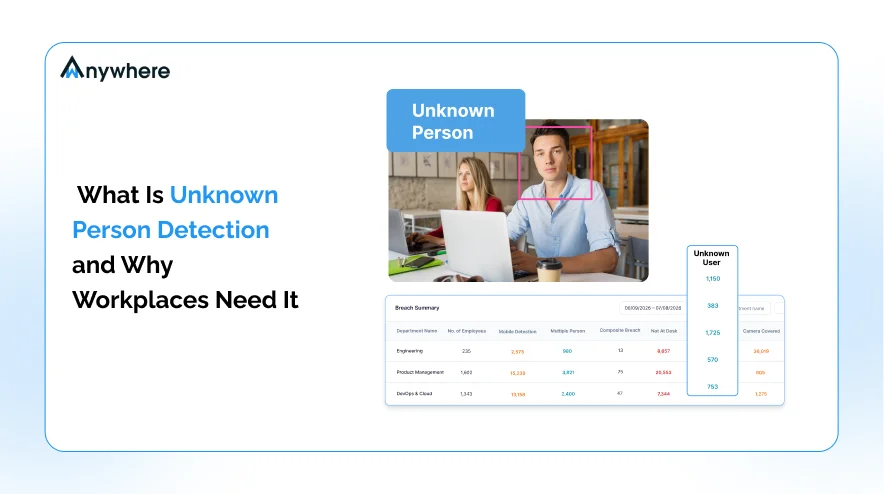
Unknown person detection is an AI-powered workplace security capability that identifies when a person who is not recognized or authorized appears in front of a monitored workstation or within a defined workspace. When the system cannot match the face in view to the authorized identity, it logs a security event that can trigger an alert or an automated response.
Several related terms get used interchangeably, but they describe different things. Person detection simply confirms that a human is in the camera’s view. Face recognition is the technology that matches a face against known identities. Facial authentication applies that matching to confirm the right user is starting or continuing a session. Unauthorized access prevention is the broader security objective that all of these capabilities serve.
Unrecognized Person Alerts Vs Facial Recognition
Facial recognition is the underlying identity technology. An unrecognized person alert is the security event, or use case, that occurs when the detected face does not match the authorized identity for that workstation. AI camera systems typically combine facial recognition with object recognition, intrusion rules and predefined criteria to separate authorized people from unauthorized ones. Put simply, recognition answers who this person is, while the alert answers whether this person should be here.
How It Differs From Multiple Person Detection
These two detections are easy to blur, so the distinction is worth stating plainly. An unrecognized person event means the system sees someone who is not the authorized user. A multiple person event means more than one person is visible around the workstation, whether or not the additional person is recognized. The second matters in clean-desk and shoulder-surfing scenarios, where a colleague or family member may be allowed in the room but not allowed to see the screen. wAnywhere treats these as separate AI compliance detections for exactly this reason.

A Valid Login Is Not Proof Of Who Is At The Desk
wAnywhere flags unrecognized people at every workstation and responds with alerts, screen blackout or OS lock across remote, hybrid and onsite teams.
How Does AI Person Detection Work At A Workstation?
Unknown person detection follows a short, repeatable workflow. Implementation details vary by platform, but most workstation-level systems move through the same five stages.
1. Register Or Authenticate The Authorized User
The system first establishes who is allowed to use the workstation. This typically happens through facial authentication, where the employee’s face is enrolled and then verified. wAnywhere supports facial authentication and can combine it with other mechanisms, including directory and identity systems and username and password authentication.
2. The Camera Captures The Person At The Workstation
A standard webcam or compatible camera provides the visual input. For most remote and hybrid employees, the laptop’s built-in camera is sufficient, so no dedicated hardware is needed at each desk.
3. AI Analyzes The Person’s Identity
Computer vision models compare the person in view against the authorized identity or predefined recognition criteria. This happens on an ongoing basis during the session, not only at login.
4. The System Flags An Unrecognized Person
If the person in front of the screen does not match the authorized user, the event is classified as an unknown-person violation and recorded with a timestamp for review.
5. An Alert Or Remediation Action Follows
Detection is only useful when it leads to a proportionate response. Depending on policy, that response can include the following actions.
- Notifications to security or operations teams
- Screen blackout
- OS lock
- OTP-based screen lock
- Incident review
- Audit records
wAnywhere documents notifications, screen blackout, OS lock and OTP-based screen locking as configurable responses to compliance violations.
Also Read : How wAnywhere Leverages AI To Maintain Security And Compliance Across Your Remote Work Environment
Why Workstation Identity Detection Matters In Modern Workplaces
Most security stacks are strong at verifying digital identity and weak at verifying physical presence. That gap matters because people remain central to how breaches happen. Verizon’s 2026 Data Breach Investigations Report found that the human element was involved in 62% of breaches, a reminder that controls built only around systems miss much of the real risk.
At the workstation, that human element shows up in ordinary ways. An employee may share credentials, leave a workstation unattended, let someone else use the device, work from a shared environment, allow another person to view sensitive information, or be impersonated while the session remains active.
Valid Credentials Do Not Always Mean The Right Person Is At The Desk
A valid login confirms that the correct credentials were entered. It does not prove who is sitting in front of the screen five minutes, or five hours, later. Identity detection at the workstation closes part of that gap by checking presence throughout the session. It works best as an additional layer alongside identity and access management, not as a replacement for it.
Remote And Hybrid Work Expand The Physical Security Boundary
The office badge reader used to define the physical perimeter. For a large share of the workforce, that perimeter has moved. Gallup’s hybrid work indicator shows that 52% of remote-capable U.S. employees work hybrid and 26% work exclusively remotely. Their workstations now sit in home offices, shared rooms, coworking spaces and temporary setups that the security team cannot see or control. wAnywhere’s own security guidance lists an unknown person at the desk as a core risk for remote and hybrid employees, alongside multiple persons, mobile usage and unattended workstations.
7 Security Risks Unrecognized Person Detection Can Help Address
Workstation identity risks rarely announce themselves. Each of the seven scenarios below is common, hard to spot through system logs alone and directly relevant to teams handling sensitive data.
1. Unauthorized Use Of An Active Workstation
An authenticated session does not end when the employee steps away or hands over the device. Anyone who sits down can interact with open applications, send messages or access records under the employee’s identity. Detecting an unrecognized face lets the system respond before that session is misused.
2. Credential Sharing And Impersonation
Credential sharing is often a convenience decision rather than a malicious one, which is exactly why it persists. Ponemon Institute’s 2026 Cost of Insider Risks study found that 53% of insider incidents stemmed from employee negligence, while credential theft accounted for 20%. Verifying the face at the desk adds a check that a username and password cannot provide on their own, as covered in this guide to AI facial recognition for insider threat prevention. It helps detect sharing and impersonation, though it does not eliminate them.
3. Exposure Of Confidential Information
Customer records, financial information, healthcare data, internal documents and client information are all visible on screen during normal work. When an unauthorized person is in view, that exposure happens silently, with no download or file transfer for data breach security tools to catch.
4. Shoulder Surfing And Unauthorized Viewing
Visual exposure is a low-tech risk with a high success rate. In the Ponemon Institute’s Global Visual Hacking Experiment, sponsored by 3M, 91% of visual hacking attempts succeeded, and 52% of the sensitive information captured came from employee computer screens. This is where unrecognized person alerts and multiple person detection work together, flagging both an unfamiliar user and an extra viewer.
5. Unattended Workstations
This distinction matters. Unrecognized person detection identifies someone who should not be there, while not-at-desk detection identifies when the authorized employee has left. Together, they cover both halves of the unattended workstation problem, and wAnywhere supports both capabilities.
6. Remote Workforce Security Gaps
Traditional office controls such as badge access, reception desks and CCTV do not extend into an employee’s home. Remote workforce security depends on controls that travel with the device, and camera-based identity checks are one of the few that address the physical environment directly.
7. Compliance And Audit Requirements
Security and compliance teams need evidence when they investigate potential violations. A timestamped detection event, paired with the response that followed, gives reviewers a clear record to work from. Detection supports workplace compliance programs, but it does not by itself make an organization HIPAA or GDPR compliant.
Protect Every Workstation With AI-Powered Identity Detection
Detect unknown persons, catch workstation-level security risks and respond to compliance violations before client data is exposed.
Unauthorized Person Detection For BPOs And Contact Centers
BPOs face a sharper version of every risk above. Agents routinely handle customer PII, payment information, healthcare information, account credentials, client systems, sensitive conversations and proprietary business information, often for several clients at once. The financial stakes are significant. IBM’s 2026 Cost of a Data Breach Report puts the global average cost of a breach at USD 4.99 million, rising to USD 6.64 million in healthcare and USD 6.29 million in financial services, two sectors BPOs serve heavily.
Protecting Client Data At The Workstation
Client contracts increasingly specify how data must be protected at the point of use. Flagging an unauthorized person at an agent’s desk helps reduce the risk of someone viewing or interacting with client information, and it gives the BPO evidence that the control is operating.
Supporting Remote BPO Operations
Home-based agents and hybrid contact center teams extend the delivery floor into hundreds or thousands of uncontrolled rooms. Employee workstation security at that scale needs automated checks, because supervisors can no longer walk the floor.
Creating An Audit Trail For Security Events
Each detection event becomes part of a reviewable record that connects what happened with how the organization responded. wAnywhere has documented a contact center deployment using unknown-person, multiple-person, mobile and not-at-desk detections, supported by a remediation workflow for reviewing compliance events.
Also Read : 7 Most Pressing Challenges And Solutions For BPOs In Remote Work
How Unrecognized Person Detection Compares With Traditional Workplace Security
Traditional workplace access control protects buildings and systems. Workstation identity detection focuses on the space in between, where an authenticated session meets a physical person.
| Traditional Security | Workstation Identity Detection |
| Door and access control | Workstation-level identity visibility |
| Username and password | Physical user verification |
| Periodic security checks | Ongoing detection throughout the session |
| Manual monitoring | AI-assisted detection |
| Security camera footage | Event-based identity alerts |
| Post-incident investigation | Potential real-time detection and response |
None of this replaces access control, MFA, IAM, endpoint security, CCTV or security policies. It adds another layer between digital authentication and physical workstation activity.
Where Detection Fits In Unauthorized Access Prevention
Unauthorized access prevention is the broader objective. Identity detection at the workstation is one capability that supports it, alongside authentication, access policies and endpoint controls. The difference matters because detection on its own only tells you something happened. Prevention depends on what the organization does next.
How Detection Supports Prevention
A simple chain describes the relationship. Detect, alert, respond, investigate and improve controls. Detection becomes preventive when it is connected to automated responses or defined workflows. When a screen blacks out or the OS locks as soon as an unrecognized face appears, the window for misuse narrows considerably. wAnywhere supports this through notifications and remediation actions such as screen blackout, OS lock and OTP-based locking.
How Identity Detection Works With Other AI Security Controls
No single detection answers every workstation security question. The value comes from combining several, each covering a different risk.
Facial Authentication
Facial authentication confirms who the authorized user is. It sets the identity baseline that every other detection is measured against.
Unrecognized Person Detection
This detection flags when someone other than the authorized user is at the workstation. It answers the impersonation and hand-over questions that credentials alone cannot.
Multiple Person Detection
Multiple person detection identifies when another person is present around the workstation, recognized or not. It is the core control for shoulder-surfing and clean-desk policies.
Not-At-Desk Detection
Not-at-desk detection signals when the authorized employee has left the workstation. It helps close the window in which an open session sits unattended.
Mobile Detection
Mobile detection identifies a phone being used around the workstation. Phones are one of the simplest ways to photograph or record what is on screen.
| Detection | Security Question |
| Facial authentication | Who is the authorized user? |
| Unrecognized person | Is an unauthorized person present? |
| Multiple person | Is someone else present? |
| Not at desk | Is the workstation unattended? |
| Mobile detection | Is a recording device being used? |
wAnywhere groups these capabilities within its AI security and compliance functionality, so each detection feeds the same reporting and remediation workflows.
Also Read : Strengthen Your BPO Security And Gain Control Over Emerging Threats
How To Implement Workstation Identity Detection
Rollouts succeed when they start with risk rather than technology. The four steps below keep a deployment focused and defensible.
Define Which Workstations Need Protection
Prioritize the areas where exposure is highest, including sensitive operations, finance teams, BPO workstations, healthcare workflows, privileged users and remote employees handling sensitive data. Starting narrow also makes results easier to measure.
Establish Authorized User Identities
Enroll authorized users through facial authentication and connect identities to existing directory or identity systems, so detection reflects the same source of truth as access management.
Configure Detection Policies
Decide who receives alerts, what happens after a detection, which events require investigation and which trigger automatic action. Clear thresholds prevent alert fatigue and inconsistent responses, and common setup questions are answered in the wAnywhere product FAQ.
Define Privacy And Data Governance Rules
Set rules for transparency, purpose limitation, data minimization, access controls, retention and employee communication before go-live, and check them against applicable privacy laws. The next section covers these principles in more detail.
Privacy Considerations For Workplace Identity Detection
Camera-based detection is only defensible when it is scoped to a security purpose. Without guardrails, it can drift into surveillance that erodes trust and creates its own compliance exposure. Five principles keep the balance right.
Monitor For A Defined Security Purpose
Use detection to address specific, documented risks such as client data exposure, not to track general employee behavior.
Limit Who Can Access Detection Data
Apply role-based access so that only authorized reviewers can see images and event records.
Define Retention Policies
Do not retain images or events indefinitely. Keep them only as long as a legitimate security or compliance reason exists.
Inform Employees About Monitoring
Explain clearly what is monitored, why it is monitored and what happens when an event is triggered. Transparency tends to improve acceptance as well as compliance.
Follow Applicable Privacy And Employment Requirements
Requirements vary by jurisdiction and sector. Review deployments with legal and privacy teams rather than assuming one configuration fits every location.
How wAnywhere Uses AI Identity Detection For Workplace Security
wAnywhere brings workstation identity controls into a single platform rather than leaving them as isolated tools. It combines facial authentication, unrecognized person detection, multiple person detection, not-at-desk detection, mobile detection, screen monitoring, compliance reporting and automated remediation.
Its unknown-person capability detects an unknown or unauthorized person in the camera’s field of view, including impersonation scenarios where someone attempts to continue work under another employee’s session. Each event can trigger notifications, screen blackout, OS lock or OTP-based screen locking, and it flows into reporting and API connectivity for compliance and incident workflows.
For teams running remote, hybrid or onsite operations with sensitive client data, that combination means workstation-level risks are detected, acted on and documented in one place. You can explore how wAnywhere protects every workstation with AI-powered identity detection and see how its controls map to your own environment.
Conclusion
Workplace security cannot stop at the login screen. An employee can authenticate correctly, yet the person interacting with the workstation can change minutes later. Unknown person detection gives organizations visibility into that moment by identifying when an unrecognized person appears at a protected workstation.
Its value comes from the full chain of identity, detection, response and audit. On its own, it is one signal. Combined with authentication, endpoint security, access controls, data loss prevention, employee security policies and privacy governance, it becomes part of a layered strategy that protects data where it is most exposed, on the screen in front of the user.
To see how that layered approach works across remote, hybrid and onsite teams, explore the wAnywhere AI security and compliance controls.
Frequently Asked Questions
How Does AI Person Detection Work?
A camera captures the person at the workstation. AI compares that face with the authorized user's enrolled identity or predefined criteria. If there is no match, the system logs an unrecognized person event and can send an alert or trigger an action such as screen blackout or an OS lock, depending on the organization's policy.
What Is The Difference Between Unrecognized Person Detection And Facial Recognition?
Facial recognition is the underlying technology that matches a face against known identities. Unrecognized person detection is the security use case built on top of it, meaning the event triggered when the face at a workstation does not match the authorized user. One is the method, and the other is the outcome security teams act on.
How Does Detection Help Stop Unauthorized Access?
Detection identifies that an unauthorized person is present. It supports prevention when it is connected to alerts and remediation, such as notifications, screen blackout, OS lock or OTP-based screen locking. That response limits what the person can see or do, while the event record supports investigation and stronger controls.
Can Unrecognized Person Detection Be Used For Remote Employees?
Yes. Remote and hybrid workstations are among the strongest use cases, because home offices, shared rooms and coworking spaces sit outside traditional office access controls. A laptop webcam is usually sufficient, and detection works wherever the employee logs in, giving security teams visibility they would otherwise lack.
Is It The Same As Multiple Person Detection?
No. Unrecognized person detection flags someone who is not the authorized user. Multiple person detection flags that more than one person is visible around the workstation, whether or not the extra person is recognized. The two often work together, especially for shoulder-surfing and clean-desk policies.
Can Workstation Identity Detection Prevent Data Leaks?
It can help reduce certain physical access and screen exposure risks, particularly unauthorized viewing and misuse of active sessions. It cannot stop every data leak on its own. It works best as part of a broader strategy that includes access controls, endpoint security, data loss prevention and clear employee policies.
Is Unauthorized Person Detection A Form Of Employee Surveillance?
It depends on how it is implemented. Used for a defined security purpose, with transparency, role-based access, limited retention and clear employee communication, it functions as a targeted security control. Without those guardrails, it risks becoming surveillance. Governance, not the technology itself, determines which one it is.
What Happens When An Unrecognized Person Is Detected?
That depends on configuration. Organizations can receive real-time notifications and trigger remediation such as screen blackout, OS lock or OTP-based screen locking. The event is recorded for review, so security or compliance teams can investigate what happened and decide whether further action is needed.
Where Is Unauthorized Person Detection Most Useful?
It is most valuable wherever sensitive data appears on screen and the physical surroundings are hard to control. That includes BPOs, contact centers, BFSI, healthcare, remote teams, hybrid teams and any organization handling customer PII, payment data or confidential client information.

Table of Contents
Boost productivity and compliance with wAnywhere
Read summarized version with


