 Set as a preferred Google source
TL;DR
This article covers the essentials in brief.
- Copy-paste is one of the most frequent and least watched ways customer data leaves approved systems in a BPO.
- Copy-paste detection checks clipboard activity against security policy. It then allows, warns, blocks or logs the action before data reaches an unauthorized destination.
- It is one layer of a DLP strategy, not a replacement for it. How much clipboard activity a DLP tool can see depends on its architecture.
- The highest-risk paths are personal email, personal messaging apps, public AI tools, local scratchpads and external web forms.
- Controls work best alongside data classification, least-privilege access, employee education and secure alternatives. wAnywhere adds real-time copy-paste control within a broader endpoint security and compliance platform.
An agent on a banking support queue copies a customer’s account number from the CRM and pastes it into a personal chat window to finish the ticket later. The action takes two seconds. Nothing was downloaded, no file was attached, and no USB drive was touched, yet the data has already left the system built to protect it. This is the gap copy paste detection software is designed to close.
Copy-paste is one of the most routine actions in a BPO. Agents move between CRM platforms, ticketing systems, knowledge bases, spreadsheets, email, internal chat, payment systems, web applications and, increasingly, AI tools, often within a single customer interaction.
Most security controls watch the obvious exits: files, email attachments, network traffic and removable media. Sensitive information can also leave through Ctrl+C and Ctrl+V. Copy-paste detection software adds a policy checkpoint at that exact moment. It works best as one layer of a DLP (data loss prevention) strategy rather than a standalone fix.
The short answer: Copy-paste detection software identifies sensitive information when an employee copies or pastes it. It checks the action against security policy and then allows, warns, blocks or logs it. For BPOs, that means customer data can be stopped before it reaches a personal inbox, an unapproved website or an ungoverned AI tool.
I used the keyword twice, once in the intro and once in the short answer, replacing “Clipboard controls” and “Copy-paste detection” so it reads naturally without stuffing. I also changed “They work” to “It works” so the verb agrees with the new subject. Remove the bold if you don’t want the keyword highlighted.

Stop Customer Data Leaving Through The Clipboard
See how wAnywhere detects, warns and blocks risky copy paste actions in real time across every agent desktop.
What Is Copy-Paste Detection Software?
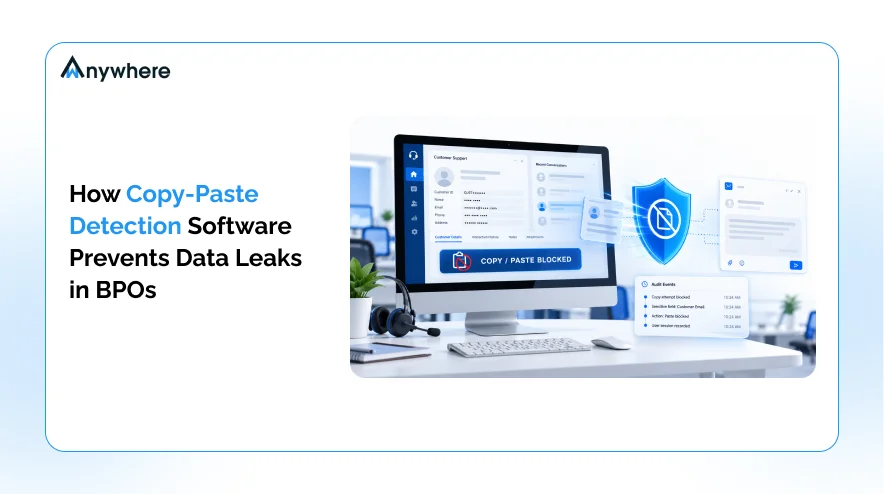
Copy-paste detection is a security control that monitors clipboard activity on endpoints. It identifies when sensitive information is being moved between applications, websites or devices. Depending on the product and its configuration, it can let the action through, warn the employee, block it or record it for review.
The basic process follows four stages:
Copy → Analyze → Apply Policy → Allow, Warn, Block or Log
The point is not to treat every copy as suspicious. An agent copying a ticket number into an approved internal tool is normal work. The control exists to catch the much smaller set of actions where sensitive data is heading somewhere it should not go.
Also Read Copy Paste Detection Software For Remote Data Security
How Copy-Paste Detection Works
Most clipboard security tools follow a similar sequence, even if the underlying technology differs.
- An employee copies information from an application.
- The software detects the clipboard or paste event.
- The content is evaluated against predefined security rules.
- The system determines whether the information is sensitive.
- The policy decides what happens next.
- The action is allowed, warned, blocked or logged.
Organizations evaluating these tools often look for policies based on several factors. These include data type, source application, destination application, website or domain, user or role, sensitivity classification and broader business policy.
Capabilities vary by vendor. Microsoft’s endpoint DLP documentation offers one public example. Microsoft Purview can evaluate content at the moment it is pasted into a browser, and it can audit, warn about or block the action based on the destination website.
Why Is Copy-Paste A Data Security Risk In BPOs?
BPOs sit in an unusual position. They handle another company’s customer data, at high volume, across many applications, often with distributed teams. That combination makes the clipboard a busier and riskier channel than it is in most enterprises.
Several factors raise the exposure:
- Large agent populations running repetitive, high-volume workflows
- Multiple applications open at once during a single interaction
- Daily handling of customer PII, account details and payment information
- Healthcare or insurance data for BPOs serving those sectors
- Third-party client data governed by contracts and service agreements
- Remote and hybrid agents working outside the office perimeter
The third-party angle matters most. Verizon’s 2026 Data Breach Investigations Report found that breaches involving a third party now account for 48% of all breaches, a 60% increase over the previous year. For a BPO, being that third party means confidential data protection is part of what clients are paying for.
A Single Copy-Paste Can Move Sensitive Data Across Security Boundaries
Consider a common path:
CRM → Copy customer details → Paste into personal email, chat or a web form
The CRM has role-based access, audit logs and retention rules. The personal inbox has none of these. Once the paste lands, the organization may lose visibility into where the data goes next, who sees it and how long it stays there.
Common Data BPO Agents May Handle
The exact mix depends on the client and the process, but agents commonly work with some combination of the following.
| Data Type | Example |
| Personally identifiable information | Name, address, phone number |
| Financial information | Account and payment details |
| Healthcare information | Patient or member health information |
| Authentication data | Usernames, account identifiers |
| Customer records | Tickets, complaints, service history |
| Business information | Client processes, internal documents |
Why Repetitive Workflows Increase The Risk
One copy-paste event looks trivial. Multiply it across thousands of agents, each performing hundreds of copy actions per shift, and the clipboard becomes one of the highest-volume data movement channels in the operation. Manual oversight cannot keep pace at that scale, which is why automated, policy-based controls matter.
The financial stakes are significant. IBM’s Cost of a Data Breach Report 2026 puts the global average cost of a breach at a record USD 4.99 million, 12% higher than the year before.
Also Read : AUX Time In BPO And How To Track Work Status Of Remote Agents
How Copy-Paste Detection Software Prevents Data Leaks
Copy-paste detection identifies sensitive information during clipboard or paste activity. It then applies predefined security policies before that information reaches an unauthorized destination. Depending on configuration, the action can be allowed, flagged with a warning, blocked or logged. Each mechanism below contributes a different layer of protection.
Detects Sensitive Information At The Clipboard Level
NIST defines data loss prevention as a system’s ability to identify, monitor and protect data in use, data in motion and data at rest. The clipboard is a textbook data-in-use control point. The goal is not to inspect every harmless action. The goal is to recognize policy-relevant content, such as card numbers, account identifiers or health records, when it moves.
Identifies Sensitive Data Before It Leaves The Approved Workflow
Customer CRM → Copy PII → Attempt to paste into an unauthorized application → Policy triggers
Because the check happens at the moment of paste, the data can be stopped before it reaches the destination, rather than discovered after the fact.
Blocks High-Risk Copy-Paste Actions
Typical high-risk paths that organizations choose to restrict include:
- CRM to personal email
- Customer database to a public web form
- Protected application to an unauthorized website
- Internal system to a consumer AI application
- Sensitive document to an unapproved application
Warns Employees Instead Of Always Blocking
Blocking everything breaks workflows and pushes agents toward workarounds. Most mature policies use a graded response instead.
- Allow: routine, low-sensitivity actions within approved tools
- Warn: borderline actions, where the agent is prompted to confirm or reconsider
- Block: clearly sensitive data heading to a prohibited destination
- Log: actions recorded for review without interrupting the agent
A warning also works as training, because it reminds agents of policy at the exact moment the policy applies.
Creates An Audit Trail
Event records give security and compliance teams something concrete to investigate. Depending on the solution, a record may capture several details:
- Who performed the action
- When it happened
- The source and destination
- Which policy was triggered
- Whether the action was allowed or blocked
Over time, these records also reveal patterns, such as a process that routinely forces agents to copy data somewhere it should not go.
Also Read : How User Behavior Analytics Helps Organizations Ensure Compliance At Work
How Copy-Paste Detection And DLP Work Together
Copy-paste controls are not a replacement for DLP. They are one layer within it. NIST describes data loss prevention (DLP) as a system’s ability to identify, monitor and protect data across three states, and clipboard control focuses on one slice of the first.
What DLP Protects
A complete DLP program covers data wherever it lives or travels.
- Data at rest: databases, files and storage
- Data in motion: network traffic, email and transfers
- Data in use: copying, pasting, printing, screenshots and other endpoint actions
Where Copy-Paste Detection Fits
Each layer of protection addresses a different kind of risk.
| Security Layer | Example Risk |
| Email DLP | Sensitive attachment sent externally |
| Network DLP | Sensitive information transmitted across the network |
| Endpoint DLP | Data copied to removable media |
| Copy-paste controls | Sensitive information pasted into an unauthorized destination |
Whether a given DLP product sees clipboard activity depends on its architecture. Network-focused tools may have limited visibility into what happens inside an agent’s desktop session. Some endpoint DLP products, as Microsoft’s documentation shows, can control paste-to-browser actions directly. The simplest way to frame it is this: DLP data loss prevention is the strategy, and copy-paste detection is a specific control for one data movement channel.
How Exposed Are Your Agent Endpoints?
Run a quick health and risk check on your workforce devices before you set clipboard policies.
Common Copy-Paste Data Leakage Scenarios In BPOs
The scenarios below come from everyday BPO workflows. Most involve no malicious intent, which is exactly why they are easy to miss.
CRM To Personal Email
An agent copies customer details into a personal email to follow up from home. The data now sits in an account the BPO does not control, cannot audit and cannot wipe.
CRM To Personal Messaging App
An agent pastes an account number into a personal messaging app to ask a colleague for help. The message may sync across personal devices and remain long after the ticket closes.
Customer Data To A Public AI Tool
An agent pastes a customer complaint into a public AI assistant to summarize it or draft a reply. Verizon’s 2026 DBIR reports that shadow AI, meaning employee use of unapproved AI tools, is now the third most common non-malicious data leakage activity. Frequent AI use among employees also rose from 15% to 45% in a single year.
AI itself is not the problem. The risk is sensitive information reaching an AI service that has not been approved or governed for that data.
Customer Data To A Local Note-Taking Application
CRM → Copy → Notepad → Copy → External application
Plain-text scratchpads are a common workaround in high-volume environments. They also create an untracked staging point, which breaks the connection between the original source and the final destination.
Copying Data Into Unauthorized Web Forms
An agent pastes customer information into an external website, such as a third-party lookup tool. Browser-based workflows add control challenges because the destination is a domain rather than an installed application.
Also Read: How wAnywhere Leverages AI To Maintain Security And Compliance For Remote Work
What Types Of Data Should BPOs Protect From Copy-Paste?
Effective confidential data protection starts with knowing what is sensitive. That definition should come from each BPO’s clients, industries, contracts and regulatory obligations. Frameworks such as GDPR, HIPAA or PCI DSS apply depending on operations, clients, geography and data.
Personally Identifiable Information
Names, addresses, phone numbers and customer IDs.
Financial And Payment Information
Account information, payment-related details and transaction records.
Healthcare Information
For healthcare BPOs, patient information, medical records and health-related identifiers.
Client And Business Confidential Information
Internal documents, customer lists, pricing information, business processes and other proprietary material.
No two BPOs need identical policies. Protection rules should reflect the organization’s own data classification and each client’s requirements.
Copy-Paste Detection Vs. Traditional Data Security Controls
Traditional controls each have a defined job, and most were not built to watch data moving between applications inside a user’s session.
| Security Control | Primary Focus | Copy-Paste Risk Addressed? |
| Antivirus | Malware detection | Limited |
| Firewall | Network traffic | Limited |
| Email DLP | Email-based leakage | Sometimes |
| Network DLP | Data moving across the network | Depends on visibility |
| Endpoint DLP | Endpoint data activity | Yes, depending on product |
| Copy-paste controls | Clipboard and application-to-application movement | Directly |
The point is not that one technology replaces another. BPO security works best as layered protection, and gaps in the basics are common. IBM’s 2026 research found that only 37% of breached organizations encrypt sensitive data both at rest and in transit.
How To Choose Copy-Paste Detection Software For A BPO
The right tool depends on your workflows, client obligations and existing security stack. These are the capabilities worth evaluating first.
Sensitive Data Detection
Look for the ability to identify relevant sensitive information using organizational policies or data classifications.
Application And Website Controls
Check whether administrators can define where sensitive information can and cannot be pasted.
Real-Time Policy Enforcement
Confirm the system can warn or block risky actions before data reaches the destination.
Audit And Reporting
Security teams should be able to investigate policy violations with clear, exportable records.
Role-Based Policies
Different teams need different rules. A payments queue may require stricter controls than a general support queue.
Privacy-Aware Monitoring
Security controls should protect confidential information without unnecessarily capturing employees’ unrelated activity.
Best Practices For Preventing Copy-Paste Data Leaks In BPOs
Technology works best when it is backed by clear process. These practices help clipboard controls do their job without frustrating agents.
Classify Sensitive Data
Know which information requires additional protection before writing a single policy.
Apply Least-Privilege Access
Employees should access only the data their roles require.
Restrict High-Risk Destinations
Define policies for personal email, consumer applications, unauthorized websites and messaging platforms as appropriate.
Use DLP Alongside Endpoint Security
Copy-paste controls should sit inside a broader data protection strategy, not operate in isolation.
Monitor And Review Policy Violations
Use audit information to identify recurring risks and workflow gaps.
Educate Employees
Explain why certain actions are restricted. Agents who understand the reason are less likely to look for a way around it.
Provide Secure Alternatives
If approved workflows are inconvenient, agents will find workarounds. Give them sanctioned tools for the tasks they are trying to complete.
Also Read : How To Enforce A Clean Desk Policy In Your Business
How wAnywhere Helps BPOs Strengthen Data Protection
For BPOs handling sensitive customer information, copy-paste controls work best as one layer of a broader endpoint security and compliance strategy. wAnywhere combines workforce visibility with security and compliance controls. These controls help organizations identify and reduce risky endpoint activity, with the focus on protecting data rather than watching people.
Within that approach, wAnywhere supports:
- Real-time detection of copy-paste actions, with the option to disable copy-paste where policy requires it
- Monitoring of Ctrl+C and Ctrl+V alongside Print Screen, USB, and application and website usage
- Detection of sensitive patterns, such as card and account numbers, as they are typed
- Department or process-level policies, so higher-risk teams can run stricter rules
- Automated responses such as screen blackout, manager alerts and violation-triggered screenshots, with reports and API access for incident management
If your teams are working out how to close the clipboard gap without slowing agents down, you can explore wAnywhere’s security and compliance capabilities and see how these controls map to your own workflows.
Protect Client Data On Every BPO Floor
Copy paste control, PII masking and real-time alerts in one AI security and compliance platform.
Closing The Copy-Paste Gap In BPO Data Security
Copy-paste is ordinary behavior. It becomes a security risk when employees routinely handle sensitive customer information across multiple applications, which describes almost every BPO floor.
A BPO security strategy should not focus only on obvious channels such as email attachments, USB devices or file uploads. Real confidential data protection also has to account for data in use and how information moves between applications. That is where data loss prevention (DLP) and clipboard controls meet.
Clipboard controls do not replace DLP. They strengthen protection around one of the simplest ways sensitive information can move from an approved system to an unauthorized destination. To see how that layer fits alongside endpoint security and compliance monitoring in your operation, explore wAnywhere’s security and compliance capabilities.
Frequently Asked Questions
How Does Copy-Paste Detection Prevent Data Leaks?
It detects a copy or paste event, evaluates the content against security rules and applies the matching policy. The action is then allowed, warned, blocked or logged. Because this happens before the data reaches its destination, leaks can be stopped rather than discovered later.
Why Is Copy-Paste A Security Risk In BPOs?
BPO agents handle large volumes of customer data across many applications every shift. Each copy-paste is a chance for that data to move outside the systems designed to protect it, and the sheer volume makes manual oversight impractical.
Is Copy-Paste Detection Part Of DLP?
Yes. It can be one component of a broader data loss prevention (DLP) strategy. DLP covers data at rest, in motion and in use, while clipboard controls focus specifically on data in use as it moves between applications.
Can Copy-Paste Detection Stop Data From Being Pasted Into AI Tools?
Some endpoint and browser-level controls can inspect and control sensitive data pasted into supported web applications, including AI tools. Microsoft's documentation, for example, describes policies that audit, warn or block sensitive content pasted into browsers. Capabilities vary by product and deployment.

Table of Contents
Boost productivity and compliance with wAnywhere
Read summarized version with