 Set as a preferred Google source
TL;DR
Time tracking with screenshots pairs logged hours with periodic visual snapshots of a screen, and it earns adoption or resentment based entirely on implementation, not the technology itself. Companies use it to verify work, support client billing, close remote visibility gaps, and investigate exceptions, but a screenshot only shows what was visible at one moment, never actual productivity. Trust holds when organizations are transparent about capture, limit frequency to a real purpose, protect sensitive data, restrict access by role, set a retention policy, and treat screenshots as context for a conversation rather than a verdict. wAnywhere is built around that balance, connecting screenshots to time, activity, and attendance data instead of judging employees off a single frame.
This article covers
- What time tracking with screenshots is and how it works
- Why companies use screenshot-based time tracking
- Seven ways to use screenshots without losing employee trust
- What a responsible time tracking app with screenshots should capture
- Features to look for, including in free tools
- How to introduce screenshot tracking to your team and the mistakes to avoid
Time tracking tells you how long someone worked. Screenshots show what was visible on their screen while that time was being tracked. Together they are useful, but visibility turns intrusive the moment employees stop understanding what is captured, why, and who gets to see it.
Organizations turn to screenshot-based time tracking to verify work activity, support accurate client billing, understand how time is actually spent, investigate discrepancies, and improve accountability across remote and hybrid teams. But a screenshot captures whatever happens to be on a work screen at that moment, and that can include sensitive business information or personal details the employee never intended to share.
The goal is not to choose between visibility and trust. It is to design time tracking with screenshots so both can exist at once, and that design choice, more than the software itself, is what determines whether a team accepts monitoring or resents it.
What Is Time Tracking with Screenshots
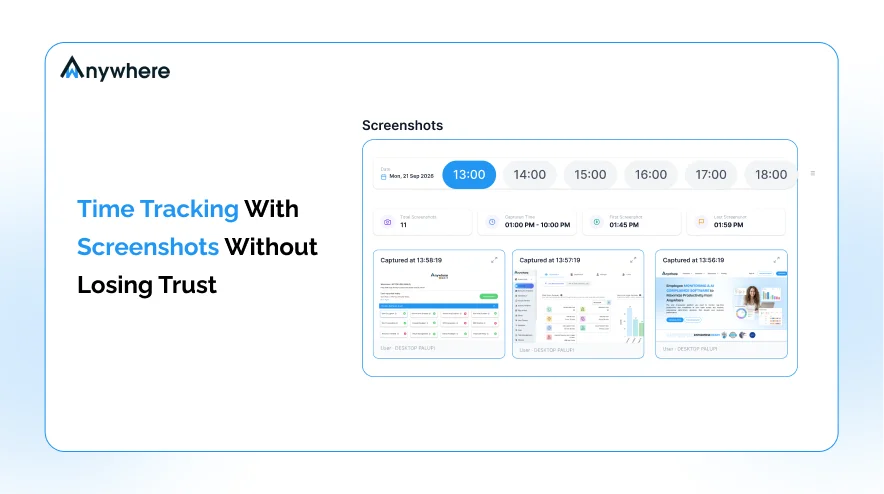
Time tracking with screenshots is a form of employee time tracking that records work hours while periodically capturing images of the user’s computer screen during a tracked session. Two separate data points get generated and then linked together.
Time data tells you when work happened and how long it lasted. Screenshot data adds visual context about what was on screen during that same window. Neither is complete on its own, which is exactly why organizations pair them.
How Screenshot-Based Time Tracking Works
Most implementations follow a similar sequence, though specifics vary by product. An employee starts a tracking session, or tracking begins automatically by rule. The system records working time and captures a screenshot at set intervals, tying it to the corresponding time and activity data. Authorized managers review the combined record through a dashboard, and reports connect tracked time back to projects, tasks, or employees.
Not every time tracking app with screenshots works identically. Capture frequency, storage duration, access permissions, and privacy controls all differ by platform, so the workflow above is a general pattern, not a fixed standard.
Also Read : Screenshot Monitoring To Track How Efficiently Remote Teams Perform

See The Work. Keep The Trust.
Time tracking with screenshots that adds context, not surveillance.
Why Do Companies Use Screenshot-Based Time Tracking
The reasons organizations adopt this kind of monitoring are usually practical rather than punitive.
Verify Tracked Work
Screenshots can give a manager additional context on what was happening during a recorded block of work time.
Support Client Billing
Agencies, contractors, and BPOs often need more than a logged number of hours. Visual records can complement timesheets when clients ask for greater proof of work.
Improve Remote Work Visibility
Distributed teams do not share the physical visibility that colleagues in one office naturally have. Screenshot data, alongside time and activity records, helps fill part of that gap.
Investigate Exceptions
Screenshots can help investigate disputed hours, unusual activity, unexpected application usage, workflow issues, or a client’s billing question.
Support Compliance And Accountability
Some regulated environments need evidence that specific processes were followed, and screenshots can form part of that trail.
It is worth being precise about what a screenshot cannot do. It is not proof that someone was productive. It only shows what was visible on a screen at a particular moment, nothing more.
The Trust Problem With Screenshot-Based Time Tracking
This is where most implementations either earn buy-in or lose it. Employees rarely object to being tracked in principle. They object to not knowing the rules. Common concerns sound something like this.
- Is my screen being watched all day?
- Who can actually see my screenshots?
- What happens to them after capture?
- Can personal information end up in one by accident?
- Will a single screenshot be used to judge an entire workday?
- Can a manager monitor someone outside working hours?
Monitoring For Visibility Vs Monitoring For Control
There is a meaningful difference between using data to understand work patterns, verify records, and resolve issues, versus using every data point to constantly scrutinize or punish individual behavior.
The underlying technology can be identical in both cases. What differs is the policy, the configuration, the communication, and how managers behave once they have access. That combination, not the software, decides whether monitoring feels like oversight or surveillance.
Also Read : Employee Monitoring In The Modern Workplace Explained
7 Ways To Use Time Tracking With Screenshots Without Losing Employee Trust
1. Be Transparent About What Is Being Tracked
Employees should know that screenshots are being captured, when, which devices are covered, what else is collected, why it is needed, who can access it, and how long it is kept. Hiding monitoring from employees is never a trust-building strategy. A Gartner survey of more than 4,800 full-time digital workers found that 96 percent would accept electronic monitoring of their work activity in exchange for at least one form of support in return, such as training, career development, or proactive IT help, which suggests acceptance depends on what employees are told and offered, not on the existence of monitoring itself.
2. Capture Screenshots Only When They Serve A Purpose
More screenshots do not automatically mean better visibility. High-frequency capture means more visual data, but also more storage, privacy exposure, and review burden. Reasonable intervals provide periodic context without turning the workday into a slideshow. There is no single correct interval, and the right frequency depends on the business purpose behind the tracking.
3. Give Employees Clear Visibility Into Their Own Data
Where the software supports it, letting employees see their own tracked hours, activity records, screenshots, and monitoring status changes the relationship entirely. People trust a system more when they understand what is being collected about them, rather than hearing about it secondhand. Not every platform offers this level of employee access, so confirm it before rolling out a policy that assumes it exists.
4. Protect Sensitive Information
Screenshots can capture far more than work progress. Customer information, credentials, financial details, private messages, and confidential documents can all end up in a captured frame without anyone intending it. Controls such as screenshot blur, application exclusions, work-hours-only tracking, and access restrictions exist specifically to manage that risk, and screenshot data deserves to be treated as sensitive business data by default.
5. Limit Who Can View Screenshots
Not everyone who can see a timesheet needs access to the screenshots behind it. Access should follow business need, not convenience. Managers, HR, compliance, and security personnel may each have legitimate reasons to view screenshot data, but those reasons should be defined rather than assumed.
6. Set A Retention Policy Before You Start
Before rolling out screenshot monitoring, decide how long screenshots need to be retained, when they should be deleted, whether retention differs by use case, who can export them, and what happens when an employee leaves. There is no universal thirty, sixty, or ninety day rule. Retain screenshot data only for as long as there is a defined business, legal, contractual, or compliance reason to keep it.
7. Use Screenshots As Context, Not A Productivity Score
A screenshot is a snapshot, and a snapshot cannot tell you whether someone solved a hard problem, whether a meeting was productive, whether research led anywhere useful, or whether a task actually got completed. It becomes far more meaningful alongside tracked time, activity, tasks, attendance, and an actual conversation between manager and employee. A screenshot should start a conversation, not replace one.
Is Your Screenshot Tool Building Trust Or Breaking It?
Visibility, privacy, and accountability, working together.
What Should a Responsible Time Tracking App with Screenshots Capture
| Data | Why It Matters | Trust Consideration |
| Tracked time | Shows hours worked | Explain when tracking occurs |
| Screenshots | Adds visual context | Configure frequency and privacy |
| Active or idle time | Shows activity patterns | Do not treat inactivity as automatically unproductive |
| App or website activity | Shows where work happens | Define a legitimate business purpose |
| Project or task | Adds context to time | Keep data relevant |
| Attendance | Shows presence and availability | Separate attendance from productivity |
| Edits or audit history | Shows changes to records | Restrict access appropriately |
The goal is not to collect the maximum data available. It is to collect the minimum useful data needed for the business purpose, a data minimization principle that gives screenshot-based programs a stronger privacy footing.
Also Read : Why Data Privacy Is Important For Your Organization
Screenshot-Based Time Tracking Vs Traditional Time Tracking
| Capability | Traditional Time Tracking | Screenshot-Based Time Tracking |
| Record working hours | Yes | Yes |
| Track projects and tasks | Yes | Yes |
| Timesheets | Yes | Yes |
| Visual work context | Limited | Yes |
| Verify disputed work periods | Limited | Stronger visual context |
| Privacy considerations | Lower | Higher |
| Need for screenshot policies | No | Yes |
| Sensitive data exposure | Lower | Higher potential |
| Employee transparency | Important | Critical |
| Access controls | Important | Especially important |
Screenshot-enabled tracking is not automatically more accurate than traditional time tracking. It adds context, not a better measurement of productivity by itself.
What Features Should You Look For In Time Tracking Software With Screenshots
Configurable Screenshot Frequency
The organization, not the vendor’s default, should determine capture frequency.
Screenshot Blur Or Privacy Controls
Look for controls built to protect sensitive information that might appear on screen.
Work-Hours-Based Tracking
Screenshot capture should be tied to a defined tracking period, not unrestricted device activity.
Role-Based Access
Only authorized users should be able to open screenshot data, by design rather than default.
Retention Controls
Organizations should be able to define exactly how long screenshot data stays in the system.
Employee Transparency
Look for features and policy support that make tracking clear to the people being tracked, not just the reviewers.
Activity And Time Context
Screenshots are more useful tied to time, active or idle periods, applications, and tasks rather than standing alone.
Reports And Audit Trails
Managers should be able to review records and document changes, which matters for accountability in both directions.
This is not a disguised best-software list. It is a checklist for evaluating any time tracking software with screenshots against what your organization actually needs.
Can Free Time Tracking Software With Screenshots Still Protect Trust
Free does not automatically mean privacy-friendly, and paid does not automatically mean privacy-first. When evaluating any free time tracking software with screenshots, the price tag is the least useful signal available.
Check What Is Actually Included
Check screenshot frequency controls, blur or privacy controls, access permissions, retention, export functionality, employee visibility, and device coverage before assuming a free plan matches a paid one on anything but cost.
Ask What Happens To Your Data
Understand where screenshots are stored, who can access them, whether data can be deleted on request, and what happens to existing data when a trial or free plan ends. None of this implies a particular free tool is unsafe. It just means the questions deserve answers first.
How wAnywhere Approaches Screenshot-Based Time Tracking
wAnywhere is built around giving organizations workforce visibility without reducing employee monitoring to screenshots alone. Time tracking, screenshots, active and idle time, attendance, app and website activity, and audit trails are designed to work together rather than as isolated data points.
See Screenshots Alongside Time And Activity Data
Screenshots are meant to add context to a tracked period, not stand in as independent evidence of what someone did.
Connect Monitoring With Compliance
Access controls, audit trails, and configurable monitoring settings support the documentation that regulated industries and BPO operations often need.
Use Workforce Data To Understand Patterns
Rather than judging a single screenshot in isolation, managers can look at broader patterns across time, tasks, and attendance.
See how wAnywhere brings visibility and trust together in one workforce monitoring platform.
How To Introduce Screenshot-Based Time Tracking To Your Team
Explain Why The Organization Is Introducing It
Whether the driver is billing, compliance, work verification, or resolving discrepancies, employees respond better to a stated reason than to silence.
Explain Exactly What Is Collected
Tell employees what data is captured and when, in plain language rather than a policy document nobody reads.
Explain Who Can Access It
Access rules should be stated clearly enough that an employee could repeat them back accurately.
Start With A Pilot
Testing with a small team before a company-wide rollout surfaces problems while they are still small and fixable.
Review Employee Feedback
Ask whether employees actually understand what is monitored, why, and how the information gets used. Their answers say more about the rollout than any dashboard will.
The goal is to make monitoring a documented workplace process, not a surprise that employees discover on their own.
Also Read: 5 Best Practices To Monitor Remote Employees
Common Mistakes That Can Make Screenshot Tracking Feel Like Surveillance
- Capturing Screenshots Too Frequently
More data is not automatically more useful. It often just means more to review and more exposure to manage.
- Tracking Outside Working Hours
This blurs the line between work and personal activity in a way that is hard to undo once noticed.
- Hiding Monitoring From Employees
A lack of transparency is one of the fastest ways to undermine adoption before it even starts.
- Giving Too Many People Access
Screenshot data should never become broadly accessible just because it is technically possible to grant that access.
- Keeping Screenshots Indefinitely
Data with no retention purpose is not a safety net. It is unnecessary risk sitting in storage.
- Judging Employees From One Screenshot
A single frame lacks the context to fairly represent an entire workday.
- Treating Activity As Productivity
Mouse movement, keyboard activity, or screen presence does not automatically equal meaningful output.
The biggest mistake is not using screenshots at all. It is using them without a clear purpose, a clear policy, and enough context to interpret them fairly.
Conclusion
Screenshot-based time tracking can provide useful context around recorded work hours, particularly for distributed teams, client-facing work, billing, compliance, and resolving discrepancies. But screenshots should never become the entire definition of productivity on their own.
A strong implementation combines purpose, transparency, limited collection, privacy controls, access restrictions, retention discipline, and context. The best strategy is not the one that captures the most. It is the one that captures enough to answer the right business questions without creating unnecessary friction or distrust.
Want workforce visibility without turning monitoring into micromanagement? Explore wAnywhere.
Frequently Asked Questions
How Does a Time Tracking App With Screenshots Work
A tracking session starts, manually or by rule. Time data is recorded, screenshots are captured at set intervals and linked to it, and managers review the combined record through a dashboard.
Is Screenshot-Based Time Tracking Legal
There is no universal yes or no answer. Legality depends on jurisdiction, employment law, privacy requirements, stated purpose, and how it is implemented. Seek legal or privacy advice specific to your jurisdiction.
Can Employees See When Screenshots Are Taken
This depends on the software and how the organization has configured it. Some platforms show a visible indicator, others do not.
How Often Should a Time Tracking App Take Screenshots
There is no universal interval. Frequency should be set based on the legitimate business purpose behind the tracking and the privacy considerations it carries.
Can Screenshots Be Blurred
Some time tracking software with screenshots offers blur or privacy functionality, but this varies by product and should be confirmed directly rather than assumed.
What Is The Difference Between Time Tracking And Screenshot Monitoring
Time tracking measures how long work took. Screenshot monitoring adds periodic visual snapshots of screen activity during it.
Is Free Time Tracking Software With Screenshots Safe
Safety depends on what controls are actually included, not on price. Check frequency settings, privacy controls, access permissions, retention policy, and what happens when a free plan ends.
Can Screenshot Tracking Work For Remote And Hybrid Teams
Yes. Distributed teams use it to close the visibility gap that comes from not sharing an office, though transparency and privacy controls matter even more across locations.

Table of Contents
Boost productivity and compliance with wAnywhere
Read summarized version with