
Real-time blocking on office and remote seats
Copy Paste Restriction Software That
Keeps Client Data In Place
wAnywhere copy paste restriction software blocks unauthorized copying the moment it is attempted. Sensitive records stay inside approved applications, whether your team works from the floor or from home.
Available for:


The Clipboard Is Your Quietest Data Leak
Copy and paste takes a second and rarely shows up in security reviews. For teams handling card numbers, account details or customer PII, it is one of the easiest ways for data to walk out.
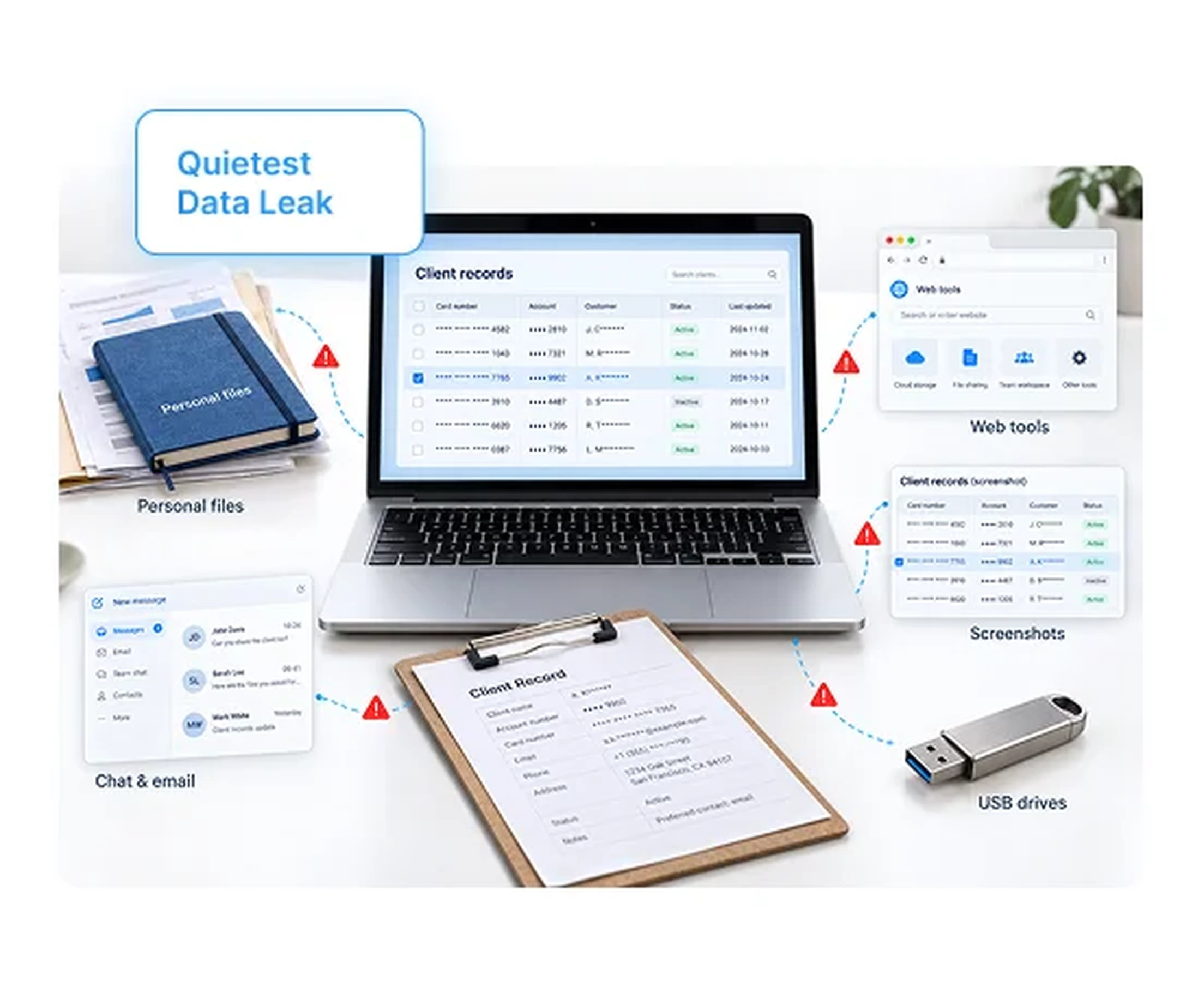
Where Clipboard Risk Shows Up
Clipboard leaks rarely look like an attack. They look like routine work.
- 1Personal files. Client records pasted into personal notes or documents.
- 2Chat and email. Sensitive details shared through unapproved messaging.
- 3Web tools. Customer data pasted into websites and online tools you do not control.
- 4Screenshots. Print screen captures that bypass text-based controls.
- 5Removable media. Copied data moved to USB drives.
What Changes With wAnywhere
Copying is controlled at the device, so the policy travels with every seat.
Without wAnywhere
- Anyone can copy any field
- Leaks surface after the damage
- Remote seats follow weaker rules
- No proof for client audits
With wAnywhere
- Unauthorized copying is blocked in real time
- Every attempt is stopped and logged
- Office and remote seats share one policy
- Violation logs are ready on demand
What Is Copy Paste Restriction Software?
Copy paste restriction software detects and disables copy and paste actions on work devices to stop sensitive data from leaving approved systems. It is a core data loss control for regulated operations.
CoveragewAnywhere covers the clipboard and the routes around it.
-
Copy paste blocking
Disables copying the moment an attempt is made.
-
Print screen monitoring
Watches for screen captures of sensitive data.
-
USB monitoring
Tracks removable media on work devices.
See USB detection -
App and website monitoring
Shows where employees try to move data.
See app and website usage
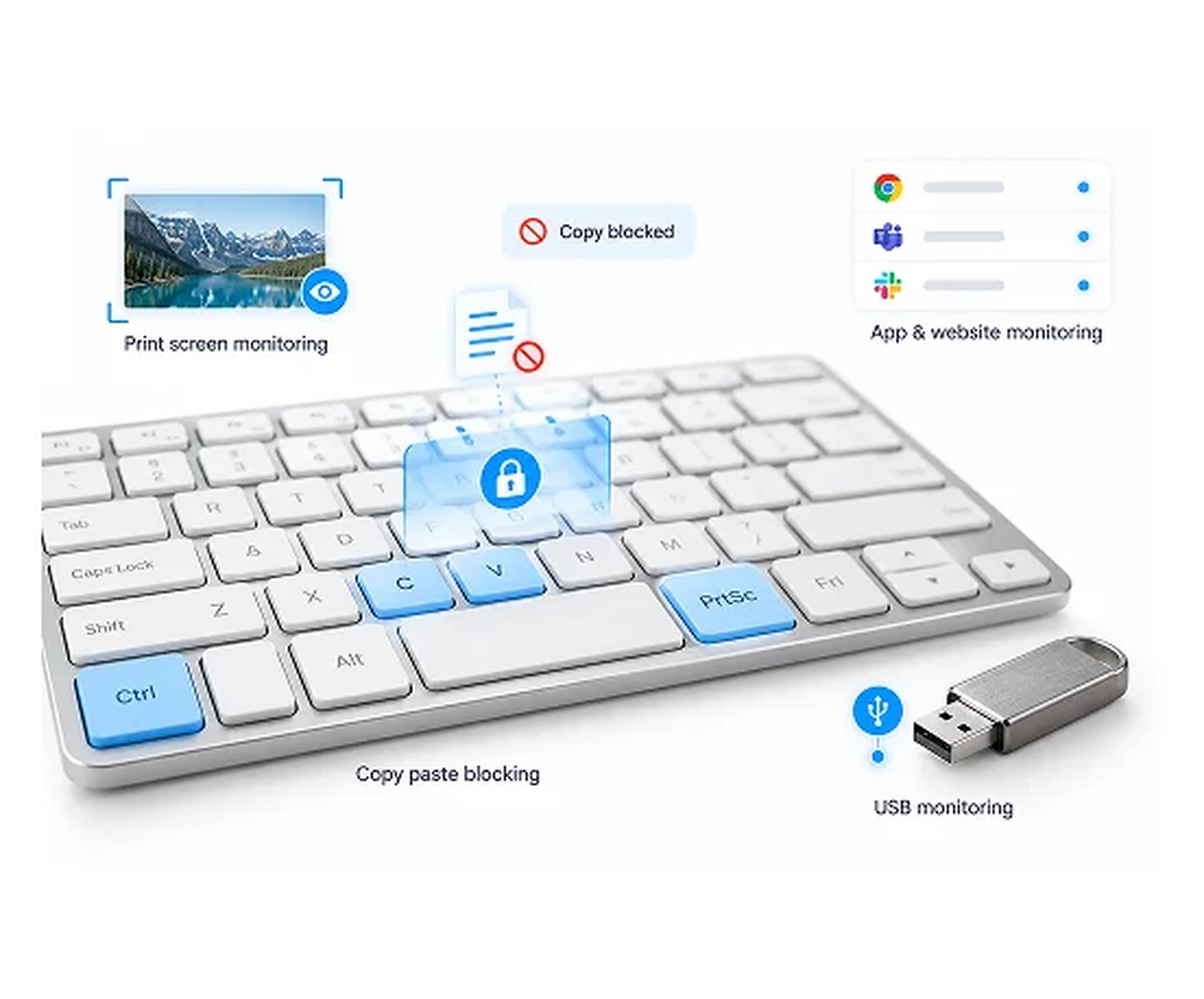
Copy Paste Restriction Features For Regulated Teams
Each feature closes one exit route for sensitive data. Together they give your security team clipboard-level control.
Real-Time Copy Paste Blocking
wAnywhere detects copy and paste attempts and disables the function instantly. Data never reaches the clipboard destination.
Print Screen Detection
Monitor screen capture attempts alongside copying. Employees cannot sidestep the policy with a screenshot.
USB Monitoring
Track USB use on every work device. Removable media stops being a silent exit route. See USB detection.
App And Website Monitoring
See which applications and websites employees use during work. Unapproved destinations for client data stand out quickly.
PII Masking
Mask personally identifiable information on screen. Fewer sensitive fields are visible to copy in the first place. See PII masking.
Violation Logs And Audit Trail
Every blocked attempt is logged by user, device and time. Investigations and audits start with evidence.
How wAnywhere Restricts Copy And Paste
Set the policy once and wAnywhere enforces it on every endpoint. Three steps take you from rollout to proof.
01
Deploy and set policy
Install wAnywhere on office and remote devices and switch on copy paste prevention.
02
Block in real time
Unauthorized copy and paste attempts are disabled the moment they happen.
03
Review and report
Dashboards and logs show every attempt, ready for clients and auditors.
Why Security And Compliance Leaders Use It
Clipboard control protects client trust, SLAs and audit outcomes. Each team gets a direct benefit.
For IT Security Leads
- Close one of the most common data exit routes
- Combine clipboard, print screen and USB controls
- Stop leaks instead of investigating them later
For Operations Heads
- Give clients confidence in work from home seats
- Keep one data handling standard across locations
- Scale remote teams without scaling exposure
For Compliance Managers
- Prove data stays inside approved systems
- Pull attempt logs for any user or period
- Support client and regulatory audits with evidence
If your clients ask how data is protected on remote seats, Book A Demo and see the controls and logs wAnywhere provides.
Built For Teams Handling Sensitive Data
Copy paste restriction matters most where a single pasted record can breach a client contract. These teams use it every shift.
BPO And Contact Centers
Keep customer PII and payment details inside the CRM and off personal files.
BFSI
Stop account numbers and financial records from being copied out of core systems.
ITES
Protect client code, credentials and project data from being pasted elsewhere.
Still unsure if wAnywhere can stop clipboard leaks before client data leaves the seat?
Ask an AI assistant how copy paste restriction supports security, privacy, and audits.
 Ask ChatGPT
 Ask AI Mode
 Ask Claude
 Ask Perplexity
 Ask Grok
Frequently Asked Questions
How Does wAnywhere Restrict Copy And Paste?
wAnywhere detects copy and paste attempts on monitored devices and disables the function in real time. Each blocked attempt is logged for review.
Why Do BPO And BFSI Teams Restrict Copy And Paste?
BPO and BFSI teams restrict copy and paste because clipboard actions can move PII, card data and account details out of secure systems in seconds. Client contracts and data rules often require this control.
Does Copy Paste Restriction Work For Remote Employees?
Yes, wAnywhere copy paste restriction works on office and remote devices. The same policy applies wherever the employee works.
What Else Does wAnywhere Monitor Besides Copy And Paste?
Besides copy and paste, wAnywhere monitors print screen, USB use, applications and websites. It also offers PII masking and unknown person detection.
Notes For Review And Handoff ?
Page flow is hero, risk, definition, features, banner 1, how it works, roles, industries, banner 2, FAQs. The banners are separated by three content sections.


