
One clean desk standard for office and remote seats
Clean Desk Policy Software That
Enforces Itself
wAnywhere clean desk policy software turns your desk rules into automated, AI-driven checks. Phones,
unauthorized people and unattended screens are detected and acted on, at the office and at home.
Available for:


Aadi Travel

wAnywhere has helped us gain better visibility into workforce productivity and daily activities. Screenshots and usage insights help us identify gaps and improve accountability.

Dinesh Meena
IT Administrator
Gluedin
wAnywhere has helped us strengthen productivity, security, and compliance across teams. Its real-time insights make workforce management more secure and efficient.

Sushil Singh Bhadouria
CTO & Director
Sagility Ltd.
wAnywhere helps us strengthen healthcare compliance with proactive monitoring and real-time visibility. It keeps our workplace secure and operations running efficiently.
Ajay Sharma
Senior Director – EAM
Clean Desk Rules Break Down Outside The Office
A clean desk policy only works if someone checks it. In hybrid work, floor walks and supervisor rounds cannot reach the home desk.
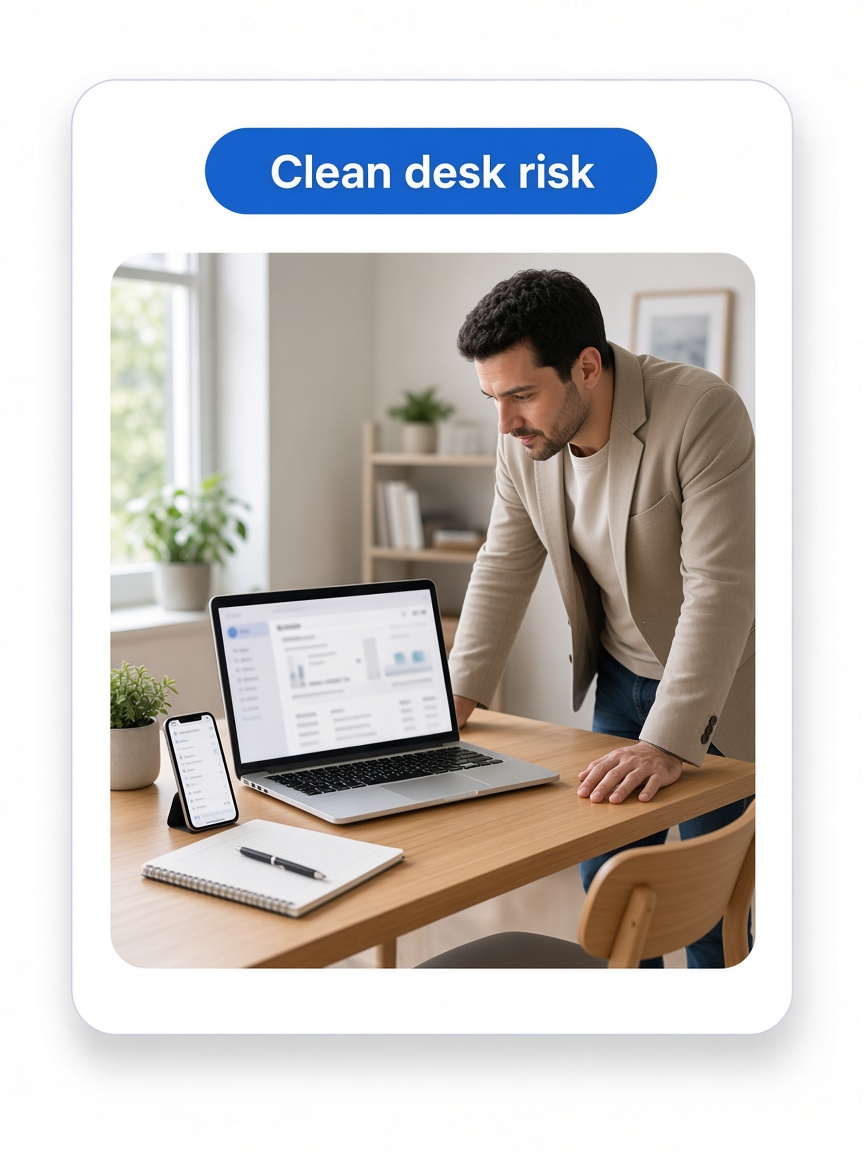
Where Clean Desk Violations Happen
Most violations are small habits that add up to real exposure.
- 1Phones at the desk. A quick photo moves client data off the screen.
- 2Pens and paper. Card numbers or account details get written down.
- 3Unattended screens. An employee steps away with client data still open.
- 4Unauthorized people. Someone other than the employee sits at or near the desk.
- 5Copied data. Sensitive text is pasted into personal files or apps.
What Changes With wAnywhere
Your policy is checked continuously by AI instead of occasionally by people.
Without wAnywhere
- Checks happen only on the floor
- Violations are spotted by chance
- Supervisors chase each breach
- Compliance is hard to prove
With wAnywhere
- Every seat is checked, wherever it sits
- Violations are detected in real time
- The screen locks automatically
- Violation logs are ready for audits
Virtual Staffing Solutions reached 99% clean desk policy adherence with wAnywhere.
What Is Clean Desk Compliance Software?
Clean desk compliance software monitors a work desk for items and behaviors that break your data handling rules. It replaces manual checks with automated detection and response.
wAnywhere checks for four core violations.
1
Not at desk. The employee has left the device unattended.
See not at desk detection2
Unknown person. Someone other than the verified employee is at the desk.
See unknown person detection3
Multiple persons. More than one person is around the desk.
See multiple person detection4
Mobile devices. A smartphone, camera or pen is detected at the desk.
See mobile detection
Clean Desk Compliance Software Features
Each feature closes a specific route for data to leave the desk. Together they make your clean desk policy enforceable at scale.
Mobile And Object Detection
AI detects smartphones, cameras and pens at the work desk. Photos and handwritten notes are stopped before data leaves the screen.
Not At Desk Alerts
Know when a device is left unattended with data open. No logged-in screen sits exposed while the employee steps away.
Unknown And Multiple Person Detection
Flag unrecognized faces and extra people around the desk. Only the verified employee sees client data.
Automated Enforcement
Trigger a black screen, OS lock or OTP verification on any violation. Enforcement happens in seconds, without a supervisor.
Copy Paste Prevention
Block unauthorized copying of sensitive data in real time. Client records stay inside approved applications.
Violation Reports And Audit Trail
Every violation is logged by user, device and time. Show clients and auditors exactly how your policy is enforced.
PII Masking
Mask personally identifiable information on screen. Employees see only what the task needs. See PII masking.
How wAnywhere Clean Desk Policy Software Works
You define the rules once, and wAnywhere applies them to every seat. Three steps take you from policy to proof.
Define your policy
Choose which violations to detect and which action each one triggers.
Detect violations
AI watches every desk for phones, unattended screens and unauthorized people.
Enforce and report
Actions trigger instantly, and every event is logged for review.
Why Security And Compliance Leaders Use It
Clean desk failures show up as security incidents, SLA risks and audit findings. wAnywhere gives each team a direct fix.
For IT Security Leads
- Close photo, paper and clipboard leak routes
- Automate enforcement instead of relying on floor checks
- Respond to violations in seconds
For Operations Heads
- Run remote seats to the same standard as the floor
- Protect client contracts that mandate clean desk rules
- Scale work from home without scaling risk
For Compliance Managers
- Prove your clean desk policy is enforced, not just written
- Pull violation logs for any user or period
- Cut audit prep with reports that are always current
If your next client audit asks how clean desk rules apply at home, Book A Demo and see the evidence wAnywhere produces.
Built For Teams Handling Sensitive Data
Clean desk rules matter most where a single photo or note can breach a client contract. These teams depend on them daily.
BPO And Contact Centers
Keep phones, paper and unauthorized people away from agent screens handling customer PII and payment data.
BFSI
Apply branch-grade clean desk controls to remote staff handling account and financial records.
ITES
Protect client code, credentials and project data across distributed delivery teams.
Enterprise-grade Security Ensured
We ensure industry-leading data protection that complies with relevant standards.

Still unsure if wAnywhere can enforce a clean desk policy before client data leaves the desk?
Ask an AI assistant how clean desk compliance supports security, privacy, and audits.
 Ask ChatGPT
 Ask AI Mode
 Ask Claude
 Ask Perplexity
 Ask Grok
Frequently Asked Questions
What Is A Clean Desk Policy?
A clean desk policy is a set of rules that keeps a workspace free of sensitive material and unauthorized devices. In BPO and BFSI it typically bans phones, paper notes and unattended screens.
How Do You Enforce A Clean Desk Policy For Remote Employees?
You enforce a clean desk policy for remote employees with clean desk compliance software that detects violations through AI. wAnywhere flags phones, unknown people and empty desks, and locks the screen automatically.
What Violations Can wAnywhere Detect?
wAnywhere detects not at desk events, unknown persons, multiple persons and mobile devices such as smartphones, cameras and pens. It also prevents unauthorized copy and paste.
Does Clean Desk Compliance Software Work In The Office Too?
Yes, wAnywhere clean desk compliance software applies the same rules to office and remote seats. One policy covers your entire hybrid workforce.
What Results Have Teams Seen With WAnywhere?
Virtual Staffing Solutions reached 99% clean desk policy adherence after deploying wAnywhere, according to the Virtual Staffing Solutions case study.
Notes For Review And Handoff
Page flow is hero, risk, definition, features, banner 1, how it works, roles, industries, banner 2, FAQs. The banners are separated by three content sections.


