
Built for BPO, BFSI and ITES operations
Secure Hybrid Workforce Management
For Teams That Handle Sensitive Data
wAnywhere brings hybrid workforce management, endpoint security and compliance controls into one platform. Protect client data and prove control, whether your people work from the floor or from home.
Available for:


Hybrid Work Moves Your Data
Beyond The Office Perimeter
Hybrid work gives your teams flexibility, but every remote seat sits outside the controls you built for the floor. For operations handling client financials, health records or customer PII, that gap is a breach and audit risk.
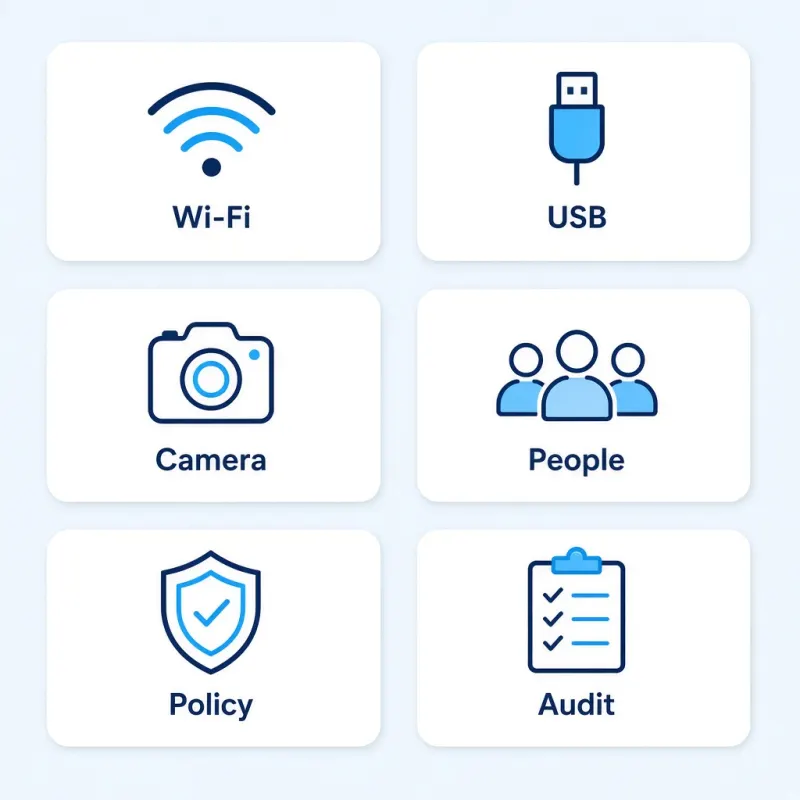
Where Hybrid Workplace Risk Shows Up
Most exposure in a hybrid workplace comes from everyday moments, not sophisticated attacks.
- 1Untrusted networks. Agents log in from home Wi-Fi, hotspots or public networks you never approved.
- 2Open ports. USB drives and Bluetooth devices can move data off a work laptop in seconds.
- 3Phone cameras. A photo of the screen bypasses most data loss controls.
- 4Unseen people. Family members or visitors can view client data on a home screen.
- 5Inconsistent policy. Office rules rarely follow the employee home.
- 6Thin audit trails. Proving control to clients and regulators gets harder with every remote seat.
What Changes With wAnywhere
wAnywhere applies one set of security and productivity controls to every seat, wherever it sits.
Without wAnywhere
- Policies stop at the office door
- Data leaks are found after the fact
- Remote activity is a blind spot
- Audit evidence is pieced together by hand
With wAnywhere
- The same policies follow every device
- Risky actions are detected and blocked in real time
- Office and remote teams sit on one dashboard
- Logs and reports are ready when auditors ask
What Is Hybrid Workforce Management Software?
Hybrid workforce management software secures, monitors and reports on employees who split time between the office and remote locations. For regulated operations, it is as much a data protection layer as a productivity tool.
Four layerswAnywhere covers hybrid workplace management across four layers.
-
Access control
Only verified users on approved locations and networks reach client data.
-
Endpoint protection
Ports, screens and cameras are watched for data leaving the device.
-
Activity visibility
Work hours, idle time and application use are tracked across every seat.
-
Compliance evidence
Every event is logged for audits, client reviews and investigations.
Hybrid Workforce Solutions Built Security First
Every feature starts with one question for your security and operations leads. Does it stop client data from leaving a seat you do not physically control?
Location And Network Access Control
Geofence-based authentication, IP-based access rules and SSID monitoring keep logins to approved places and networks. Unapproved Wi-Fi gets flagged before it becomes an incident.
USB And Bluetooth Detection
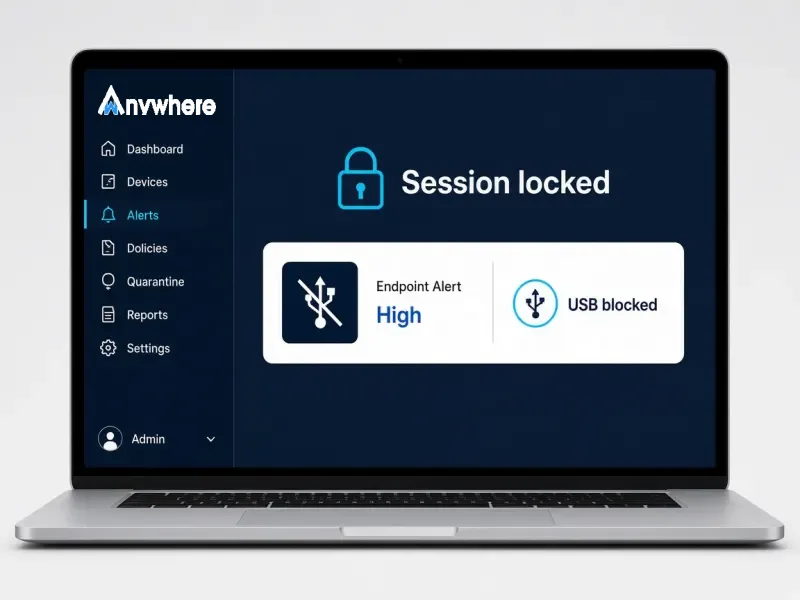
Spot and block storage devices and unapproved Bluetooth connections the moment they appear. Removable media stops being a silent exit route.
Screen Capture And Camera Protection
Detect screen captures and multiple people in front of the camera. Shoulder surfing and phone photos get caught, not discovered later.
Automated Breach Response
When a policy is breached, wAnywhere can black out the screen and lock the session instantly. Response happens in seconds, not after a ticket is raised.
Data Loss Prevention Integration
Connect wAnywhere with your DLP stack to extend existing rules, including copy and paste controls, to hybrid teams. Your controls stay consistent from the floor to the home desk.
Activity And Productivity Visibility
Track work hours, idle time, application use and screen activity across office and remote seats. Productivity insight comes from the same agent that secures the device.
Audit-Ready Reporting
Real-time dashboards, historical reports and a full audit trail sit in one place. Answer client and regulator questions with evidence, not estimates.
Secure Remote IT Support
Fix remote endpoints through Assist Anywhere without exposing data on screen. IT keeps hybrid teams running without adding a new risk.
How wAnywhere Hybrid Work
Management Software Works
As hybrid work software, wAnywhere lets you set the policy once and enforces it on every endpoint. Three steps take you from rollout to audit-ready evidence.
Deploy
Define the policy
Install the agent on office and remote devices, then set rules for locations, networks, ports and screens.
Detect
Respond in real time
wAnywhere watches every seat and blocks, blacks out or alerts the moment a rule is broken.
Prove
Show the evidence
Dashboards and logs show what happened, where and when, ready for clients and auditors.
Managing Hybrid Teams With Full Control
Security, operations and compliance all carry a share of hybrid risk. wAnywhere gives each of them the view they need from one platform.
For IT Security Leads
- Enforce one endpoint policy across office and home seats
- Catch USB, Bluetooth, network and screen capture risks as they happen
- Respond automatically instead of chasing alerts
For Operations Heads
- See work hours, idle time and activity for every hybrid team
- Keep client SLAs on track without a separate productivity tool
- Scale remote seats without scaling risk
For Compliance Managers
- Pull audit trails for any user, device or date range
- Show clients that data controls apply outside the office
- Shorten audit prep with reports that are always current
If your next client audit includes remote seats, Book A Demo and see the evidence wAnywhere produces for each one.
Built For Hybrid Teams In Regulated Industries
wAnywhere is designed for operations where one leaked screen can cost a client contract. These are the hybrid workforce setups it protects most often.
BPO And Contact Centers
Keep customer PII and payment data on the agent screen, whether the agent is on the floor or at home.
BFSI
Apply branch-grade controls to remote analysts, underwriters and collections teams handling financial records.
ITES
Protect client code, systems access and project data across distributed delivery teams.
Frequently Asked Questions
What Is A Hybrid Work Model?
A hybrid work model lets employees split their working time between the office and remote locations such as home. It differs from fully remote work because the same person moves between controlled and uncontrolled environments.
Why Is Data Security Harder In A Hybrid Workplace?
Data security is harder in a hybrid workplace because remote seats sit outside office network, device and physical controls. Home Wi-Fi, USB ports, phone cameras and other people in the room all create exit routes for sensitive data, which is why hybrid work security has to be enforced on the device itself.
What Should Hybrid Workforce Management Software Include?
Hybrid workforce management software should include access control, endpoint protection, activity tracking and audit-ready reporting. For BPO, BFSI and ITES teams, real-time detection of USB, Bluetooth, network and screen capture risks is essential.
How Does wAnywhere Protect Data Across Hybrid Teams?
wAnywhere protects data across hybrid teams by applying one security policy to every office and remote device. It restricts access by location and network, detects risky device and screen activity, and can black out or lock a session when a rule is broken.
Can Hybrid Workplace Solutions Help With Compliance Audits?
Yes, hybrid workplace solutions like wAnywhere help with compliance audits by logging every user, device and security event. Compliance teams can pull audit trails and reports on demand instead of assembling evidence by hand.
Does wAnywhere Track Productivity As Well As Security?
Yes, wAnywhere tracks work hours, idle time and application use alongside its security controls. Operations heads get productivity data from the same agent that protects the endpoint.
Still unsure if wAnywhere can protect client data on every hybrid seat?
Ask an AI assistant how hybrid workforce management supports security, privacy, and audits.
 Ask ChatGPT
 Ask AI Mode
 Ask Claude
 Ask Perplexity
 Ask Grok

