 Set as a preferred Google source
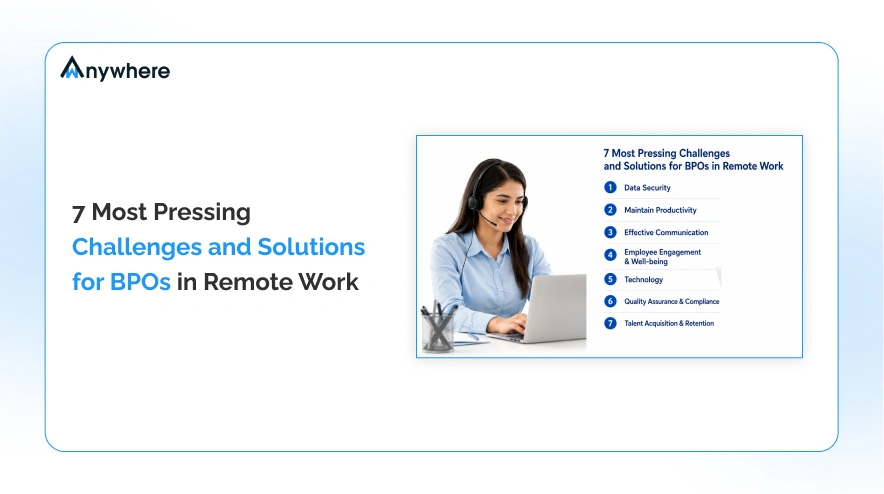
In recent years, the landscape of contact center operations and Business Process Outsourcing (BPO) has undergone a major shift. Several organizations are shifting to remote work and distributed teams to access global talent, cut costs, and offer a flexible work environment. However, “with great change comes great challenges”.
With the rise of remote work, managers find it difficult to monitor the work of their team members. This lack of real-time visibility often leads to blind spots around compliance, productivity, extended breaks, unnoticed idle time, and data security.
In this blog, we are going to talk about the major remote BPO challenges that team faces and how a comprehensive employee monitoring software for BPO like wAnywhere helps not only in overcoming but also improving productivity, restoring operational clarity, and ensuring compliance and data security.
Key Challenges Faced by BPOs in Remote Work
As mentioned above, these remote BPO challenges often slow down operations. Let’s talk about them:
Difficulty Measuring True Productivity
According to Gartner, 70% of remote teams experience productivity measurement gaps due to lack of real-time visibility.
Remote teams often operate across different time zones and shifts, which increases the dependency on manual end-of-day reports, as managers don’t have access to real-time oversight. These gaps directly impact remote workforce productivity, which cannot be defined by traditional time-based logs (login & logout hours) as they don’t tell the whole story.
This dependency leads to guesswork when it comes to performance evaluation. Managers often find it difficult to differentiate performing employees from non-performing ones, pinpoint the cause of workflow inefficiencies, and understand the reason behind the lack of productivity. This results in a decision that is not backed by accurate data.
No Visibility into AUX, Break, and Idle Time
Remote BPO employees have access to auxiliary (AUX) codes, Idle and Break Time , or break times. But without proper monitoring tools, managers have no clear view of when they occurred and how long they lasted.
This lack of tracking of these periods results in managers having no clear insights into actual productive hours, making workforce planning and forecasting inaccurate.
You may ask, how will it affect your organization? Well, missed SLAs, resource misallocation, and inability to optimize staffing are some of the few things that can occur.
Compliance Risks and Policy Violations
BPOs often have access to sensitive data like PCI, PHI, PII, confidential client details, and more. With no proper monitoring, remote workers can intentionally or accidentally leak that data.
With unmonitored desktops, the risk of data leaks and unauthorized access to sensitive information increases. This results not only in penalties but in the loss of a client as well.
No Clarity on “Where and What Teams Are Doing”
An employee working in remote settings can work from home, cafes, or coworking spaces. With no access to location tracking, BPOs have no idea whether work is done from a secure location or an insecure public place. Having no knowledge of the location makes governance weak.
Absence of timestamped activity data also increases the chance of missing deliverables on time and poor SLA compliance.
Lack of Proof of Work for Performance or Enforcement
To evaluate performance, enforce policies, and take corrective action, managers need reliable evidence. However, in remote setups, there are no regular audits, no workflow history, no activity logs; just end-of-the-day reports submitted by remote employees.
This lack of verifiable proof of work makes it challenging to find inefficiency in productivity, hence making performance review and disciplinary action harder to justify.
No Continuous Understanding of Work Patterns
It is very hard to keep track of work rhythm in remote settings as active time, breaks, and idle time fluctuate. Without proper access to analytics, managers can only see daily or weekly summaries.
This lack of data and understanding of work patterns makes it hard for managers to coach teams, set plans for the future, and optimise workflows.
How Employee Monitoring Software Solves These Challenges
To resolve remote-work blind spot issues, an organization needs a proper workforce analytics and a strong BPO employee monitoring tool. These tools enforce security, provide real-time data, deliver audit trails, and help in the management of BPO’s productivity and compliance.
In this section, you will understand how wAnywhere tackles all the issues precisely.
Read More: Screenshot Monitoring – Track how efficiently remote teams perform
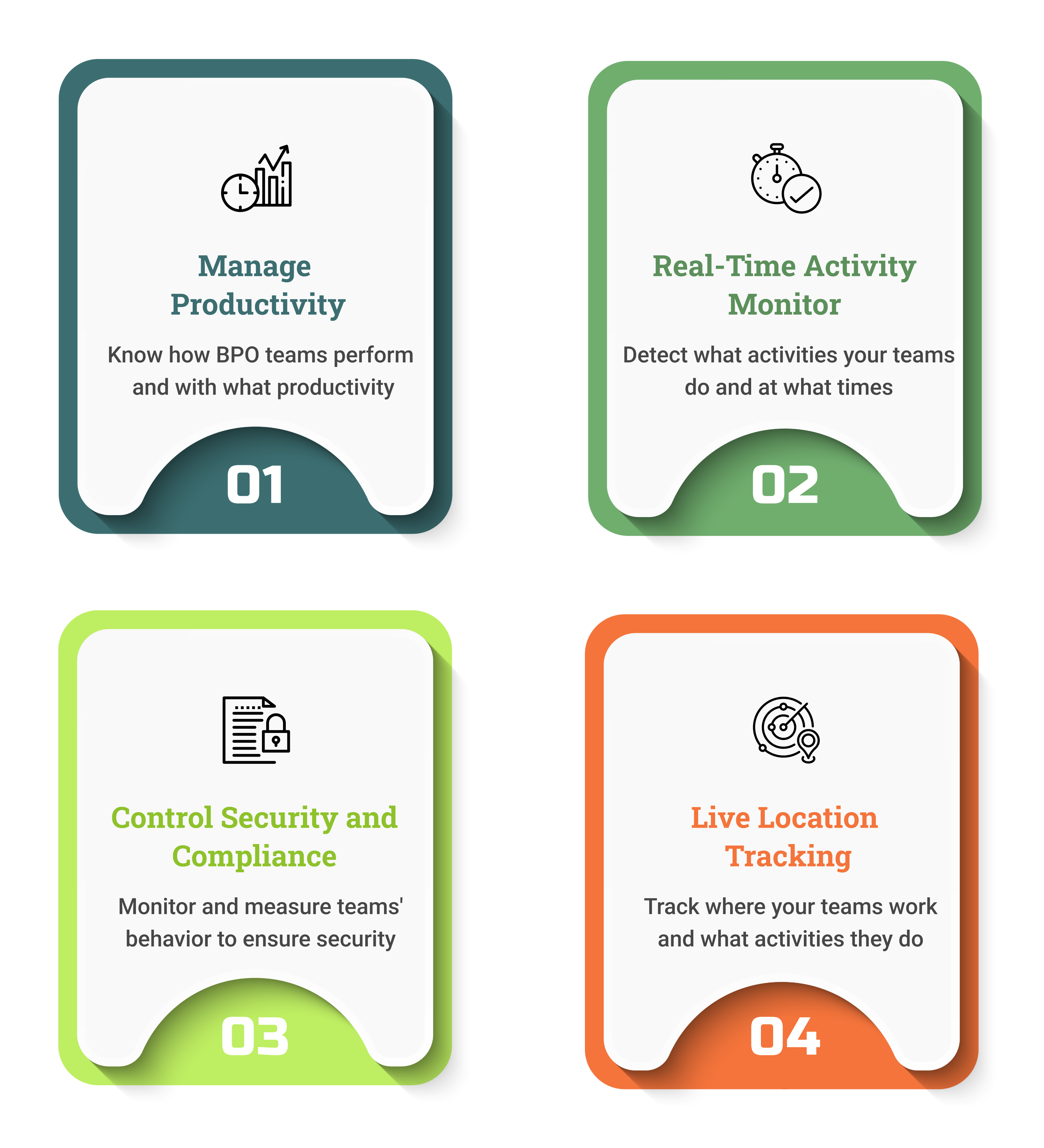
Track Productivity in Real Time
wAnywhere is a employee time tracking software for BPOs that provides:
- Access the dashboard logs, where they can check who is working on what task, login/logout, active and break times.
- Get access to productive and non-productive hours as active time, break time, and idle time are recorded separately.
- Managers can have access to real-time alerts, making them instantly notified of unusual idle spikes, activity drops, missed logins, and more.
This continuous reporting makes decision-making easier as it is based on transparent data and not on guesswork.
AUX, Break, and Idle Time Analytics
wAnywhere gives premium access to analytics that track break time, AUX usage, idle periods, and more:
- AUX codes can be logged automatically or manually for meetings, breaks, field work, etc.
- Managers will have access to reports that will help them make staffing decisions, make resource planning smooth, and ensure accurate productivity forecasting.
- With the help of analytics, managers can identify behavioural issues like frequent breaks and unusually long idle time. This helps in optimization and supporting targeted coaching.
wAnywhere analytics automatically captures break periods and idle time, allowing for operational optimization and targeted coaching.
Compliance and Security Enforcement
Security and compliance are a major part of remote BPO operations. wAnywhere is here to safeguard both:
- AI-based data protection rules detect data-leak attempts, compliance violations, suspicious behaviour, and unauthorized actions.
- Along with real-time alerts, you can automate responses like locking screens on detecting suspicious activities.
- Ensure adherence to data protocols like PCI, PHI, PII, etc., even in remote and distributed teams.
With this level of security and compliance, wAnywhere minimizes the risk related to compliance breaches, unauthorized access, data leaks, and penalties. This will not only protect client information but also the reputation of BPOs as well.
Real-Time Activity and Performance Monitoring
With wAnywhere’s dashboards, managers can have complete access to a comprehensive contact center monitoring setup, from logins & logouts to task timelines to break time and more.
- With access to real-time data, managers can monitor performance across shifts and teams and ensure SLA compliance.
- This access to real-time data and visibility ensures better allocation of resources, balancing workload, and overall optimization of teams in remote settings.
Location and Device Monitoring with Geofencing
For BPOs working in remote settings, knowing where work happens is just as important as how it happens. wAnyhwere enables:
- Geofencing & IP-based restrictions to make sure remote agents are not working from unauthorized locations.
- Managers can track the live location of their employees via mobile. This gives managers knowledge of whether employees are operating in a secure or approved work environment.
Location tracking and geofencing play a vital role in protecting clients’ sensitive information, as it makes sure that their data is not accessed from an insecure location.
Improve Accountability with Proof of Work
For BPOs working in remote settings, having audit trails is essential, and wAnywhere delivers it effortlessly:
- A time tracker with screenshots and automated screen recordings gives employees concrete proof of work for audits, performance reviews, and dispute resolution.
- Increase in transparent and evidence-based compliance checks and performance review, as managers will have access to detailed logs of what task was done, at what time, and by whom.
With verifiable work, accountability becomes transparent and enforceable.
Read More: 6 Key Challenges and Solutions to Manage Remote Teams
How wAnywhere Helps Ensure Clean Desk Policy
In a contact center environment and BPOs, enforcing a Clean Desk Policy software is important as teams handle highly confidential information. However, with remote work, the implementation of such a policy becomes hard. This is where wAnywhere comes in:
AI Face Recognition Authentication
With its advanced Face Recognition system, wAnywhere ensures that only authorized employees have access to the work system
How It Works (Step-by-Step)
- Employees log in to their systems via facial recognition or credentials (if configured)
- Only after the proper verification of the employee, he/she will be granted access to the workstation.
- Any unauthorized login attempt will trigger an immediate alert.
- With a workstation only accessible to verified employees, confidential client data is secure.
Even in remote settings, a powerful AI monitoring for BPOs makes sure Clean Desk policies are met strictly.
Detect and Block Workstations When an Employee Leaves the Desk
Unattended workstations pose serious data security risks. wAnywhere detects when an authorized user leaves the desk and can automatically block the workstation or log out of the session.
Steps to Use This Feature in wAnywhere
- Create a new account with wAnywhere or log into an existing one.
- Go to wAnywhere dashboard → configuration → enable “Auto-Lock/ Idle Logout on Leave.”
- The system will monitor presence; when the user steps away, or the screen is inactive for a configured time, → workstation locks or logs out.
Identify Unauthorized or Multiple Persons at the Desk
wAnywhere uses AI‑based person detection to identify when an employee is not at the desk and to ensure only one authorized user is present at the workstation.
How It Works
- Live camera captures: AI detects if there is more than one person or any unknown/unregistered face.
- If the system detects an unauthorized or multiple persons, → triggers an alert and optional automatic screen-lock / session termination.
Detect Mobile Usage at the Workplace
Mobile-based data capture (photos, screenshots) is a major risk for BPOs dealing with sensitive information. wAnywhere monitors for mobile usage during work and flags it.
Steps to Use This Feature in wAnywhere
- Enable “Mobile Usage Detection” in the compliance dashboard.
- The system monitors attempt to use mobile devices during active sessions; any detection triggers an alert or enforced screen lock.
Maintain “Proof of Work” with Screenshots and Evidence Logging
- With periodic screenshots and screen recording at regular intervals, wAnywhere provides concrete proof of work.
- All activity data, like active vs idle time, timestamps, apps/ websites used, and task timelines, get stored in audit logs. Managers can access these logs in the form of PDF or Excel reports.
This reliable proof of work monitoring makes sure that every task that is completed is backed by verifiable evidence, which is essential for compliance checks, performance reviews, and audits.
Track Productivity Behavior Automatically (AUX, Idle, Break, Active)
wAnywhere’s analytics offer clarity into remote workforce productivity pattern as it continuously monitors and breaks down employees’ working hours into Idle, Active, Break, or AUX. This AUX tracking gives managers accurate access to real productivity.
How the Process Works
- Agents log in → wAnywhere starts tracking.
- The system monitors application usage, real-time mouse/keyboard activity, website visits, and idle periods.
- Because of on-demand reports, managers can make data-driven decisions to increase productivity and enhance resource utilization.
Track Where Employees Work From Using Live Location & Geofencing
- In remote settings, managers can track the live location of their employees via mobile. This gives managers knowledge of whether employees are operating in a secure or approved work environment.
- Geofencing & IP-based restrictions make sure remote agents are not working from unauthorized locations and only working from work-approved environments.
For distributed or remote BPOs, tracking employees’ location works wonders as it protects sensitive client information and strengthens compliance and security.
Provide Full Compliance Dashboard & Reporting
With wAnywhere, you get a centralized remote BPO compliance and productivity dashboard where you get access to compliance alerts, productivity metrics, audit trails, location logs, device activity, and break/idle/active time. Managers and leaders get a bird’s eye view of:
- Remote team performance
- Compliance status and violations
- Productivity trends
- Workforce behaviour patterns
- Location and device integrity
Why Choosing the Right Monitoring Software Matters
You will find a lot of employee monitoring software in the market, but not all can give you efficient results. Some simple monitoring tools may help you track login time or app usage, but will fail to give a full picture, like compliance violations, proof-of-work, location visibility, and track productivity time (break/idle/AUX).
For BPOs, especially working in remote and distributed settings, they need a full-stack, enterprise-grade solution that consists of:
- Real-time activity tracking & productivity analytics
- AUX, break, idle, active time segmentation
- Compliance & security (clean desk, data protection, unauthorized access prevention)
- Location & device monitoring (geofencing, mobile detection)
- Comprehensive audit trails like logs, screenshots, and reports
If you own or are a part of a BPO working in a remote or hybrid setting, wAnywhere is the best monitoring tool as you will get access to the aforementioned features that ensure compliance and security, peak performance, and increased productivity.
Conclusion
BPOs and contact centers working in remote settings face a deeper challenge than just tracking time. IBM reports that the global average cost of a data breach in the BPO sector is $4.4 million in 2025.
With no proper oversight over break and idle time, location, compliance risks, and proof-of-work, productivity decreases. This results in the breaking of client trust, eventually losing them.
This is why the need for AI-powered, enterprise-level, full-stack employee monitoring tools like wAnywhere is increasing. It offers productivity analytics, real-time monitoring, location control, compliance enforcement, and audit trails.
With the help of data-driven analytics and the above-mentioned features, wAnywhere makes sure to eliminate these remote BPO challenges at scale and regain transparency and control.
If you are looking to run a compliant, high-productivity, and secure BPO operation, then wAnywhere is the best employee monitoring tool you can opt for, as it offers enterprise-level capabilities that minimize every challenge. Start your free trial today.
FAQs
How to monitor compliance for remote teams?
By using tools like:
- Enforce face recognition
- Record audit logs
- Track screenshots
- Lock idle workstations
- Monitor location and device usage
- Alert on suspicious behavior
How can AI-enabled tools prevent data violations?
AI-enabled tools like wAnywhere use behavior analytics and computer vision to detect multiple persons, unauthorized persons, mobile usage, unusual apps, unattended desks, or web usage. It instantly blocks suspicious activities which prevent data leaks or compliance breaches.
How to ensure secure remote BPO operations?
Combine real-time monitoring, compliance enforcement, transparent reporting, and policy governance. Use a platform like wAnywhere that can manage compliance, productivity, and security together.
What are the best compliance monitoring software for BPOs?
The best monitoring software to conduct smooth BPO operations, whether remote or hybrid, needs to offer time tracking, compliance & security monitoring, workforce analytics, and audit capabilities.
wAnywhere is the best monitoring tool in the market that consists of all the above-mentioned features and more.

Table of Contents
Boost productivity and compliance with wAnywhere
Read summarized version with