 Set as a preferred Google source
The office perimeter is gone. Work now happens on laptops in living rooms, phones on home Wi-Fi, USB drives passed between desks, and screens left unlocked in co-working spaces. None of that sits behind the firewall your IT team spent years building.
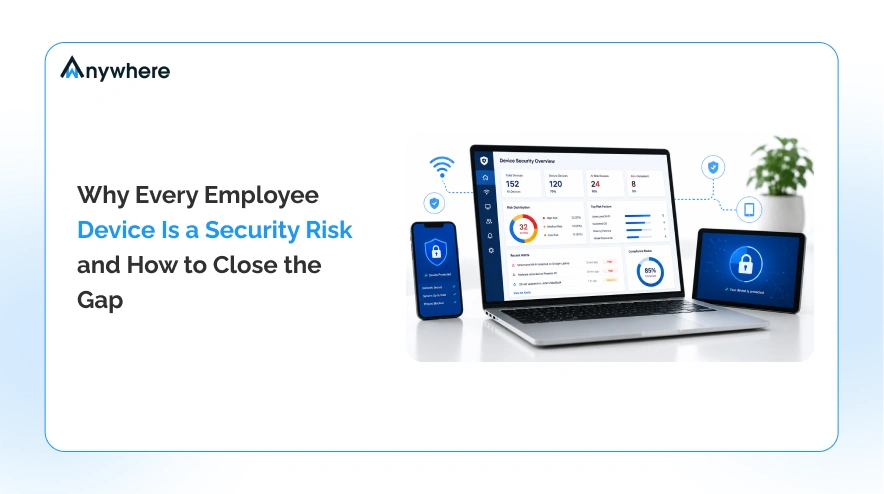
Most security budgets still protect the network far better than they protect the device at the edge of it, and that gap is where endpoint security risks quietly build up. Every laptop, USB port, and unattended screen is a potential entry point into company data.
This post breaks down what makes each device risky, what it actually costs a business to ignore, and a clear plan to close the gap, so device security stops being an afterthought and becomes part of how your team works.
What counts as an employee device
Before you can close a gap, you have to know where it is. An endpoint is any device that connects to your network or touches company data, and the list is longer than most IT teams assume.
It includes company laptops and desktops, plus the personal phones and tablets employees check email on. It includes USB drives and external hard disks plugged in for a quick file transfer. It includes Bluetooth peripherals such as headsets, keyboards, and speakers, each one a small wireless connection most teams never audit. And it includes something easy to overlook: a screen left unlocked at a desk, in a cafe, or on a kitchen table.
You cannot protect what you have not counted. A what is endpoint security conversation usually starts here, with a full and honest inventory of every device and connection point, not just the ones IT issued.
Why every employee device is an endpoint security risk
Each device type above carries its own version of the same problem: a way for data to leave the building without anyone noticing. Here is where those risks actually show up.
Remote and hybrid work expanded the attack surface
When work happened in one building, on one network, IT had a fairly clear line of sight. Hybrid and remote work broke that. Devices now connect from home routers, co-working Wi-Fi, and public networks that were never designed with company security in mind.
Each of those networks is a variable IT cannot control. A single unpatched router or an open public hotspot can quietly become the weakest link in an otherwise solid security setup.
Unauthorized users and unattended screens
A shared home office means a laptop screen is sometimes visible to a partner, a roommate, or a child doing homework at the same table. A logged in device with no one watching is effectively an open door, and it does not take malicious intent for something to go wrong.
Shoulder surfing and unattended screens are two of the most common forms of unauthorized access, and they rarely show up in a typical security audit because nothing was technically “hacked.” Someone just walked past a screen that should have been locked.
Removable and wireless devices
USB drives are still one of the easiest ways to move data off a company device, whether that is a deliberate copy or an accidental one. Bluetooth peripherals raise a quieter version of the same issue. A wireless keyboard or headset paired without oversight is a connection nobody on the security team knows exists.
This is the heart of the usb security risk conversation. It is rarely about a single dramatic incident. It is about the steady, low-visibility drip of data leaving through connections nobody tracked.
Sensitive data and PII exposure
For teams handling customer records, financial details, or health information, the stakes on every one of these risks go up. A visible screen or an unmonitored USB port is a bigger problem for a BPO handling customer PII, a BFSI team processing account data, or a healthcare provider managing patient records than it is for a team working with lower-sensitivity information.
Regulated data does not just need protecting. It needs protecting in a way you can prove, which is a theme that carries through the rest of this post.
Insider threats and human error
Most security incidents are not the work of a determined outside attacker. They are the result of an honest mistake: a file sent to the wrong recipient, a risky download, a weak password reused one too many times. That is the core of the insider threat problem, and it is why fixing endpoint security cannot be only about keeping outsiders out. It has to account for the everyday habits of the people already inside the network.
Limited visibility for security teams
Even when a security team wants to catch these issues early, they often cannot. Logs live in different systems, alerts arrive without context, and there is no single view that ties a device, a user, and an event together in real time.
Without that visibility, most of these risks are invisible until after something has already gone wrong.
The real cost of an unsecured endpoint
Each of the risks above has a price tag attached, and it is usually higher than teams expect until they run the numbers. The global average cost of a data breach reached $4.99 million in 2026, a 12 percent increase over the year before and a new record high, according to IBM’s Cost of a Data Breach Report.
Breach and remediation costs are only the most visible line item. Compliance penalties follow close behind, particularly for BFSI, healthcare, and BPO teams operating under frameworks like HIPAA, GDPR, or industry-specific data handling rules. A single unlogged USB transfer or an unmasked customer record on screen can be the difference between a clean audit and a costly one.
Operational downtime adds another layer. Investigating an incident, containing it, and rebuilding trust in the systems involved all take time away from the work that actually grows the business. And underneath all of it sits something harder to price but just as real: client trust. A single publicized incident can undo years of relationship building with a client who handed over sensitive data on the assumption it would be protected.

Your network is secured. Your endpoints are not.
See how wAnywhere closes the gap on every device
How to close the endpoint security gap
Every risk in the section above has a matching fix. None of these require slowing employees down. They require visibility and control at the point where the risk actually lives, which is the device itself.
Get real-time visibility into every endpoint
The first step is simply seeing what is happening. A centralized view of device activity, connections, and events across every team, in the office or remote, turns endpoint security from a reactive scramble into something a security team can actually monitor as it happens.
Verify who is actually using the device
A password at login answers one question: did the right credentials get entered. It does not answer a more important one: is the right person still sitting at that device an hour later. Identity checks at the endpoint, including facial recognition and person detection, close that gap by confirming the actual user, not just the login.
Control connected USB and Bluetooth devices
Rather than banning removable media outright, which employees will find ways around, the better approach is a usb detection tool paired with clear policy. Every USB drive or Bluetooth peripheral that connects gets tied to a specific user and a specific event, so bluetooth detection and USB monitoring happen the moment a device is plugged in or paired. From there, unauthorized devices can be restricted or blocked automatically, based on policy rather than manual review.
Protect sensitive information on screen and in files
Data loss prevention at the endpoint means more than a firewall rule. It means masking PII directly on screen, controlling and logging screenshots, and monitoring activity around sensitive files so exposure is reduced before it becomes a leak. This is also where data leakage prevention stops being theoretical and becomes something a team can point to during an audit.
Detect and respond to breaches automatically
Visibility only matters if it leads to action. When a policy is violated, whether that is an unrecognized device connecting or an unusual data transfer, an automated response can intervene before the data actually leaves. This is the practical, endpoint-level layer of what endpoint detection and response is meant to achieve.
Keep audit trails for compliance
Every one of the controls above needs a record behind it. Detailed, timestamped audit trails give compliance teams what they need for SOC 2, ISO 27001, HIPAA, and GDPR readiness, and they turn “we have a policy” into “we can prove the policy was followed.”
Read More USB and Bluetooth Detection and Prevention for Data Security
Endpoint security checklist
Use this as a quick gut check on where your current setup stands.
✓ Real-time visibility across every connected device, remote and in office
✓ Identity verification at the endpoint, not just at login
✓ USB and Bluetooth devices detected, tied to a user, and controlled by policy
✓ PII and sensitive data masked or protected on screen and in files
✓ Automated response triggered when a policy is violated
✓ Full audit trails ready for SOC 2, ISO 27001, HIPAA, or GDPR review
✓ Coverage that extends to remote and hybrid staff, not only in-office devices
Read More Endpoint Data Loss Prevention, a Practical Guide
Close the gap with wAnywhere
wAnywhere brings these pieces together in one platform instead of leaving them scattered across separate tools. Device detection, identity verification, USB and Bluetooth control, on-screen data protection, and audit-ready logging all run from a single view, across remote, hybrid, and in-office teams alike. For IT and security leads managing distributed teams, especially in BPO, BFSI, and healthcare, that means less time stitching together logs from five systems and more time actually closing gaps before they turn into incidents.
Close the gap before it becomes an incident.
See wAnywhere endpoint security in action.
Conclusion
The endpoint is the new perimeter. The network you secured years ago is still worth protecting, but the real exposure today lives on the laptop in someone’s living room, the USB drive passed across a desk, and the screen nobody remembered to lock. Closing that gap is not about adding friction for employees. It is about building visibility and control into the places where risk actually shows up.
Start with an honest inventory of your endpoints, then work through the checklist above one item at a time. The gap closes faster than most security teams expect once they can actually see it. Start your free trial.
Frequently asked questions
What is the most common endpoint security threat?
Human error, rather than deliberate attack, causes the majority of endpoint incidents. Misdirected files, weak password habits, unlocked screens, and unmonitored USB transfers are far more common than sophisticated outside intrusions.
How do remote and hybrid teams increase endpoint risk?
Remote and hybrid setups mean devices connect from networks IT never configured or approved, reducing visibility into what is actually happening on each endpoint. Shared home spaces also increase the chance of unauthorized users viewing or accessing a device.
How can a company monitor USB and Bluetooth devices?
Endpoint security tools can detect connected USB drives and Bluetooth peripherals as they connect, tie that activity to a specific user, and apply policy-based controls that restrict or block unauthorized devices automatically.
What is the difference between endpoint security and antivirus?
Antivirus focuses on detecting known malicious software on a device. Endpoint security is broader, covering device visibility, identity verification, data protection, connected peripheral control, and audit trails, in addition to malware defense.
How does endpoint security support compliance?
Detailed audit trails, access controls, and data protection measures at the endpoint give compliance teams the documentation needed for frameworks like SOC 2, ISO 27001, HIPAA, and GDPR, turning stated policy into something demonstrable during a review.

Table of Contents
Boost productivity and compliance with wAnywhere
Read summarized version with