 Set as a preferred Google source
A geofencing attendance system is a location tracking setup that records attendance only when a verified user logs in from inside a defined virtual boundary, known as a geofence. Instead of simply asking where a device is, a well built geofencing attendance system asks two questions at once: who is logging in, and where are they logging in from. For HR, IT, and operations leads managing BPO, BFSI, or distributed teams, that combination is what turns a location ping into a record that can actually stand up to a compliance audit. Here is what the system covers, how it compares to older methods, and how the identity plus location approach works in practice.
What is a geofencing attendance system
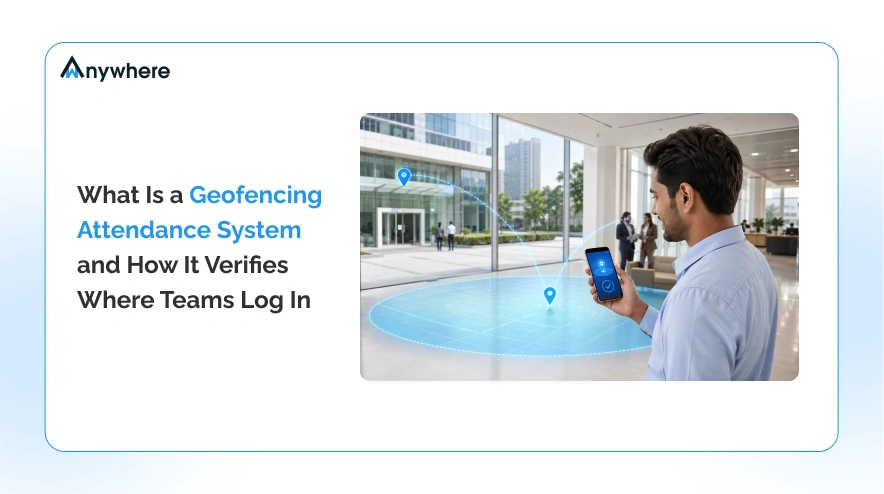
A geofencing attendance system draws a virtual perimeter around an approved work location, such as an office campus, a client site, or a designated work from home radius. When a registered user attempts to log an attendance event inside that perimeter, the system captures the location alongside the user’s identity and the time of the event. When the same attempt happens outside the perimeter, the system can flag it, block it, or route it for manager review depending on the configured policy.
How a geofence works
A geofence is defined using GPS coordinates and a radius, or sometimes a mapped polygon, around a specific address. Any device with location services enabled can be checked against that boundary in real time. The system does not track movement continuously by default. It checks location at the moment attendance is recorded, which keeps the process lightweight while still confirming presence at login.
What it records, location, time, and identity
A complete attendance event needs more than coordinates. A geofencing attendance system typically logs the user’s identity, the device used, GPS latitude and longitude, location accuracy, and a timestamp. Recording all four together is what makes the entry usable for payroll, compliance, and audit purposes, rather than just a location dot on a map.

Try location verified attendance.
Set up a geofence and record your first verified login in minutes.
Geofencing attendance vs traditional attendance methods
Most organizations arrive at geofencing attendance after outgrowing an older method that could not keep pace with hybrid or field heavy teams. Each method below solves part of the attendance problem, and geofencing paired with identity verification is what closes the remaining gaps.
Manual registers and punch cards
Physical registers and punch cards depend entirely on trust. Anyone can sign a colleague in, times can be backfilled, and there is no location data at all. For distributed or hybrid teams, this method has effectively no way to confirm where the work happened.
Biometric and RFID
Biometric scanners and RFID cards confirm identity well at a fixed physical point, such as a turnstile or an office entrance. They do not extend to remote logins, client sites, or field locations, which limits them to organizations where every employee works from one building.
Basic GPS attendance
A basic GPS attendance system captures a device’s coordinates when an employee taps a clock in button. This proves a phone was in a certain place, but it does not prove who tapped the button. Shared devices, forwarded logins, and simple location spoofing apps can all defeat a GPS only check.
How location verified login actually works
Location verified login closes the gap left by basic GPS attendance by splitting the process across two devices. The desktop or laptop login is confirmed by a separate, registered mobile device, which independently captures GPS location and identity before the server grants access.
The two device flow in brief
At a high level, the flow runs like this: the user logs in on the desktop, the mobile app confirms identity and reads GPS location, the server checks that location against the configured geofence, and only then is access granted and the event recorded. Because the confirmation happens on a second, registered device, a spoofed location or a borrowed password alone cannot complete the login.
What gets captured and sent
Each login event carries an authentication ID, the verified user identity, mobile device information, GPS latitude and longitude, location accuracy, and a timestamp. Together, these fields give compliance and audit teams a login record that ties a specific person to a specific place at a specific time.
Why identity plus location beats a simple GPS clock in
A GPS clock in button proves that a phone was somewhere. It does not prove who was holding it. Buddy punching, shared logins, and GPS spoofing apps all exploit that gap, and a location only system has no way to catch them. Pairing identity verification with location checking closes that gap directly, because the login cannot complete unless a registered device confirms both the person and the place at the same time.
Attendance records your auditors will actually trust.
Every login verifies who and where, automatically.
Benefits of a geofencing attendance system
The benefits compound once identity and location are verified together rather than tracked separately, particularly for organizations that need their attendance records to hold up beyond internal use.
Accurate and verifiable attendance
Every login event ties a verified identity to a verified location, which removes the guesswork from attendance data and gives HR a single reliable source instead of reconciling multiple systems.
Less buddy punching and time theft
Because a second, registered device has to confirm both identity and GPS location, one person cannot log in on behalf of another, and a static or spoofed location cannot substitute for actually being there.
Compliance and audit ready records
Every event carries a timestamp, an identity, and a verified location, which is the exact combination compliance and audit teams need when reviewing attendance for BPO, BFSI, or regulated environments.
Works for remote, hybrid, and field teams
Because the check happens at login rather than at a fixed physical scanner, the same system covers an office desk, a work from home setup, and a client site without separate hardware for each.
Where a geofencing attendance system fits best
Geofencing attendance is most valuable anywhere attendance data needs to survive scrutiny. BPO and BFSI organizations use it to satisfy client and regulatory audits. Healthcare providers use it to confirm staff presence across multiple facilities. Field force teams use it to confirm site visits without manual sign in sheets. Remote and work from home teams use it to give HR a verifiable presence record without requiring anyone to come into an office.
Read More How to Track Remote and Field Employees Daily Attendance
What to look for in a geofencing attendance system
Before choosing a system, it helps to check for the following:
✓ Identity verification at login, not just a location ping.
✓ Accurate GPS and location accuracy reporting, not an approximate radius.
✓ Configurable geofencing policies that can flex per site, team, or role.
✓ Audit ready logs that capture identity, location, and timestamp together.
✓ Coverage across desktop and mobile, so remote and hybrid logins are covered the same way as on site logins.
How wAnywhere does it
wAnywhere mobile authenticator brings identity verification and geofencing together in a single login flow, so attendance is captured with a verified location the moment a user logs in. Here is exactly how the flow works.
Step by step geofencing through the wAnywhere mobile authenticator app
- The user logs in to the wAnywhere Agent on the laptop or desktop using their username and password.
- After successful credential verification, the wAnywhere Agent displays a unique authentication ID on the screen.
- The user opens the wAnywhere Mobile Authenticator application on their registered mobile device.
- The user enters the authentication ID displayed on the desktop into the mobile application.
- The mobile application validates the authentication ID and retrieves the device’s real time GPS location.
- The mobile application securely sends the authentication ID, user identity, mobile device information, GPS latitude and longitude, location accuracy, and timestamp to the wAnywhere server.
- The wAnywhere server validates the authentication ID, verifies the user’s identity, and confirms that the GPS location complies with the organization’s configured geofencing policy, then sends an approval to the Agent.
- The desktop Agent completes the login process and grants the user access to continue working.
- The login event, along with the verified GPS location and authentication details, is recorded for attendance, compliance, auditing, and reporting.
Identity and location are captured together at the moment of login, so every attendance record is ready for compliance and audit review without any extra step.
Read More Device Location Tracking to Safeguard Remote Business Assets and Data
Conclusion
Attendance data is only trustworthy when it proves both who logged in and where they logged in from. A geofencing attendance system built on identity verification, like the wAnywhere mobile authenticator flow, delivers exactly that, giving HR, IT, and compliance teams a login record that holds up under audit rather than a location ping that only tells half the story.
Stop buddy punching before it starts.
Identity and location, verified at every login.
Frequently asked questions
How does geofencing attendance work?
The system checks a device's GPS location against a configured boundary at the moment of login. In an identity verified setup, a registered mobile device confirms both who is logging in and where, before the server grants access.
Is geofencing attendance accurate?
Accuracy depends on GPS signal quality and the configured radius, but pairing location with identity verification on a second device removes most of the errors that come from spoofed or shared logins, which is the bigger accuracy risk in practice.
Can geofencing attendance work for remote or work from home teams?
Yes. Because the check happens at login rather than at a fixed physical scanner, the same policy can cover an office, a client site, or an approved work from home location.
How is geofencing attendance different from GPS attendance?
Basic GPS attendance confirms where a device is. Geofencing attendance adds a defined boundary and, in an identity verified system like wAnywhere's, a second device that confirms who is logging in, not just where the device happens to be.

Table of Contents
Boost productivity and compliance with wAnywhere
Read summarized version with