 Set as a preferred Google source
TL;DR
Quick answer An audit trail is a time-stamped record of who accessed which systems and data, what they did, and when and where they did it. BPO clients demand one because it is the only reliable way to prove their data was handled to contract, and because GDPR, HIPAA and PCI DSS all expect user activity to be logged and reviewable.
What this blog covers
- What an activity record captures and how it differs from a basic system log
- Why outsourcing clients now treat evidence as a contract deliverable
- What GDPR, HIPAA and PCI DSS expect from activity logging
- What a BPO-grade audit log should capture, and the gaps that weaken it
- How wAnywhere turns everyday agent activity into audit-ready evidence
- How to present that evidence in a client review
When a client hands a BPO its customer records, it hands over risk along with the work. Every agent who opens a record, every file that moves and every policy exception becomes the client’s exposure too. That is why an audit trail has moved from a nice-to-have to a standard line in outsourcing contracts and security questionnaires.
The pressure keeps rising. Verizon’s 2026 Data Breach Investigations Report found that 48% of breaches involved a third party, a 60% increase on the previous year’s dataset. For an outsourcing client, the BPO is that third party, and a complete activity record is how the BPO proves it is not the weak link.
This guide explains what an activity record contains, why clients insist on one, what regulators expect, and how BPO monitoring can produce evidence that holds up when a client starts asking questions.
What Is An Audit Trail?
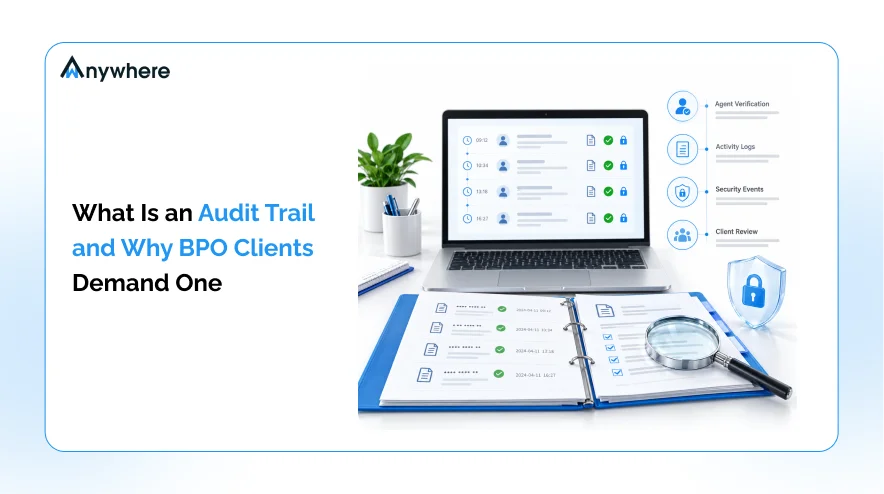
An audit trail is a chronological, time-stamped record of user and system activity that shows who did what, when, where and on which device. In a BPO, it ties each action to a verified individual rather than a shared login or a workstation, so a reviewer can reconstruct any event long after it happened.
The value lies in completeness and context. A record that shows an account logged in at 2 a.m. raises a question. A record that shows which agent it was, where they were, what they opened and what happened next answers it.
What An Audit Log Records
A useful audit log answers five questions for every event.
- Who The verified person behind the action, not just the username
- What The action itself, such as a login, a record view, a file transfer or a policy violation
- When An accurate timestamp for each event
- Where The device, location and network the action came from
- What happened next The alert, response or resolution that followed
Audit Logs Vs Basic System Logs
Most IT systems already produce logs, so teams sometimes assume they are covered. The difference is the level of detail a client can act on.
| Basic system log | Audit-ready activity record |
| Shows an account connected | Shows the verified person behind the account |
| Captures technical events | Captures user actions, desk events and data movement |
| Lives in separate tools | Sits in one searchable timeline |
| Rarely shows the response | Shows how each issue was handled and closed |
Also Read: How AI Security And Compliance Tools Prevent Data Breaches In Real Time
Why BPO Clients Demand A Complete Activity Record
Clients do not ask for activity logs out of curiosity. Each request ties back to a specific business risk the client cannot manage without evidence from inside the BPO.
Third-Party Risk Has Become A Board-Level Concern
The Verizon finding above changes how clients evaluate partners. When nearly half of breaches involve a third party, procurement and security teams treat every vendor as part of their own attack surface. A BPO that can show exactly who touched client data, and when, removes much of that uncertainty.
Contracts Now Make Evidence A Deliverable
Security schedules, right-to-audit clauses and annual vendor assessments increasingly ask for proof rather than policy documents. Clients want to see access records, violation reports and incident timelines. A BPO that has to rebuild this evidence by hand for every review spends weeks on work that should take hours.
Faster Investigations Reduce Breach Costs
When something goes wrong, speed matters. IBM’s Cost of a Data Breach Report 2026 found that organizations took an average of 247 days to identify and contain a breach, while the global average cost of a breach reached a record $4.99 million. A detailed activity history shortens the time it takes to understand scope, which is the first step to containing damage.
Remote And Hybrid Seats Remove Physical Oversight
On a floor, supervisors can see who is at a desk and whether a phone is out. At home, that visibility disappears. Clients know this, and they expect the BPO to replace physical supervision with recorded, reviewable evidence for every remote seat.
Renewals Depend On Demonstrated Control
Most BPO relationships are renewed or expanded on the strength of trust built over months. A partner that answers every security question with a clear report, rather than a promise to look into it, makes the renewal decision easier. Over time, well-kept activity records become part of the commercial case for winning more work from the same client.
Internal Accountability Improves Too
Detailed records do not only serve clients. Team leaders can use the same history to coach agents on policy, spot repeat violations early and resolve disputes about attendance or conduct with facts rather than opinions.
Also Read: Why Workforce Compliance Fails In Large BPO Operations And How To Fix It
What Regulators Expect From Activity Logging
Clients’ demands usually mirror their own regulatory obligations. Understanding those obligations helps a BPO design records that satisfy several frameworks at once.
GDPR
GDPR makes controllers accountable for demonstrating compliance under Article 5(2), and Article 28 requires processors to make available all information needed to demonstrate compliance and to allow for audits by the controller. For a BPO acting as a processor, activity records are a core part of that information.
HIPAA
The HIPAA Security Rule includes an audit controls standard that requires mechanisms to record and examine activity in systems containing electronic protected health information. Healthcare clients pass this expectation to their BPO partners through Business Associate Agreements.
PCI DSS
PCI DSS v4.0.1 Requirement 10 covers logging and monitoring all access to system components and cardholder data. It requires audit log history to be retained for at least 12 months, with at least the most recent three months immediately available for analysis.
ISO 27001 And SOC 2
Both frameworks expect organizations to log and monitor activity and to review those records. Clients that hold these certifications often ask their BPO partners to show equivalent controls.

Turn Every Agent Action Into Audit-Ready Evidence
wAnywhere records verified identity, desk events and data movement in one timeline, so your next client review starts with proof, not spreadsheets.
What Should A BPO-Grade Audit Log Capture?
A record that satisfies clients and regulators goes further than login times. Use this checklist to judge whether your current setup is complete.
- Verified identity Confirm the person at the screen, not just the account, through facial recognition at login and during the shift.
- Session and attendance data Record login, logout, breaks and idle time for every shift.
- Desk-level events Log unknown persons, multiple persons, mobile phones at the desk and unattended screens.
- Data movement Track USB use, copy paste attempts and screen captures.
- Location and network context Show where each session ran, including geofence status and Wi-Fi networks.
- Response history Show who reviewed each alert, what action was taken and when it was closed.
- Retention and export Keep records for the period your contracts and regulations require, and export them on request.
Common Gaps That Weaken Audit Evidence
Many BPOs collect plenty of data and still struggle in reviews. These gaps are the usual reasons.
- Shared or reused logins Records that cannot be tied to one person carry little weight with clients.
- Office-only coverage Logging that stops at the corporate network misses every remote seat.
- No desk-level visibility Digital logs cannot show a phone photographing a screen or a second person in the room.
- Manual reporting Spreadsheets assembled for each review are slow, inconsistent and easy to challenge.
- No record of the response An alert without a documented outcome suggests the issue was ignored.
- Logs that expose sensitive data Screenshots that capture customer PII create a new privacy risk inside the evidence itself.
Also Read: BPO Compliance Gaps And Why Problems Are Detected Too Late
How BPO Monitoring Builds Audit-Ready Evidence With wAnywhere
Monitoring closes these gaps when security, attendance and response data come from the same source. wAnywhere is built around that idea, with every event tied to a verified person and a clear outcome.
Verified Identity On Every Event
Facial recognition confirms the agent at the screen, so each record points to an individual rather than a shared credential. Attendance data from login to logout sits alongside it.
Desk And Device Events In One Timeline
wAnywhere detects multiple persons, mobile phones and unattended desks, along with endpoint events such as USB connections and copy paste attempts. Each event lands in the audit log with time, user and device.
From Alert To Resolution
The remediation workflow records how each violation was handled, giving clients the response history they look for during reviews.
Privacy Inside The Evidence
PII masking hides sensitive customer data on screen, so screenshots and recordings used as evidence do not become a privacy risk of their own.
Deployment That Fits Client Requirements
wAnywhere supports on-premise or private cloud installation, which helps when client contracts specify where monitoring data must be stored. ications often ask their BPO partners to show equivalent controls.
Show Clients Proof, Not Promises
Give every client a complete record of who accessed their data, from where, and what happened next. Try wAnywhere on your own campaigns.
How To Present Audit Evidence In A Client Review
Good records still need clear presentation. A simple routine makes reviews faster and more convincing.
- Map each client requirement to the specific log fields that answer it.
- Agree retention periods in writing before the contract starts.
- Review violation and response reports internally every month.
- Prepare a standard evidence pack with sample reports for each campaign.
- Document how incidents are escalated, investigated and closed.
Also Read: Is Your Remote Work Secure Enough A Security Checklist For BPO Operations
Conclusion
Clients outsource work, not accountability. A complete, verified activity record lets a BPO show exactly how client data was handled, answer regulator expectations under GDPR, HIPAA and PCI DSS, and shorten investigations when something goes wrong. Start by checking your current records against the seven-point checklist above, then close the gaps that matter most to your largest clients, usually verified identity, desk-level events and response history. Those three areas answer the questions reviewers ask most often. The BPOs that win and keep regulated clients are the ones that can produce that evidence on demand. If your next client review includes remote seats, a short wAnywhere demo will show you what that evidence looks like. .
Frequently asked questions
What Should An Audit Log Include For A BPO?
An audit log for a BPO should include verified user identity, actions taken, timestamps, device and location details, and the response to each alert. Desk-level events such as mobile phone or multiple person detection add context that system logs cannot provide.
How Long Should A BPO Keep Audit Logs?
How long a BPO keeps audit logs depends on its contracts and the regulations its clients follow. PCI DSS requires at least 12 months of log history, with the most recent three months immediately available.
Is BPO Monitoring The Same As Keeping Activity Logs?
It is broader than keeping activity logs. Monitoring detects and responds to risky behavior in real time, while the resulting logs preserve that activity as evidence for audits and investigations.
Can Activity Logs Cover Remote And Hybrid Agents?
Yes, activity logs can cover remote and hybrid agents when monitoring runs on each device rather than only on the office network. wAnywhere applies the same logging to office and remote seats.

Table of Contents
Boost productivity and compliance with wAnywhere
Read summarized version with