
PASSWORD MANAGEMENT
Is it Possible for the Admin to Reset Passwords for the Users?
Yes, it is possible for Admins and Super Admins to reset passwords
for users from the User Management section.
Sign In to the Console
Sign in to the wAnywhere web console as a
Super Admin or Admin.
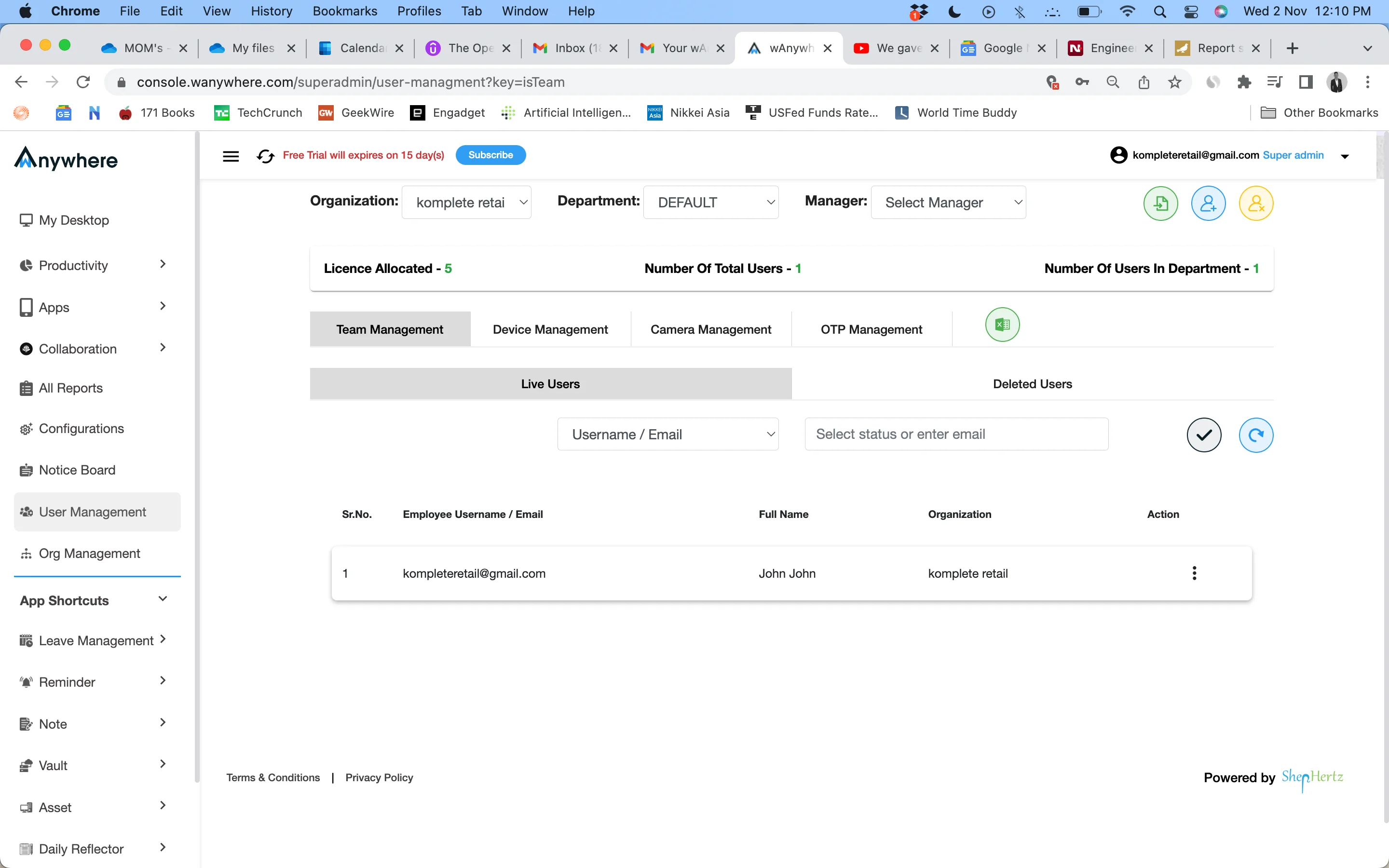
Open User Management
Click on ‘User Management’ from the menu on the left side.
Manage User Profile
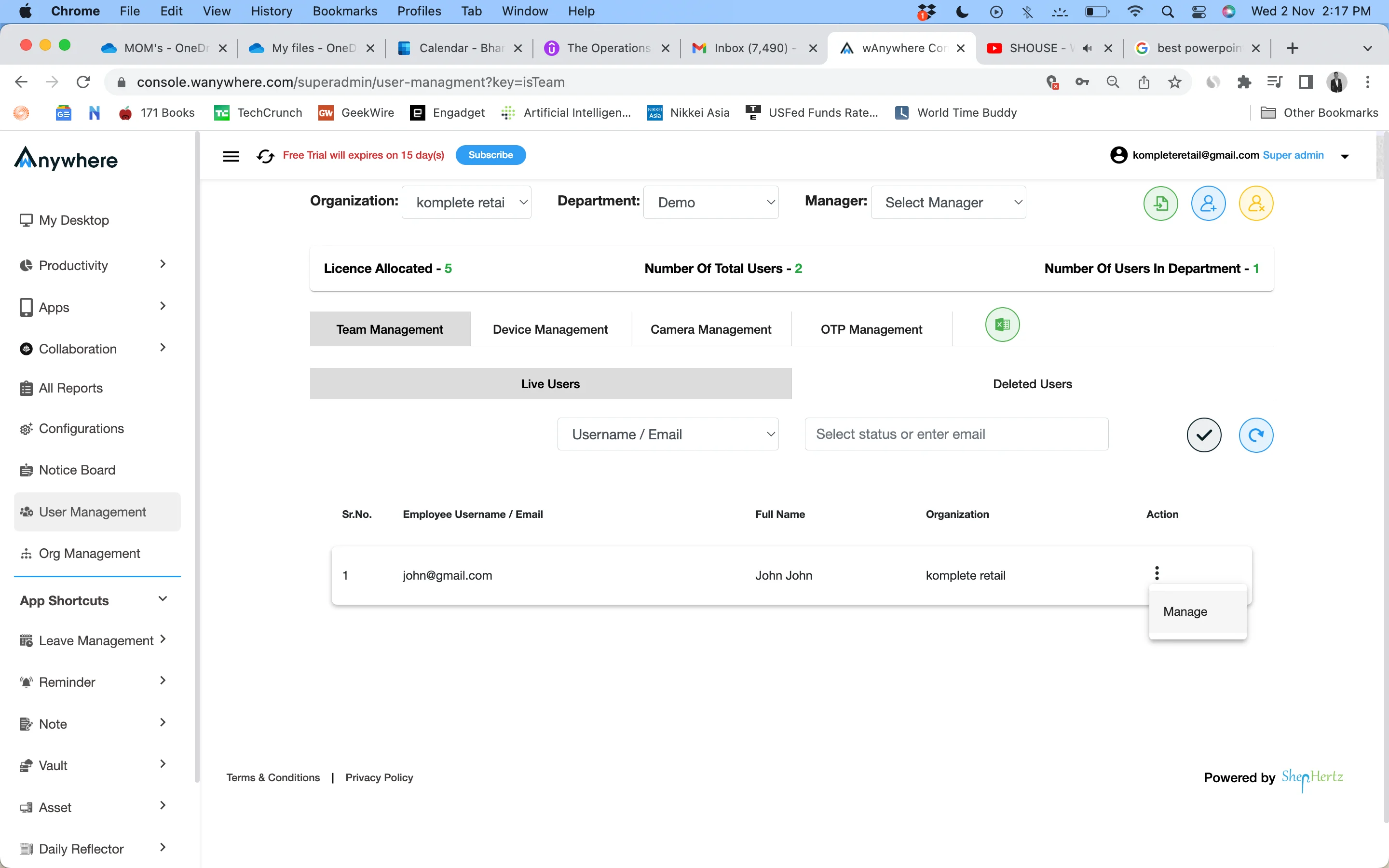
Click on the three dots under ‘Action’ and select ‘Manage’.
Click Password Reset
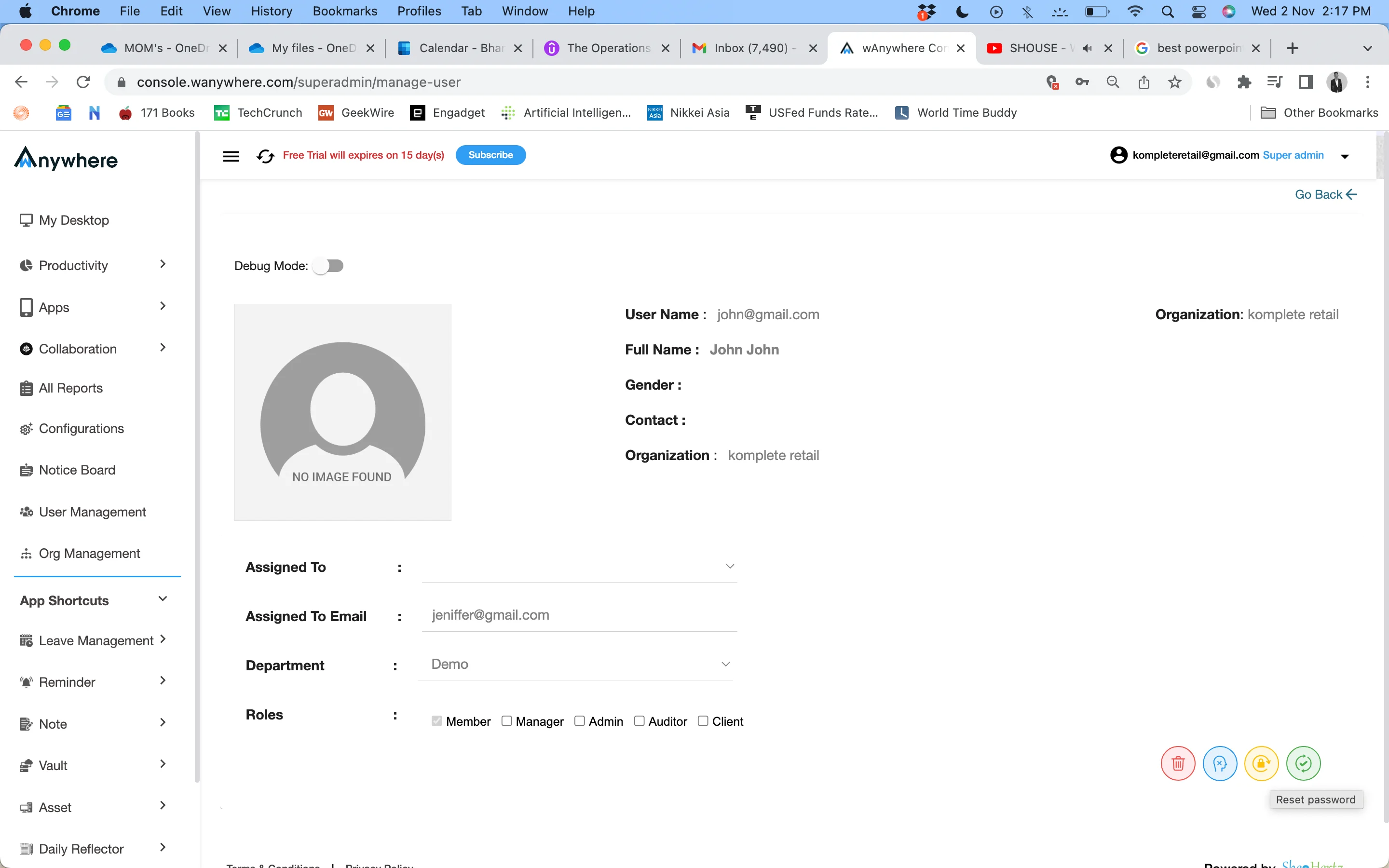
On the user’s profile page, click the orange
‘Password Reset’ icon located at the bottom-right corner.
Reset the Password
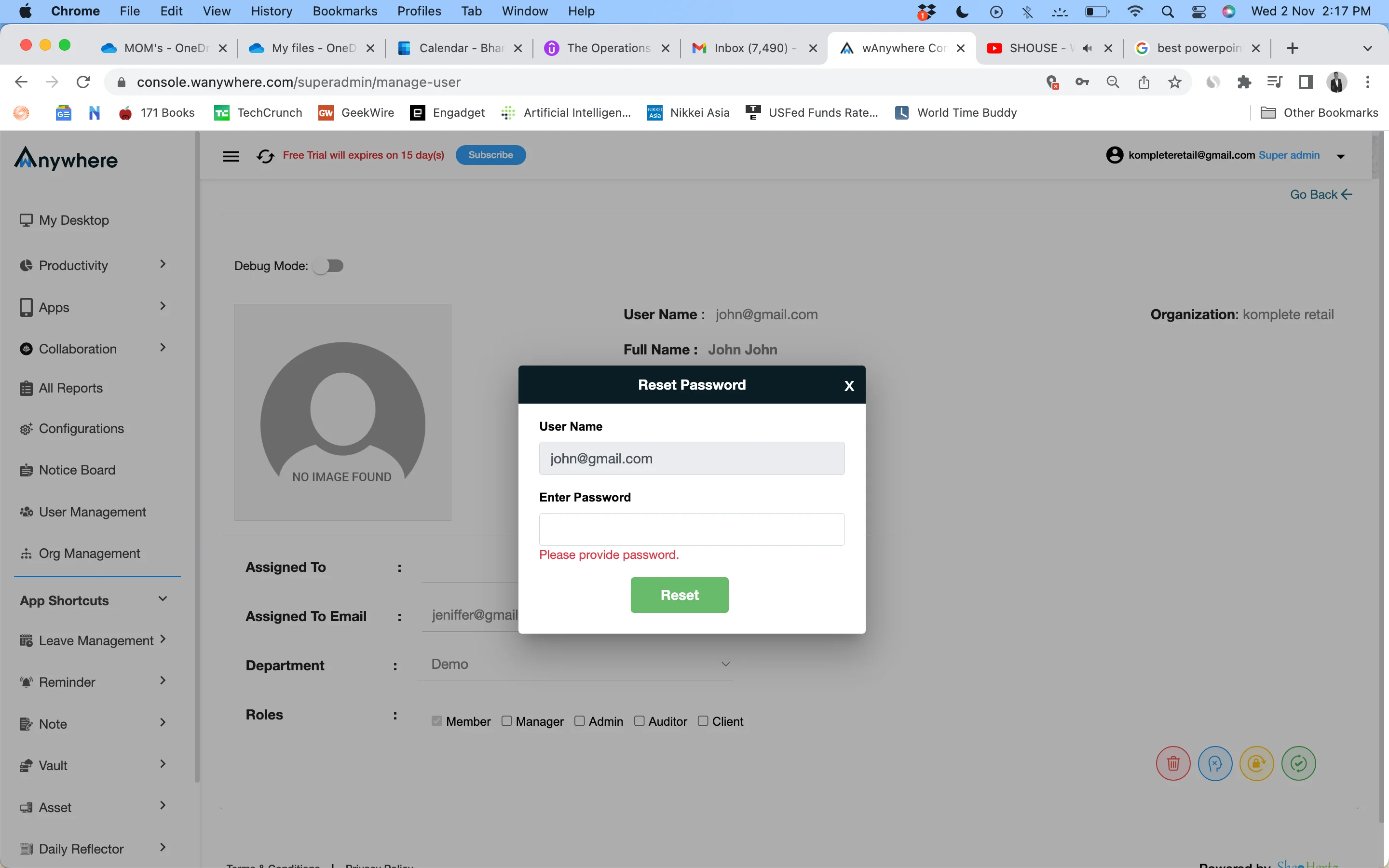
In the dialogue box that appears, enter the new password
and click ‘Reset’.
Password Reset Complete
The user’s password has been successfully reset and can
now be used for login.


