 Set as a preferred Google source
TL;DR
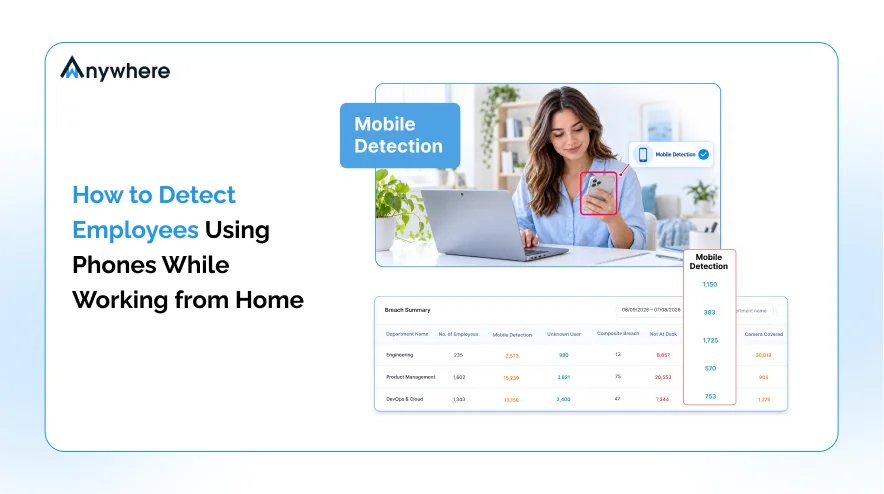
Personal phones are the biggest blind spot in remote work security because a phone camera bypasses every DLP, USB, and screenshot control. The most reliable answer to how to detect a mobile phone during work hours is AI mobile phone detection, which analyzes the webcam feed for phone-shaped objects, raises instant alerts, and logs evidence. Paired with a clear device policy, informed consent, and proportionate responses, it protects regulated data without turning remote work into surveillance.
A customer support agent finishes a call. The screen still shows a card number, and a phone rests against the monitor with its camera facing the display. No file was copied, no USB drive was plugged in, and no email left the network. Yet the data is gone.
This is the scenario that keeps compliance teams in BPO, BFSI, and healthcare operations awake. Remote work moved sensitive screens into bedrooms and living rooms, and personal phones followed. Endpoint controls watch files, clipboards, and ports, but none of them can see a camera lens held a foot away from the display. That is why mobile phone detection has become a core control for distributed teams handling regulated data.
This guide explains how to detect a mobile phone while employees work from home, how AI webcam analysis works behind the scenes, which teams need it most, and how to roll it out in a way your workforce will accept.
Why Personal Phones Are the Biggest Blind Spot in Remote Work
In an office, a floor supervisor and a clean desk policy keep phones away from sensitive screens. At home, nobody is watching and the phone is always within reach. The device itself is not the problem. The problem is that it sits completely outside the security stack you have spent years building.
The Camera Problem No DLP Tool Can Solve
Data loss prevention tools inspect what moves through the endpoint, such as files, uploads, print jobs, clipboard activity, and removable media. A smartphone photo bypasses all of them. The image is captured on a personal device, saved to a personal gallery, and shared over a personal mobile network within seconds. From the organization’s point of view, nothing happened.
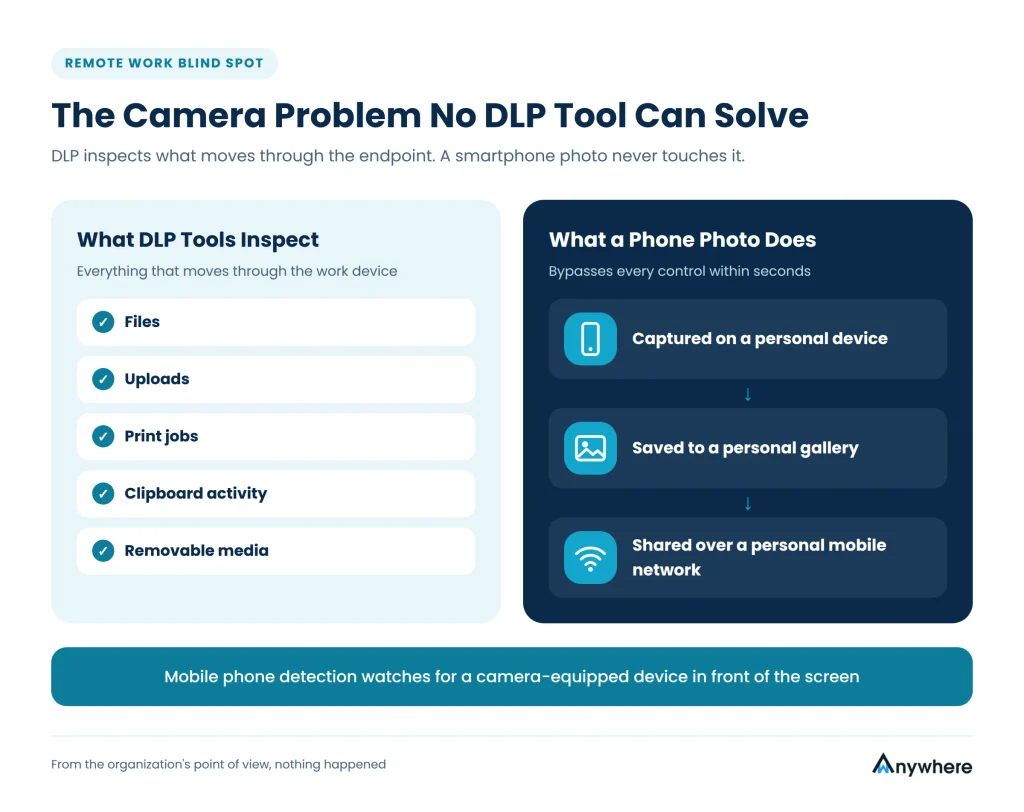
For teams handling cardholder data, health records, or client PII, this gap is not theoretical. A single photo of a customer record can trigger breach notification duties, contractual penalties, and client audits. Mobile phone detection closes the gap by watching for the one thing every other control misses, a camera-equipped device in front of the screen.
Negligence Drives Most Incidents, Not Malice
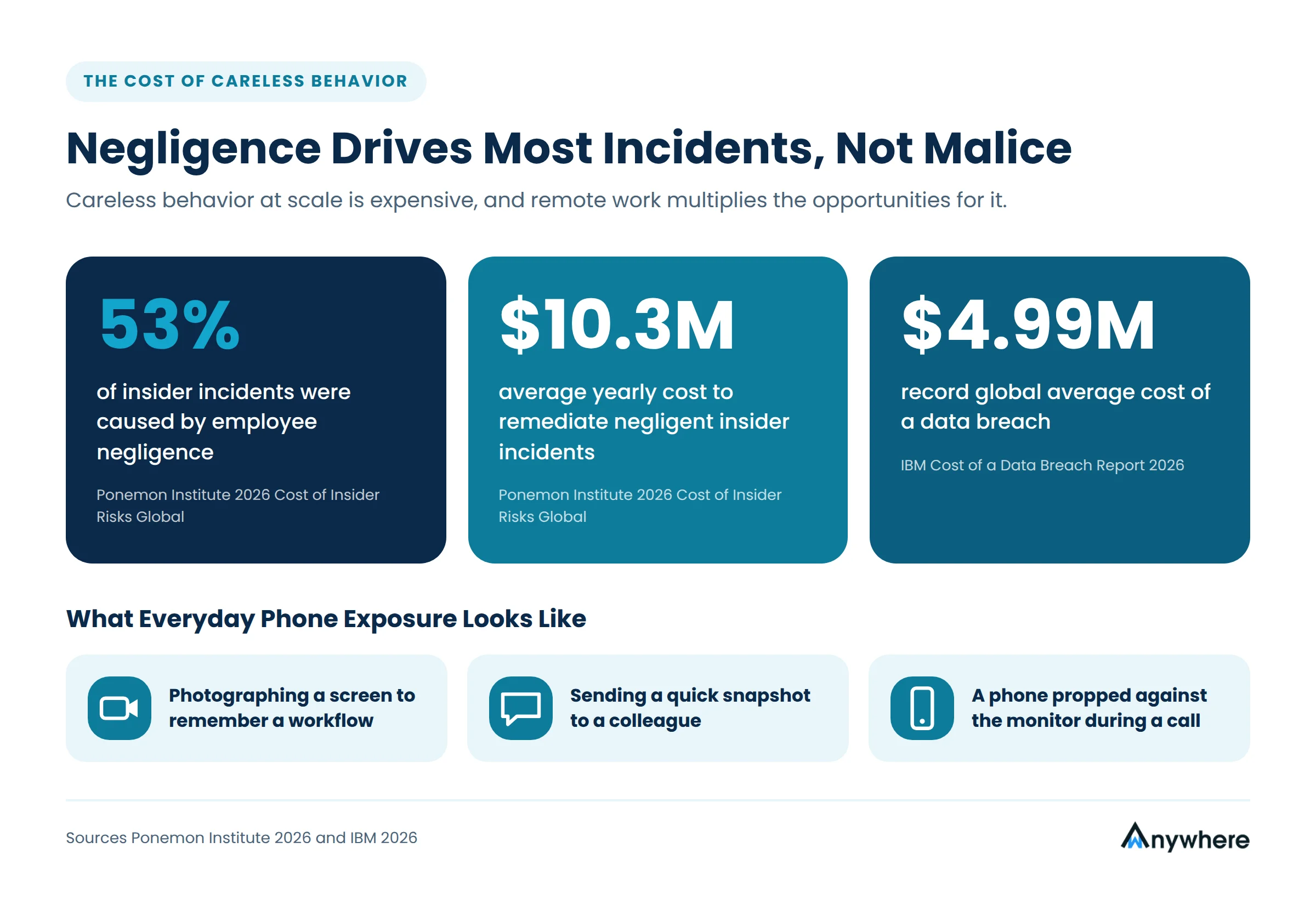
Most phone-related exposure is not espionage. It is an agent photographing a screen to remember a workflow, a team member sending a quick snapshot to a colleague, or a phone propped against the monitor during a call. The Ponemon Institute’s 2026 Cost of Insider Risks Global study found that 53 percent of insider incidents were caused by employee negligence, costing organizations an average of $10.3 million a year to remediate. Careless behavior at scale is expensive, and remote work multiplies the opportunities for it.
What It Costs When a Screen Becomes a Leak
When a careless photo turns into a reportable breach, the bill arrives quickly. IBM’s Cost of a Data Breach Report 2026 puts the global average cost of a data breach at a record $4.99 million. Much of that cost is shaped by how fast a problem is found, which is why catching a phone the moment it appears is far cheaper than investigating a leak weeks later.
The Productivity Side of the Same Problem
Security is the primary concern, but it is not the only one. Frequent phone use during live calls or document processing slows handling times, increases errors, and makes quality scores harder to defend to clients. Detection data gives team leads an objective basis for coaching, replacing guesswork and complaints with clear, timestamped patterns that are fair to every agent.
Also Read: How wAnywhere Leverages AI to Maintain Security and Compliance Across Your Remote Work Environment
How to Detect a Mobile Phone While Employees Work From Home
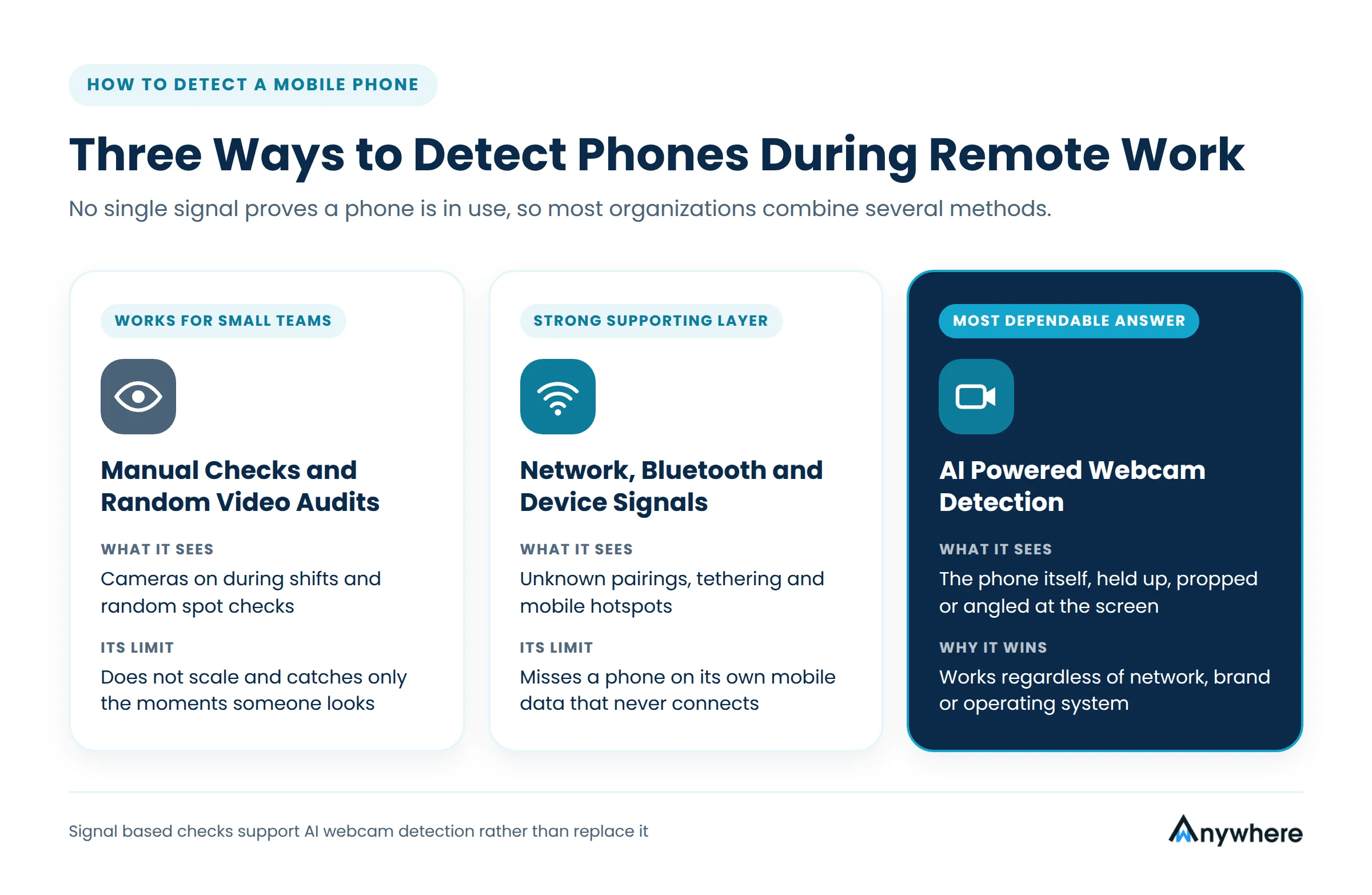
No single signal proves a phone is in use, so most organizations combine several methods. Each has clear limits. Knowing how to detect a mobile phone reliably starts with understanding what each approach can and cannot see.
Manual Checks and Random Video Audits
Supervisors can ask agents to keep cameras on during shifts or run random video spot checks. This works for a team of ten, but it does not scale to hundreds of agents across rotating shifts. It depends on human attention, it catches only the moments someone happens to look, and it feels intrusive because a person rather than a system is watching.
Network, Bluetooth, and Device Signals
Endpoint agents can flag unknown Bluetooth pairings, phone tethering, or a laptop connected to a mobile hotspot instead of an approved Wi-Fi network. These signals are valuable, but they only see phones that interact with the work device. A phone running on its own mobile data, never paired and never tethered, stays invisible. Signal-based checks are a strong supporting layer rather than a complete answer.
AI-Powered Webcam Detection
The most dependable answer to how to detect a mobile phone in a remote setup is computer vision. An AI model analyzes frames from the employee’s webcam and recognizes a phone in view, whether it is held up, propped on the desk, or angled toward the screen. Because the model looks for the device itself, it works regardless of the phone’s network, brand, or operating system. This is the approach modern platforms such as wAnywhere use for mobile phone detection.
How AI Mobile Phone Detection Works Behind the Scenes
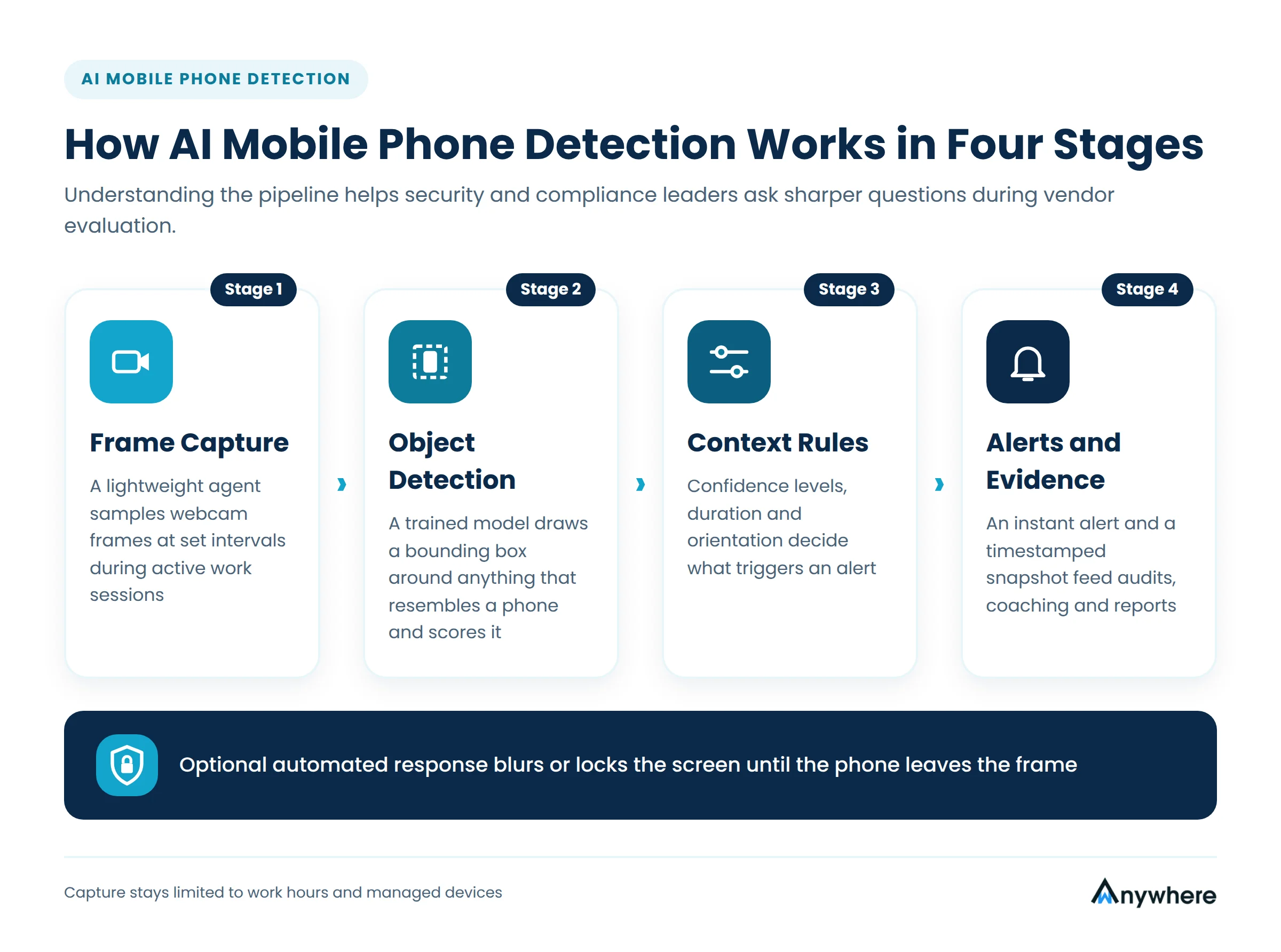
AI webcam detection sounds complex, but the pipeline follows four practical stages. Understanding them helps security and compliance leaders ask sharper questions during vendor evaluation.
Frame Capture on the Endpoint
A lightweight agent on the work laptop samples frames from the webcam at set intervals during active work sessions. Analysis typically happens on or close to the device, so a continuous video stream does not need to travel across the network. Limiting capture to work hours and managed devices keeps the scope narrow and defensible.
Object Detection and Classification
Each sampled frame passes through an object detection model trained on large sets of images showing phones in varied lighting, angles, colors, cases, and partial views. The model draws a bounding box around anything that resembles a phone and assigns a confidence score. Well-trained models learn to separate a phone from look-alikes such as a calculator, a TV remote, or a wallet.
Context Rules and Confidence Thresholds
A phone lying face down at the edge of a desk is not the same risk as a phone held up facing the monitor. Context rules let administrators decide what triggers an alert, for example a detection above a set confidence level, a phone visible for more than a few seconds, or a device oriented toward the screen. Tuning these rules is what separates useful alerts from alert fatigue.
Real-Time Alerts and Evidence Logs
When a rule is met, the system sends an instant alert to a supervisor or security dashboard and records a timestamped snapshot as evidence. Some deployments also respond automatically, for instance by blurring or locking the screen until the phone leaves the frame. The log then feeds audit trails, coaching conversations, and compliance reports.

Catch the Phone Before the Photo
wAnywhere’s AI mobile phone detection spots camera-equipped devices in front of sensitive screens and alerts your team in real time, even when employees work from home.
Which Teams Need Mobile Phone Detection Most
Every remote team benefits from fewer distractions, but the case is strongest wherever a single screenshot can create legal or contractual exposure. Three groups stand out.
BPO and Contact Centers
Agents handle payment details, account numbers, and identity data on nearly every call. Client contracts often prohibit personal devices on the production floor, and work from home arrangements need an equivalent control. Mobile phone detection gives BPO operators verifiable evidence of a phone-free workspace to share with clients during audits.
Banking, Insurance, and Fintech Operations
Teams processing loan files, KYC documents, and insurance claims work with data that regulators and card networks expect to be protected end to end. A phone-free workspace policy backed by automated detection supports PCI DSS-scoped processes and internal data handling standards.
Healthcare and IT Services
Medical coders, billing specialists, and remote IT engineers routinely view patient records, credentials, and client infrastructure that should never leave the session. Automated detection protects patient privacy and client systems alike.
Also Read : 7 Most Pressing Challenges and Solutions for BPOs in Remote Work
How to Roll Out Phone Detection Without Damaging Trust
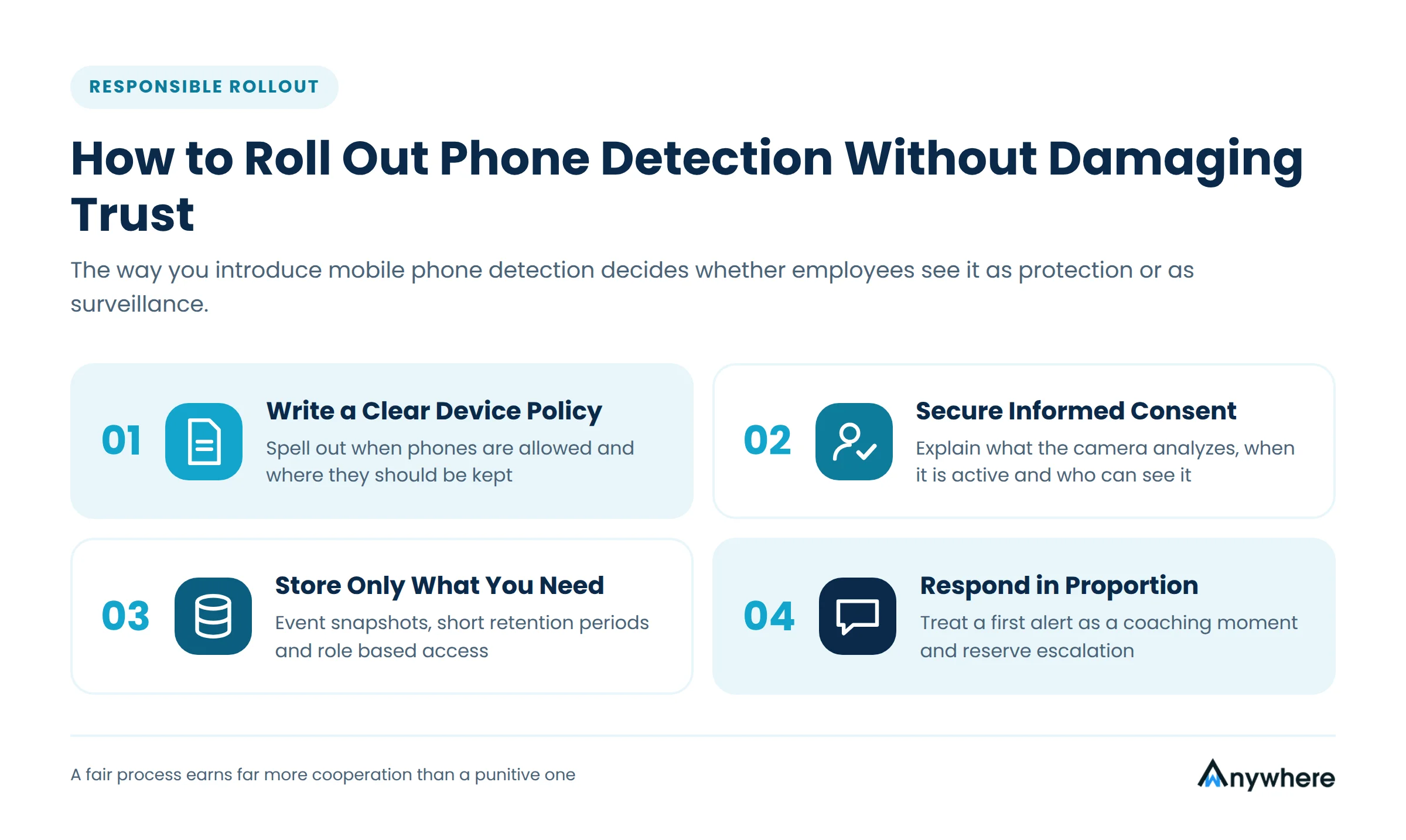
Technology alone does not make a program succeed. The way you introduce mobile phone detection decides whether employees see it as protection or as surveillance, and that perception shapes adoption, morale, and attrition.
Write a Clear Device Policy
Spell out when phones are allowed, such as during breaks or for emergency calls, and where they should be kept during work on sensitive screens. Employees cannot follow a rule they have never seen, and supervisors cannot enforce one that is vague.
Secure Informed Consent
Explain what the camera analyzes, when it is active, what is stored, and who can see it. Align the program with the privacy laws that apply to your workforce, such as India’s Digital Personal Data Protection Act or the GDPR in Europe, and involve legal counsel before launch.
Store Only What You Need
Capture event snapshots rather than continuous recordings, set short retention periods, and restrict access by role. Data minimization protects employees and reduces your own liability.
Respond in Proportion
Treat a first alert as a reminder and a coaching moment. Reserve escalation for repeated or clearly deliberate behavior, and build in exceptions for genuine emergencies. A fair process earns far more cooperation than a punitive one.
Store Only What You Need
Capture event snapshots rather than continuous recordings, set short retention periods, and restrict access by role. Data minimization protects employees and reduces your own liability.
Respond in Proportion
Treat a first alert as a reminder and a coaching moment. Reserve escalation for repeated or clearly deliberate behavior, and build in exceptions for genuine emergencies. A fair process earns far more cooperation than a punitive one.
Make Every Remote Desk a Phone-Free Zone
Give clients and auditors proof that sensitive screens stay protected. wAnywhere combines AI mobile phone detection, unknown person alerts, and endpoint controls in a single dashboard.
What to Look for in a Mobile Phone Detection Tool
Not every tool that claims phone detection delivers it reliably in real home environments. Use the following criteria to compare options.
- Accuracy across conditions. The model should perform in dim rooms, against cluttered backgrounds, and with phones in cases or partly hidden.
- Real-time response. Alerts should reach supervisors within seconds, with optional automated actions such as screen blurring.
- Privacy controls. Look for event-based capture, configurable retention, and role-based access to evidence.
- Light footprint. The agent should not slow down calling software, CRMs, or other production tools.
- Unified endpoint visibility. Phone detection is strongest alongside unknown person detection, USB and Bluetooth monitoring, and SSID checks.
- Audit-ready reporting. Exportable logs make client audits and compliance reviews straightforward.
wAnywhere brings these capabilities into one platform, pairing AI mobile phone detection with unknown person detection, USB and Bluetooth controls, and network checks, so security leads see the full picture of a remote workstation instead of isolated signals.
Also Read : How to Find the Right Employee Monitoring Software for Your Organization
Conclusion
Remote work is here to stay, and so is the phone in every employee’s pocket. Banning phones outright is neither realistic nor fair, yet leaving them unchecked beside screens full of regulated data is a risk few compliance teams can defend. The practical answer to how to detect a mobile phone at scale is AI webcam analysis backed by clear policy, informed consent, and proportionate response. Done well, mobile phone detection protects customers, satisfies auditors, and gives honest employees a clear and fair standard to work to. Start a free trial today!
Frequently Asked Questions
Is Mobile Phone Detection Legal for Work From Home Employees?
In many jurisdictions it can be lawful when it is transparent, limited to work hours and company devices, proportionate to a genuine security need, and supported by employee notice or consent. Requirements differ by country and state, so review your program with legal counsel before deployment.
Can Mobile Phone Detection See What Is on an Employee's Phone?
No. The software analyzes the work laptop's webcam view to recognize that a phone is present. It does not access the phone, its apps, its photos, or its contents.
Will the Software Flag Every Time an Employee Picks Up Their Phone?
Not if it is configured well. Administrators set confidence thresholds, minimum durations, and break windows so that alerts focus on risky behavior, such as a phone held up toward a screen showing customer data.
Does AI Phone Detection Work in Low Light?
Models trained on varied lighting perform well in typical home conditions. Accuracy can drop in very dark rooms, which is why many tools also alert when the camera is covered or the frame is too dark to analyze.
What Should Happen After a Phone Is Detected?
Most organizations start with an automated reminder or supervisor notification, backed by a timestamped snapshot. Repeated incidents move to a documented conversation, while high-risk workflows can trigger an immediate screen lock.

Table of Contents
Boost productivity and compliance with wAnywhere
Read summarized version with