
FACE RETRAINING
How to Retrain User Face?
This document explains the steps on how a user can retrain
his/her face in wAnywhere.
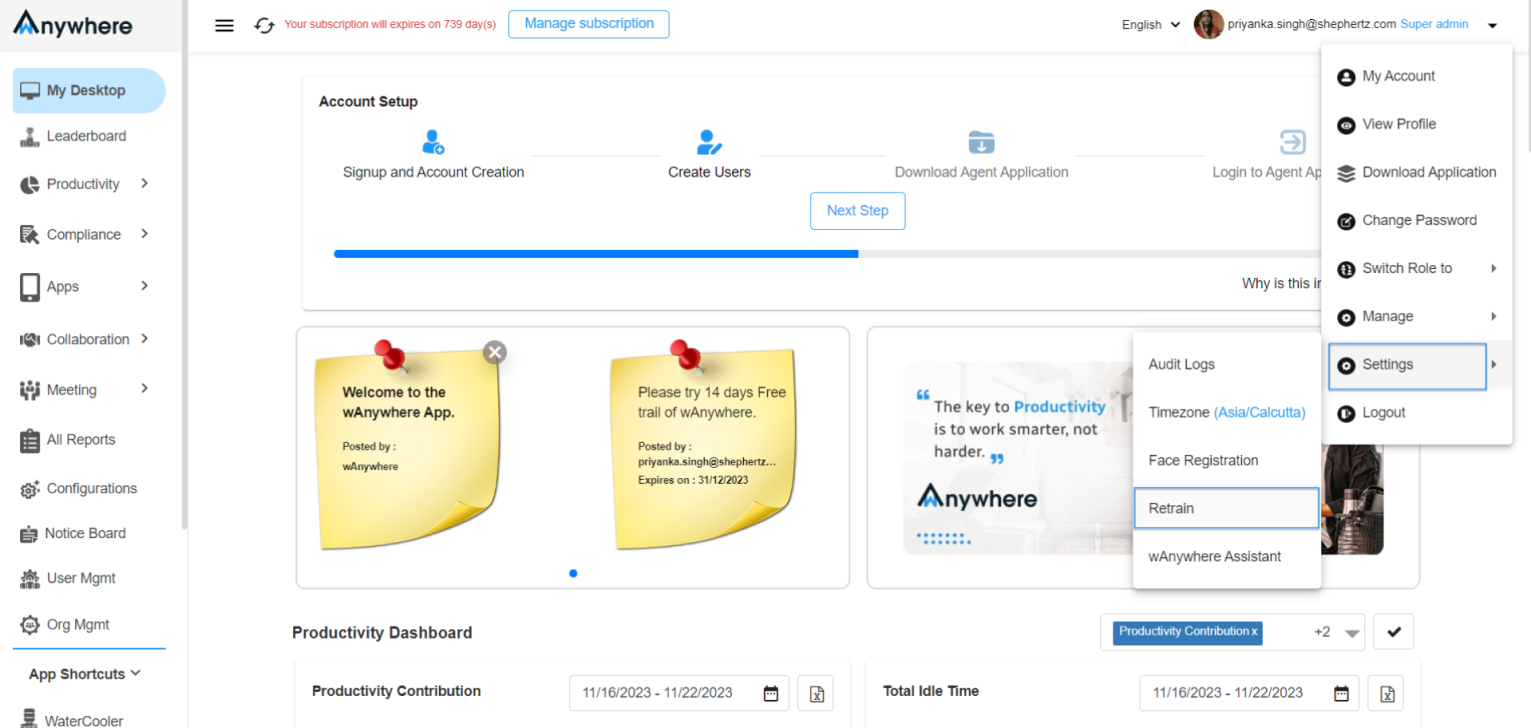
Open Retrain Settings
Click on the dropdown at the top-right corner of the
Console, select Settings, and then click
Retrain.
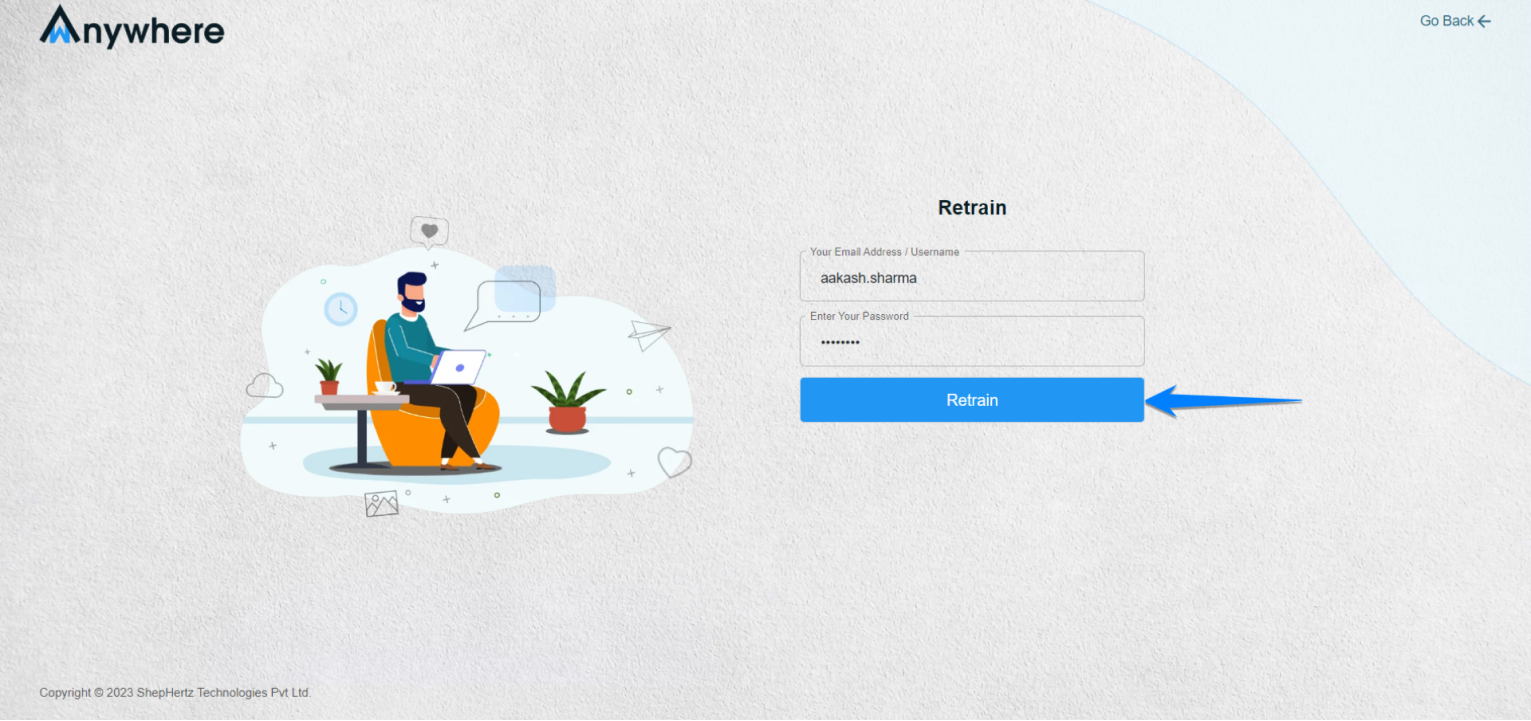
Enter Login Credentials
You will be redirected to a new page where you need to
enter your Username and Password, then click
Retrain.
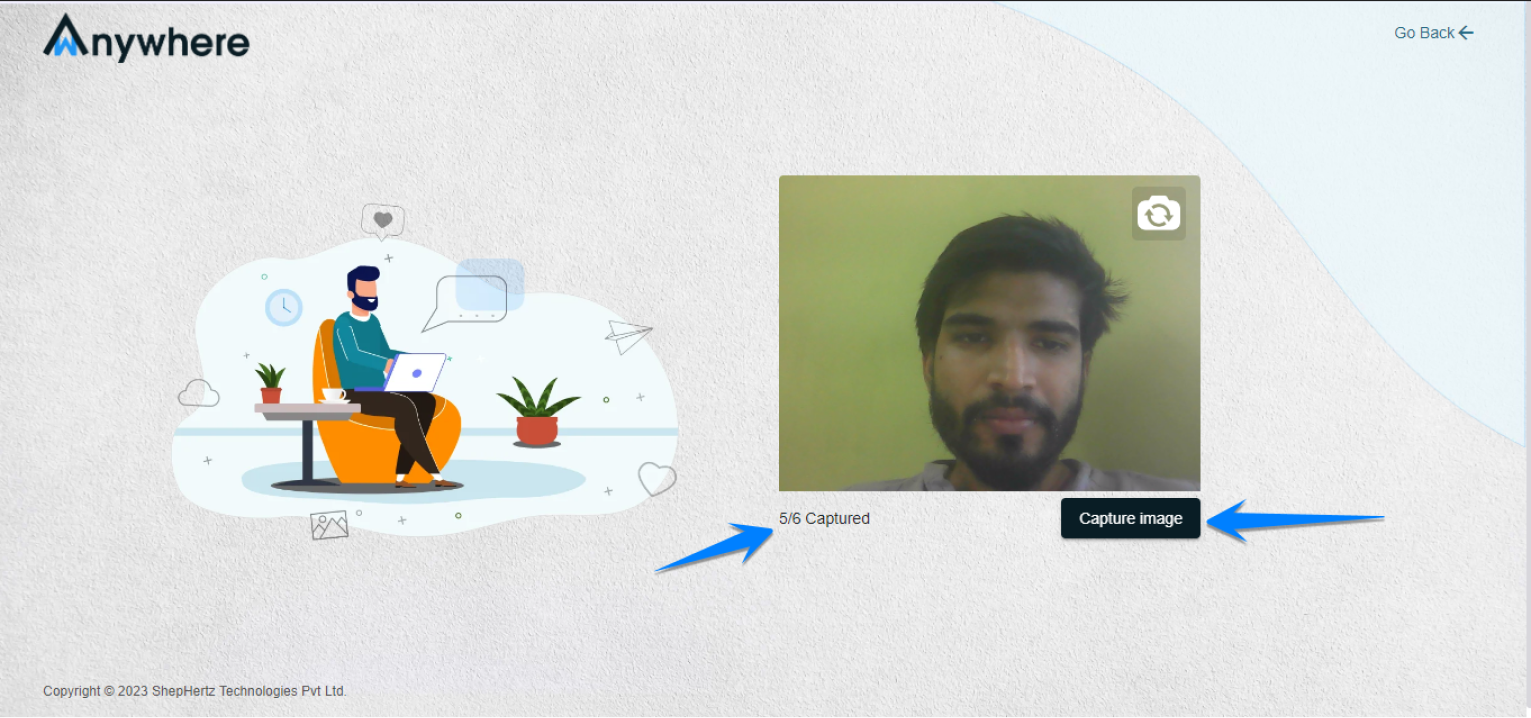
Capture Face Images
Capture the required 6 face images. Once all images are
submitted successfully, your face will be retrained.
Need Assistance?
For more queries, please contact
cst@shephertz.com.


