
USER MANAGEMENT
How to Find Registered Users on the Console?
This guide explains the steps to locate registered users on the
wAnywhere Console.
Understand the Issue
Follow these steps if registered users are not visible
on the wAnywhere Console.
Open User Management
Go to the ‘User Management’ section and select the
appropriate Username/Email and Department from the
dropdown menu.
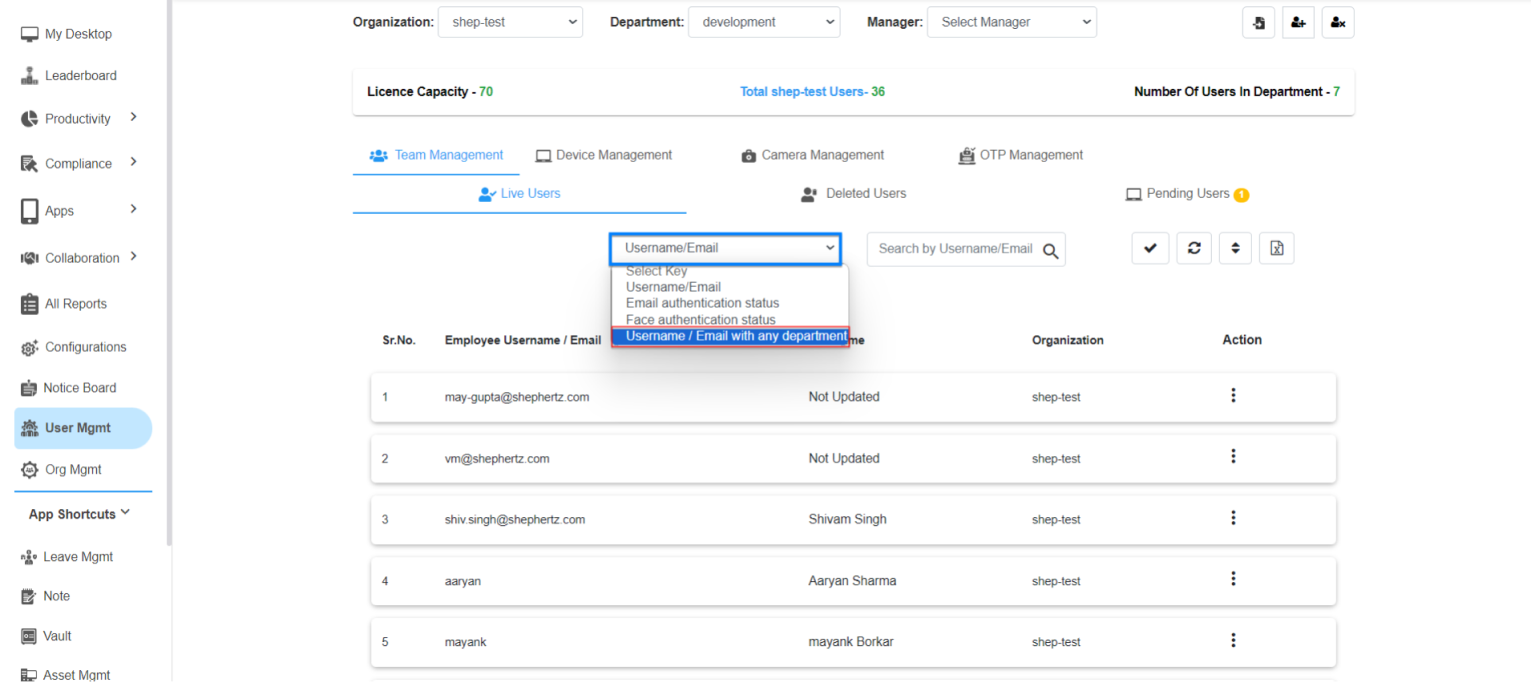
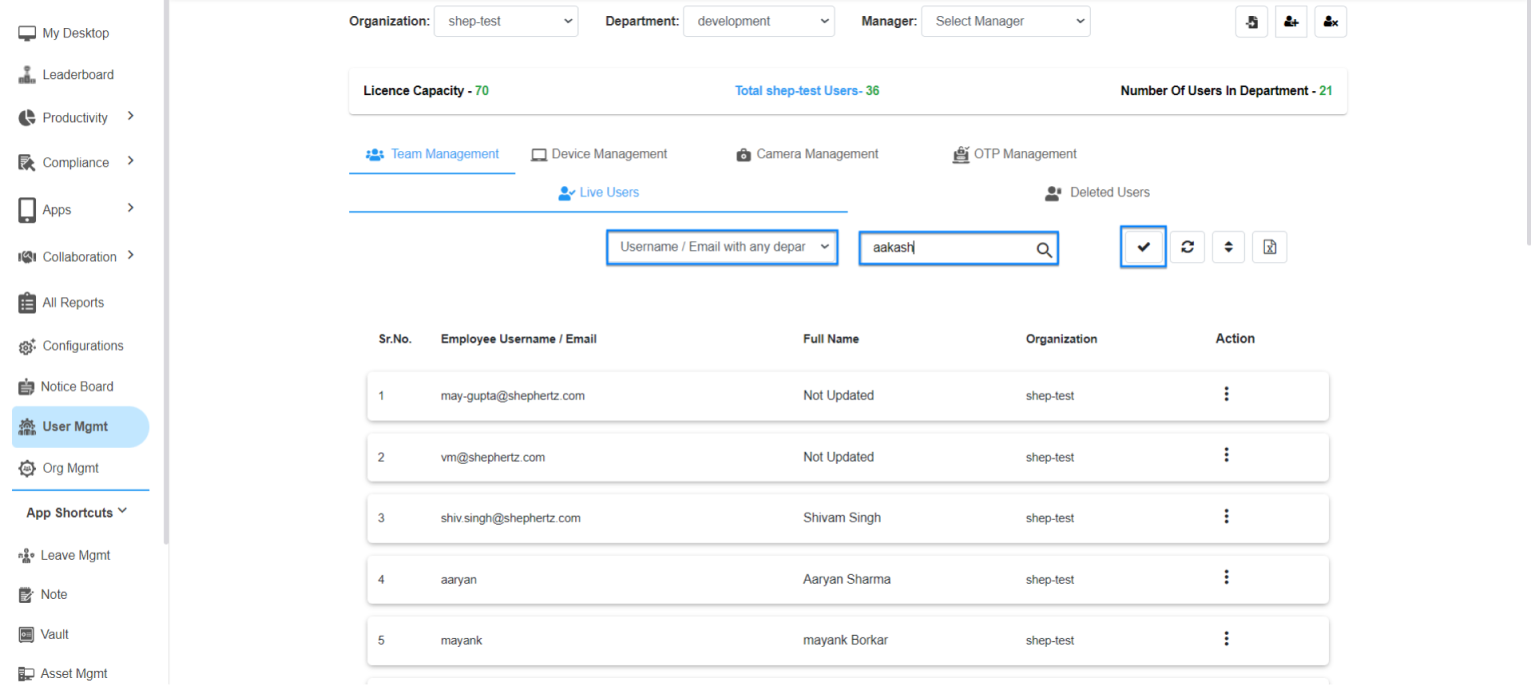
Search for the User
Enter the User ID in the search box and click the
‘Apply’ button.
View Search Results
The matching User ID will appear in the search
results list.
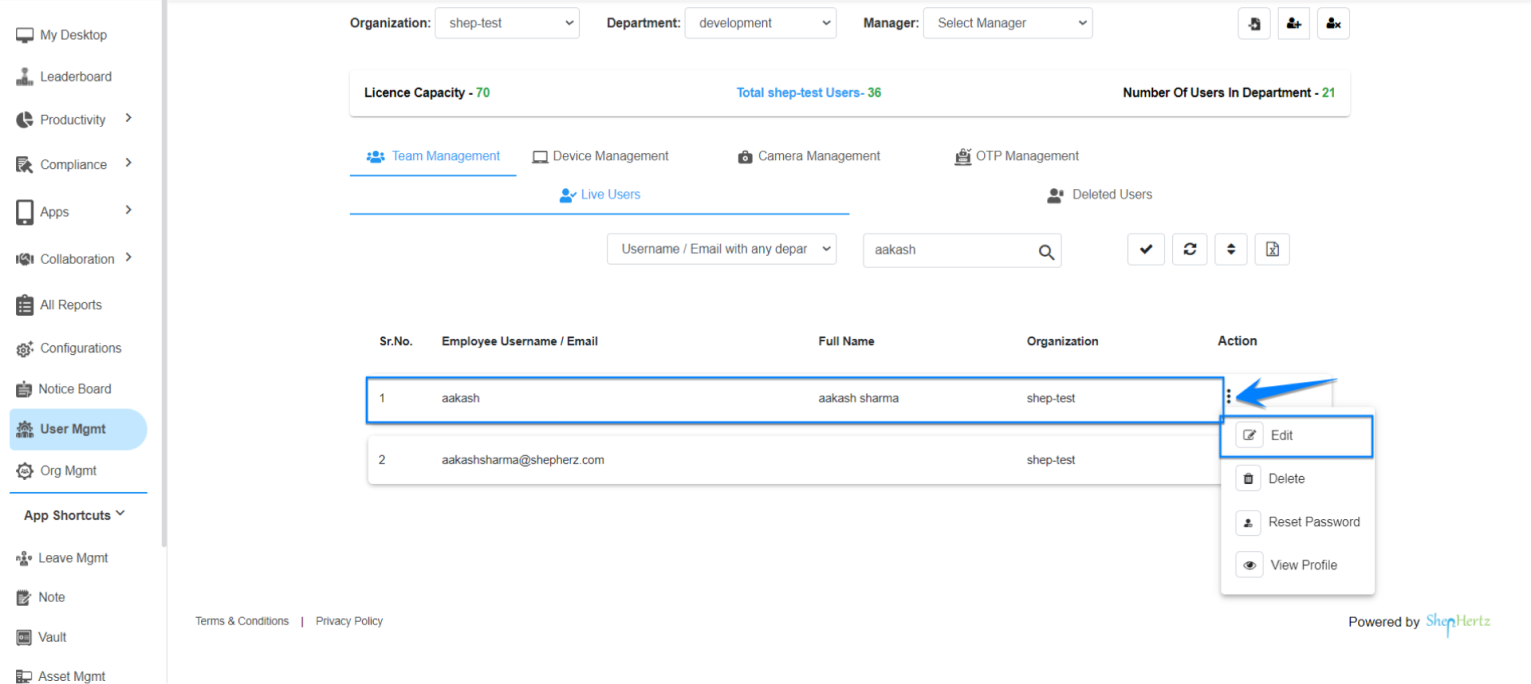
Edit User Details
Click on the three dots next to the User ID and
select ‘Edit’.
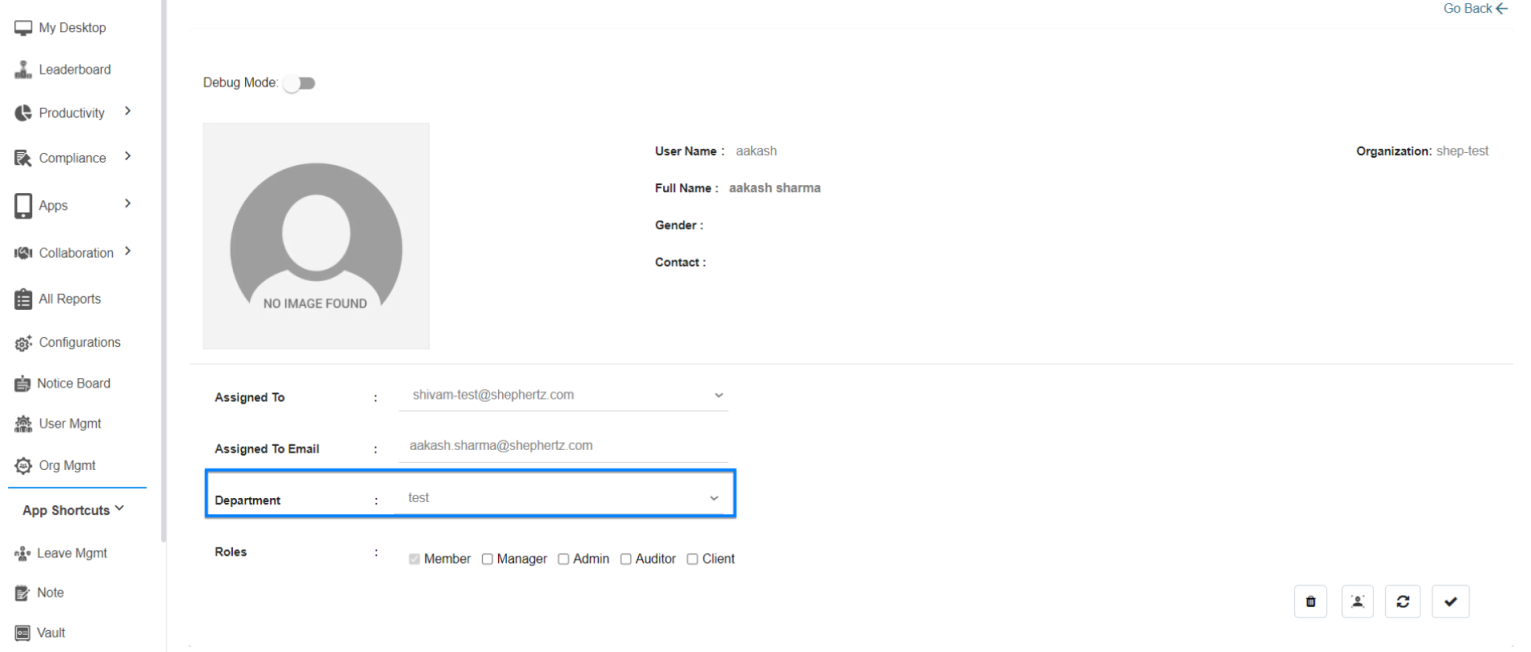
Review User Information
You will be redirected to the User Details page where
you can view the department and all other details
associated with the user.
Contact Support
If the registered user still cannot be found after
following the above steps, please contact the
support team for assistance.
For more queries, please contact
cst@shephertz.com


