CONFIGURATION SETTINGS
Can I Set Different Work Hours for Individual Departments?
wAnywhere allows Super Admins and Admins to configure
customized work hours for each department.
01
Sign In to the Console
Sign in to the wAnywhere web console as a
Super Admin or Admin.
02
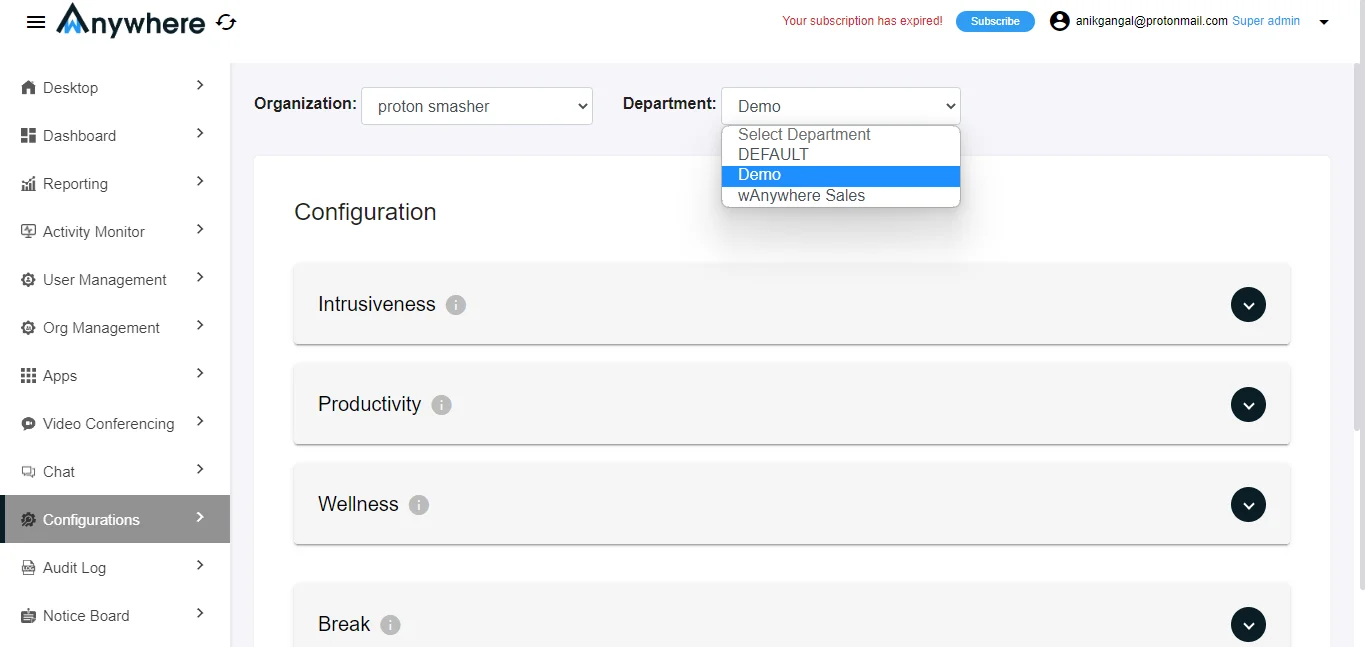
Select the Department
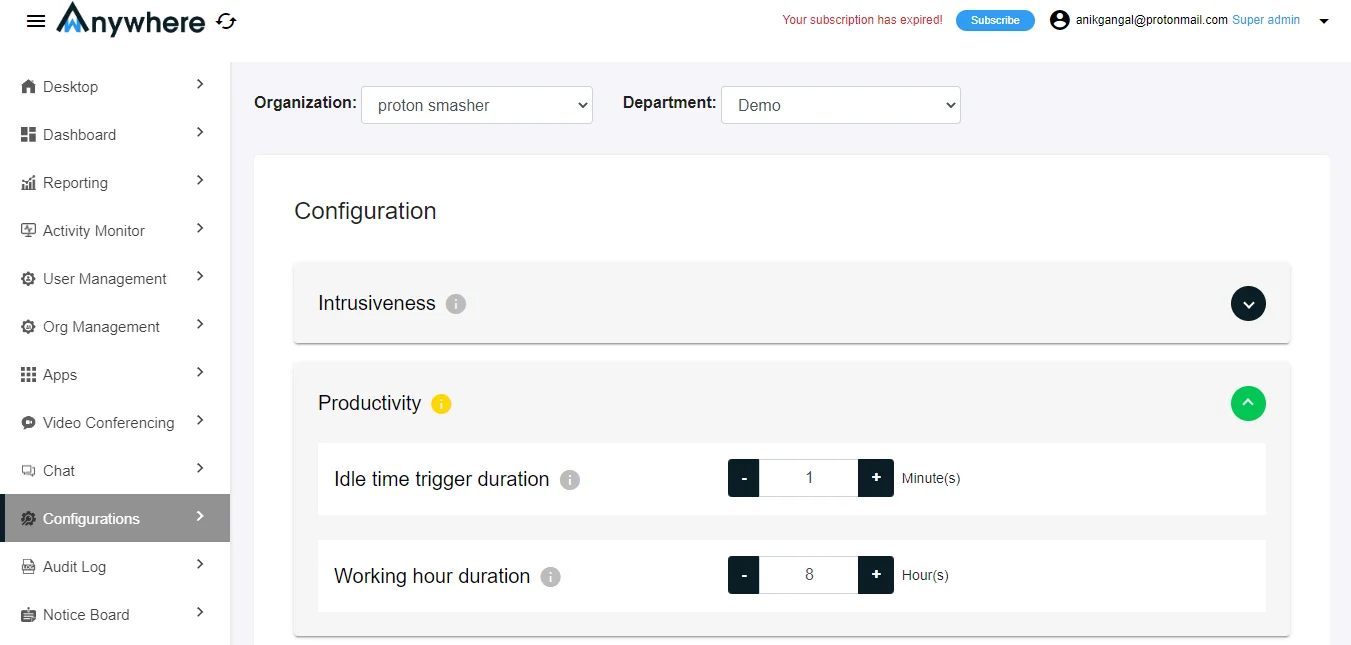
Go to ‘Configuration’ and select the department
for which you want to configure work hours.
03
Configure Working Hours
Click on ‘Productivity’ and set the desired hours
under ‘Working Hour Duration’ using the dropdown menu.