BULK USER ONBOARDING
How Can We Onboard Users in Bulk Quantity?
Users can be onboarded in bulk by uploading a properly
formatted user provisioning file through the User Management module.
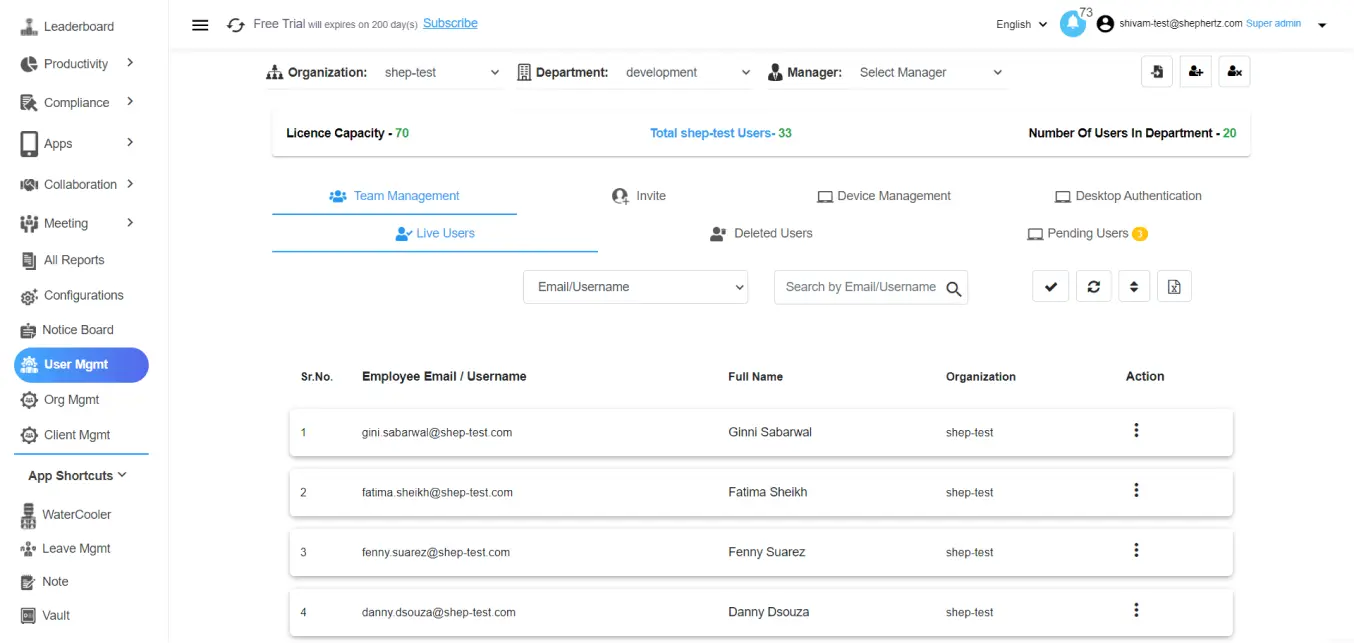
Open User Management
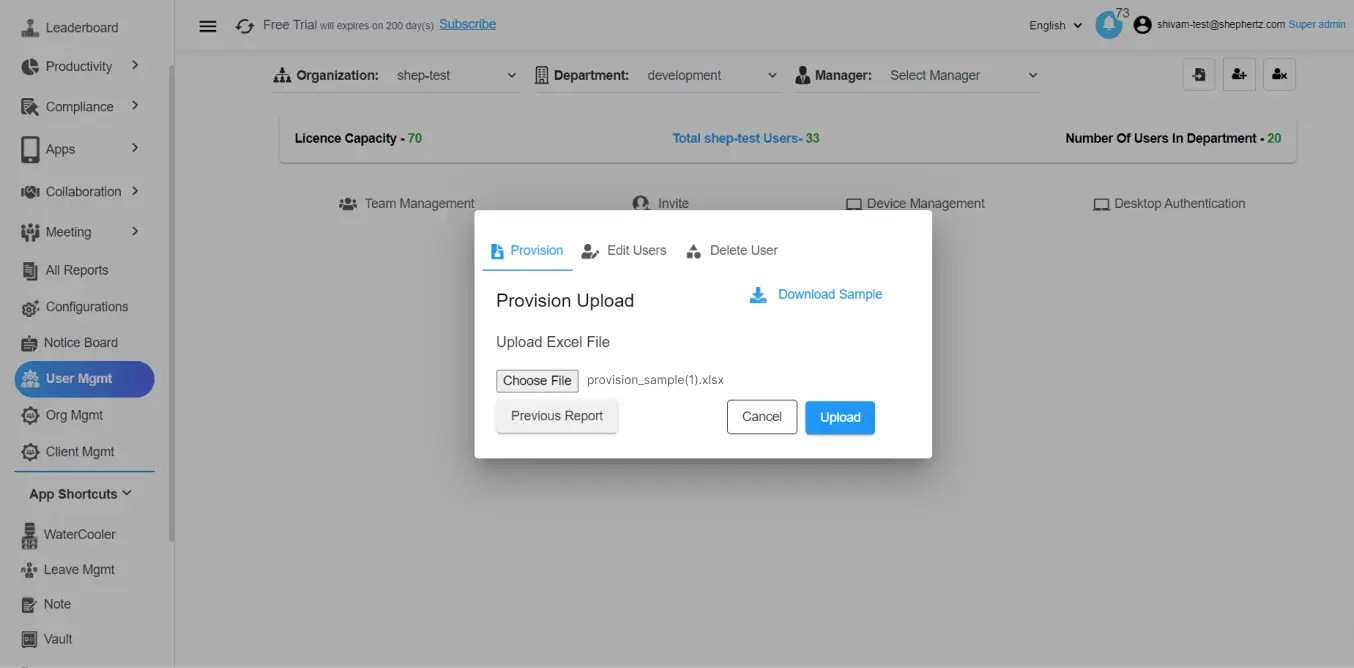
Navigate to the ‘User Management’ module and click on
the ‘Provision’ button located at the top-right corner.
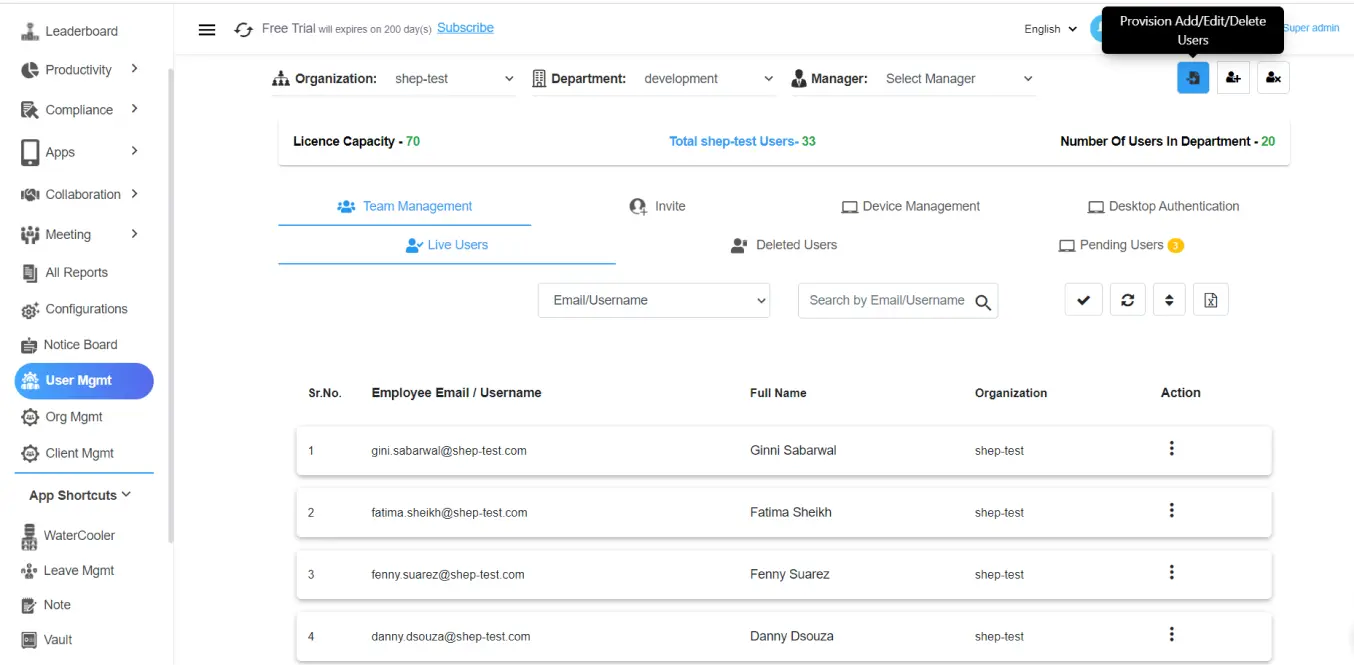
Download the Sample File
Download the sample template file provided in the
provisioning section.
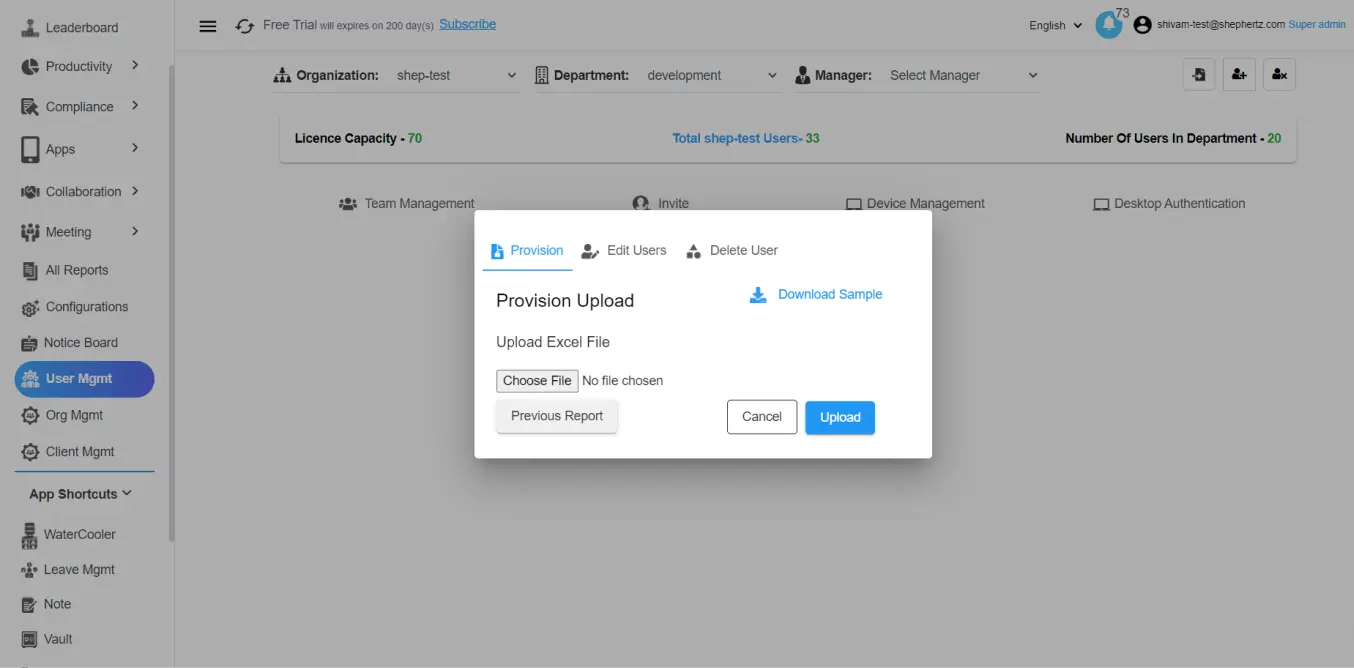
Fill User Information
Enter all required details including Organization Name,
Department Name, User ID, Manager Name, Manager Email,
Role, First Name, and Last Name.
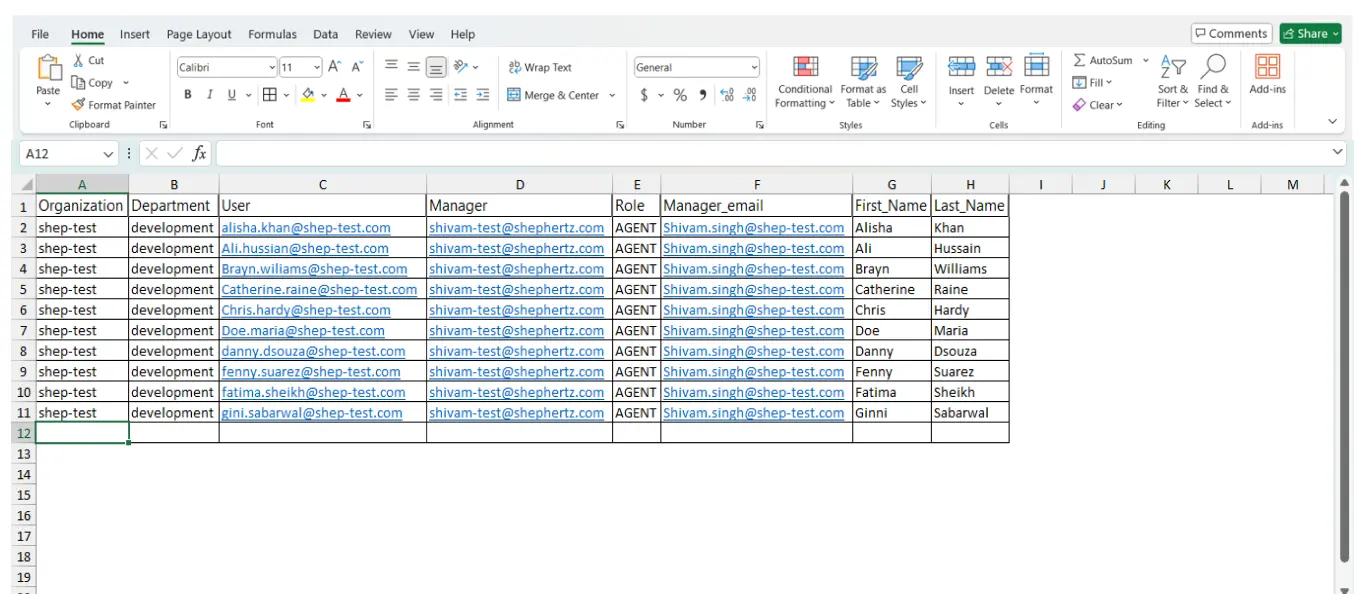
Upload the File
After entering all required information, upload the
completed file.
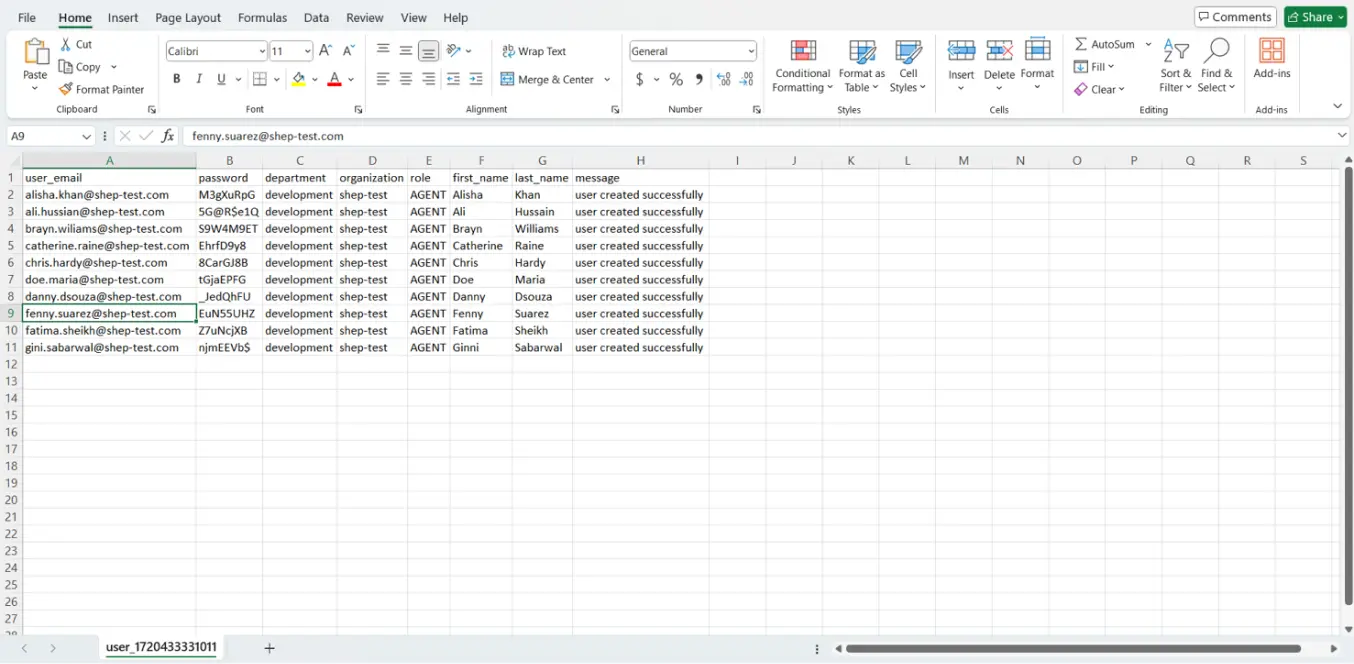
Verify the Response Sheet
Open the response sheet to confirm successful upload
and obtain the auto-generated passwords for users.
Confirm User Onboarding
Check the console to verify that all users have been
successfully onboarded.