 Set as a preferred Google source
TL;DR
- A time management plan goes beyond a to-do list by deciding when each task happens and whether the week’s workload actually fits your available hours.
- Build it in eight steps: review commitments, list tasks, prioritize with the Eisenhower Matrix, estimate durations, time-block the week, pick one or two focus techniques, leave buffers and review every Friday.
- People routinely underestimate how long work takes, so base estimates on real time records rather than optimism.
- A time tracking tool helps you compare planned and actual hours, but planning cannot fix a workload that is simply too large for the team.
Monday starts with a long task list. By Tuesday, meetings fill the calendar, urgent requests keep arriving, and the report you meant to finish early slides to Friday. The problem is rarely effort. It is the lack of a plan that fits the work into the hours available.
A time management plan gives your priorities realistic time slots while leaving room for meetings, administration, breaks and surprise requests. A time tracking tool then shows how planned hours compared with actual ones, so each new week is easier to plan than the last.
This guide shows you how to build a weekly plan, choose methods that suit your work and refine the plan using real work patterns.

Know Where Your Week Really Goes
Compare planned hours with time actually spent and build schedules that fit your real workload with wAnywhere Time Tracking.
What Is A Time Management Plan
A time management plan is a structured approach to deciding what needs to be done, when it should happen, how long it is likely to take and which tasks deserve priority. A weekly plan turns deadlines and goals into specific daily actions.
A task list tells you what needs doing. A time management plan also tells you when you will do it and whether the workload fits the time you have. It should also stay flexible enough to absorb new tasks without becoming an overloaded calendar.
What Should a Weekly Time Management Plan Include
An effective weekly plan covers seven core elements:
- Weekly goals and the deliverables tied to them
- Priority tasks and their deadlines
- An estimated duration for each task
- Meetings and recurring responsibilities
- Focus blocks and breaks
- Buffer time for unexpected work
- A review of actual time spent and unfinished tasks
Why Is It Important to Organize Your Workweek
Planning will not make a demanding week light, but it makes problems visible early enough to act on.
Helps You Focus On High-Priority Work
Identifying your most important deliverables before the week begins gives them first claim on your calendar. Otherwise, the day fills with whatever arrives next, and low-impact requests absorb hours meant for work that moves projects forward.
Makes Deadlines And Workloads More Manageable
Comparing estimated task hours with your available hours exposes an overloaded week on Monday rather than Thursday night, while you can still reprioritize, request an extension or delegate.
Reduces Last-Minute Work And Context Switching
Constant switching drains focus. Microsoft’s 2025 Work Trend Index found, using Microsoft 365 telemetry, that employees are interrupted by a meeting, email or notification every 2 minutes on average during core work hours, and that half of all meetings fall between 9 and 11 am or 1 and 3 pm, the windows when many people are naturally most productive. Grouping similar tasks and protecting focus blocks reduces how often you jump between email, chat and deep work.
Creates Space For Breaks And Unexpected Tasks
A realistic plan does not fill every minute. With breaks and open blocks scheduled deliberately, an urgent client call or delayed approval becomes a manageable adjustment instead of a reason to work late.
Also Read Reimagining Remote Work And How Time Management Boosts Efficiency For Distributed Teams
How To Create A Time Management Plan For Your Workweek
The eight steps below form a repeatable routine you can run on Friday afternoon or Monday morning. After a few weeks, it becomes a short habit.
Step 1 Review Your Goals, Deadlines, And Existing Commitments
Start with what is already on the calendar, including projects, deadlines, meetings and personal commitments. Separate fixed commitments, such as client meetings, from flexible work, such as drafting a report. Plan from your real obligations, not an idealized week with no interruptions.
Example: A project manager has a report due on Wednesday, a client presentation on Thursday and a short team check-in every morning. These go on the plan first, and everything else fits around them.
Step 2 List Every Task You Need To Complete
Capture the full workload, including small recurring activities:
- Project work and deliverables
- Meetings and the follow-ups they create
- Email and administrative work
- Reviews, approvals and collaboration
- Planning and reporting
- Contingency tasks that come up most weeks
Break large projects into concrete actions. “Finish the report” is hard to schedule, while “gather data, draft, review, revise and submit” gives you five pieces that fit into calendar blocks. The aim is to see the workload clearly, not to build an endless list.
Step 3 Prioritize Tasks By Importance And Urgency
The Eisenhower Matrix separates what is urgent from what is important. Sort each task into one of four categories.
- Urgent and important: Handle these first, such as a client issue blocking a launch.
- Important but not urgent: Schedule protected time, such as quarterly planning.
- Urgent but less important: Delegate or limit the time spent, such as routine requests.
- Neither urgent nor important: Remove or defer these.
Work that prevents future problems or advances a major goal deserves protected time even when nothing is due.
The 80/20 principle offers a second lens. Ask which few activities contribute most to your important outcomes and give them your best hours, treating the ratio as a prompt for judgment rather than a guaranteed result. If your team tracks work at the task level, task-based productivity management can make priorities and ownership visible to everyone.
Step 4 Estimate How Long Each Task Will Take
Most of us are optimistic estimators. In a study published in the Journal of Personality and Social Psychology, students predicted their theses would take an average of 33.9 days to complete, yet the actual average was 55.5 days, and only about 30% finished within the time they had predicted. The same research found the bias disappeared when participants connected predictions to relevant past experiences.
So base estimates on previous experience or actual time logs. With no history, make your best guess, record the real duration and adjust next time. Include preparation, reviews, communication and handoffs, not just the core task.
Example: A report that takes three hours to write may also need 30 minutes to gather data and 30 minutes to review, so plan for four hours, not three.
Total your estimates into a weekly time budget. If it exceeds your available hours, reprioritize, renegotiate or delegate before the week starts.
Step 5 Build A Weekly Schedule Using Time Blocking
Time blocking reserves specific calendar periods for specific tasks or types of work. Build your blocks in this order:
- Add fixed meetings and deadlines.
- Reserve focus blocks for your highest-priority work.
- Group similar activities, such as email responses or routine administration.
- Schedule collaboration time and follow-ups.
- Add breaks and buffer time.
Example. Draft the report on Tuesday morning, review it Wednesday afternoon and check email in two set windows.
Treat the schedule as a guide, not a minute-by-minute rulebook, and move blocks when priorities genuinely change.
Also Read :10 Free Time Blocking Templates For Business Teams
Step 6 Use Time Management Techniques To Stay Focused
Each technique solves a different problem, so match the method to yours.
- Pomodoro Technique: Work in focused intervals with short breaks when starting a task feels difficult.
- Eat the Frog: Tackle a high-priority or repeatedly postponed task early, if that suits your energy.
- Task batching: Group similar tasks, such as emails or routine requests, to reduce context switching.
- Kanban: Visualize work as To Do, In Progress and Done when juggling several projects.
- Not-to-do list: Name the recurring distractions you will deliberately limit.
You do not need all five. Choose one or two that address your biggest planning problem.
Step 7 Leave Room For Interruptions, Breaks, And Changes
An overfilled schedule breaks at the first urgent request.
- Leave some blocks unassigned.
- Add buffers around critical deadlines.
- Schedule breaks instead of treating them as lost productivity.
- Mark which tasks can move if priorities change.
- Raise capacity problems with your manager instead of relying on longer hours every week.
That last point matters. Time management improves how work is organized, but it cannot fix an inherently excessive workload or an understaffed team. That needs a conversation, not a better calendar.
Step 8 Review Your Week And Improve The Next Plan
End each week with six questions. If you use a time tracking tool, open its records alongside your plan so you compare facts, not impressions.
- Which tasks took longer than expected?
- Which priorities did you complete?
- What repeatedly interrupted focused work?
- Which meetings or recurring tasks consumed the most time?
- What needs to carry over into next week?
- Should estimates, priorities or deadlines change?
The goal is steady improvement, not a perfect week.
Your Weekly Planning Checklist
- Fixed commitments are on the calendar
- Tasks are listed, broken down and ranked
- Estimates fit your available hours
- Focus blocks protect top priorities
- Breaks and buffers are scheduled
- An end-of-week review is booked
What Does An Effective Weekly Work Schedule Look Like
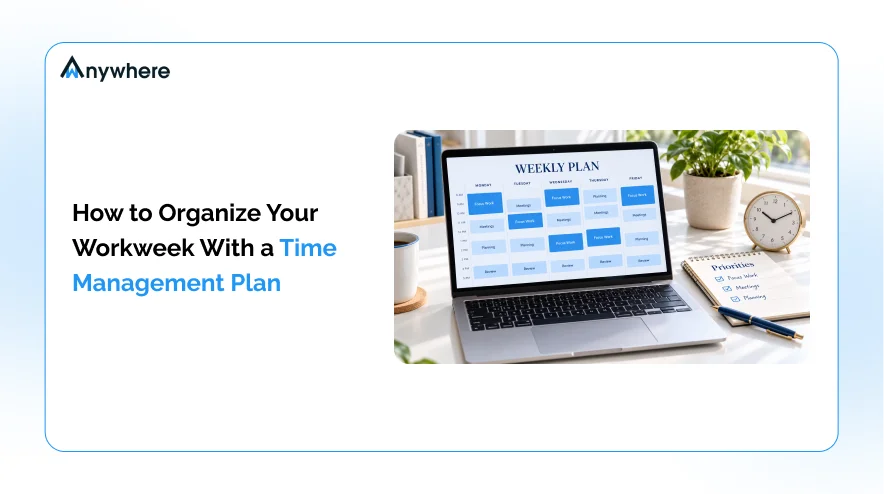
The sample below shows how these principles come together across a Monday-to-Friday week. Treat it as an example to adapt to your own hours and responsibilities.
| Day | Main Focus | Supporting Tasks |
| Monday | Weekly planning and top-priority deliverable | Team meetings, task setup |
| Tuesday | Focused project work | Email batching, collaboration |
| Wednesday | Continue project work and review progress | Feedback, follow-ups |
| Thursday | Complete key deliverables | Meetings, revisions |
| Friday | Final checks and reporting | Review actual time, plan next week |
Heavy focus work sits early, leaving time to recover from surprises.
How To Adapt The Schedule To Your Work Style
No single schedule suits everyone. Employees may plan around shifts and team meetings, freelancers around client deadlines and billable work, and managers around coordination and decisions. Distributed teams need shared overlap hours and clear agreements on protected focus time, and consistent remote workforce management practices help those agreements hold.
Schedule around your actual energy levels too. Protect your sharpest hours for focus work.
Also Read: 5 Ways To Improve Productivity And Accomplish More In Remote Work
How Can A Time Tracking Tool Improve Your Weekly Plan
Planning describes how you expect the week to go. A time tracking tool records how it actually went across projects, meetings and routine work, and comparing the two is how a plan improves.
Identify Where Your Work Hours Go
Time records reveal how much of the week goes to projects, meetings, administration and recurring activities. You may find a “quick” weekly meeting costs three hours once preparation and follow-ups are included. Use these records to spot patterns, not to insist every minute must be productive.
Improve Estimates For Future Tasks
If similar tasks consistently run longer than planned, adjust your estimates and leave more room in future schedules. Over a few weeks, your time budget shifts from guesswork to your own history, the past-experience check the planning research points to.
Review Workload And Productivity Patterns
For teams, an employee time tracking tool can show how work is distributed and where bottlenecks recur, such as one person absorbing most reviews. Used well, employee productivity tracking supports fairer workload decisions. Activity data describes how time was spent, not the quality of the work, so read it alongside outcomes and context.
Choosing A Tool That Fits Your Work
The right option depends on your needs, and tools differ in what they offer.
- A free time tracking tool suits individuals who want basic records of their time habits.
- An employee time tracking tool suits teams that need consistent work-hour records and team-level reports.
- A time tracking tool for freelancers should organize time by client or project and separate billable from non-billable work, so confirm your chosen tool supports both.
For teams that need clear visibility into working hours, wAnywhere’s time tracking solution provides real-time insight into active and idle time, breaks and login-to-logout timings, and lets you download tracked time metrics in PDF or Excel for deeper analysis.
Whichever option you choose, use the data to plan more realistically, not to fill every available minute.
Also Read: 10 Best Employee Time Tracking Software For 2026
Common Time Management Mistakes To Avoid
Even a well-built plan can fail when these habits creep in.
Planning More Work Than Fits Into The Week
If estimated hours exceed available hours, the plan is broken before Monday. Treat overcommitment as a signal to reprioritize or delegate, not to work faster.
Treating Every Task As Equally Important
When everything is a priority, nothing is. Rank tasks by impact, urgency and deadlines so your best hours go to the work that matters most.
Filling Every Calendar Slot
A schedule with no slack collapses at the first surprise. Buffers and breaks make a plan more resilient, not less productive.
Ignoring Actual Time Spent
Repeating last week’s assumptions tends to repeat last week’s overruns. Review your time records and update future estimates accordingly.
Refusing To Adjust The Plan
A plan is a tool, not a contract. Change it when priorities, deadlines or available resources change.
Make Your Workweek More Intentional
An effective time management plan connects priorities to realistic estimates and a flexible schedule. Start small. Plan next week with the eight steps, protect your highest-impact work, use a time tracking tool to see where your hours go and review on Friday.
If your team needs clearer visibility into working hours to plan with confidence, explore wAnywhere’s time tracking software and see how comparing planned and actual hours makes every week more manageable.
Plan Every Week With Real Time Data
See active and idle time, breaks and working hours, then download reports in PDF or Excel to make your next plan more realistic.
FAQs
What Is The Best Way To Organize Your Workweek?
It depends on your workload and work style, but most people benefit from the same habits. Set clear priorities, time-block important work, batch similar tasks such as email and review the plan weekly, adjusting as you learn.
How Does A Time Tracking Tool Help With Time Management ?
Time tracking software shows how your hours are actually distributed across projects, meetings and routine work. Comparing those records with your estimates reveals which tasks consistently overrun, so future schedules fit the time you really have.
Is A Free Time Tracking Tool Enough For Weekly Planning?
It can be, depending on its features. For recording hours and understanding personal habits, a free time tracking tool is a reasonable start. Teams needing reporting, project-level tracking or administrative controls usually require more capable software.
Can An Employee Time Tracking Tool Improve Team Planning?
Yes. Team time records help managers see how work is distributed, spot recurring bottlenecks and rebalance assignments before people are overloaded. Interpret the data alongside outcomes, task complexity and employee context, since time records alone do not measure work quality.
What Should Freelancers Look For In Time Tracking Software ?
A good time tracking tool for freelancers offers client or project-level tracking, quick time entry, clear reports and billable-hour support if you invoice by time. Check that the specific tool includes these features before committing.

Table of Contents
Boost productivity and compliance with wAnywhere
Read summarized version with