 Set as a preferred Google source
Remote and hybrid work has changed what a normal workday looks like, and that has made it harder for managers to understand how work hours are actually being spent. The old cues of presence, someone visibly at their desk, the sound of a busy office, simply are not there anymore for distributed teams. Traditional employee monitoring tried to fill that gap, but heavy-handed tracking often creates its own problems around privacy, trust, and micromanagement instead of solving the visibility problem. Screenshot-based time tracking offers a more balanced approach. Used well, it gives managers visual proof of work without requiring them to constantly check in on employees. The goal of good tracking software for employees should always be transparency and accountability, not surveillance, and that is exactly the balance wAnywhere is built around, helping businesses track work hours, activity, and productivity while keeping employee trust intact.
As of 2025, in-office workers still made up 63 percent of the workforce, while 28 percent of employees worked hybrid and 9 percent worked fully remote, according to Owl Labs’ 2025 State of Hybrid Work Report. With more than a third of the workforce now working outside a traditional office setup at least part of the time, most managers are leading people they cannot physically see every day, which is exactly the visibility gap screenshot-based tracking software is meant to close.
What is employee work hour tracking software
Employee work hour tracking software is a category of tools designed to record how time is spent during the workday, regardless of whether employees are working from an office, from home, or splitting time between the two. Instead of relying on a manager’s memory or physical presence to gauge how work is progressing, the software logs time as it happens and turns it into reports managers can actually use.
How does employee time tracking work
At its core, employee time tracking software follows a simple loop. Employees start and stop a timer while they work, and the software records their working hours alongside relevant activity data in the background. Screenshots, where enabled, add optional visual context to that recorded time, showing what an employee was working on rather than just how long they were logged in. Instead of managers manually checking in on employee activity throughout the day, they can review consolidated time reports whenever they need an update, which is a far less intrusive way to stay informed.
This kind of setup is the foundation of the employee time tracking software built into wAnywhere, and it is worth exploring further if you want to see how tracking work hours plays out in practice across different team structures.

See the work, not just the screen
Track hours and productivity with screenshots that build trust, not tension.
Why screenshots can help track work hours more transparently
Screenshots often get an unfair reputation as an invasive feature, but when used correctly, they actually support transparency rather than undermine it. The value lies not in watching employees, but in giving logged hours enough context that nobody has to guess what was actually happening during tracked time.
Used thoughtfully, screenshots can add real context to logged work hours, helping both managers and employees verify that time was spent on project-related activity. This reduces the need for constant manager check-ins, since a quick glance at a screenshot can answer a question that would otherwise require a message or a call. For remote and distributed teams especially, screenshots support accountability without requiring anyone to be physically present, and over time, patterns in screenshots can even help identify workflow or productivity challenges that would otherwise go unnoticed.
Screenshots should provide context, not constant surveillance
The distinction between helpful context and constant surveillance comes down to frequency and intent. Screenshots taken too often, or without any explanation of why they exist, stop feeling like a transparency tool and start feeling like being watched.
To avoid that, screenshot frequency should stay reasonable rather than excessive, and teams should always understand when and why screenshots are being captured in the first place. The focus should stay on work patterns and outcomes, not on monitoring every single minute of an employee’s day. Screenshots work best as supporting evidence for time records, not as the primary lens through which performance is judged. This is really the heart of the without micromanaging question this article set out to answer, and it is where a modern time tracker with screenshots differs meaningfully from older, more invasive employee activity screenshot approaches.
How tracking software for employees works with screenshots
Once the reasoning behind screenshot-based tracking is clear, the mechanics are fairly straightforward. Most tools, including wAnywhere, follow a similar four-step flow from the moment an employee logs in to the moment a manager reviews a report.
Step 1, employees start their work timer
The process begins when employees start a timer to record the time spent on a specific task, project, or general working hours. This simple action is what anchors everything else, since every screenshot and every activity data point that follows gets tied back to that tracked session.
Step 2, the software records work activity
While the timer runs, the software records work activity in the background, adding useful context around how productive that tracked time actually was. This activity tracking is not about judging every action an employee takes, but about painting an accurate picture of how work hours are being used.
Step 3, screenshots capture visual context
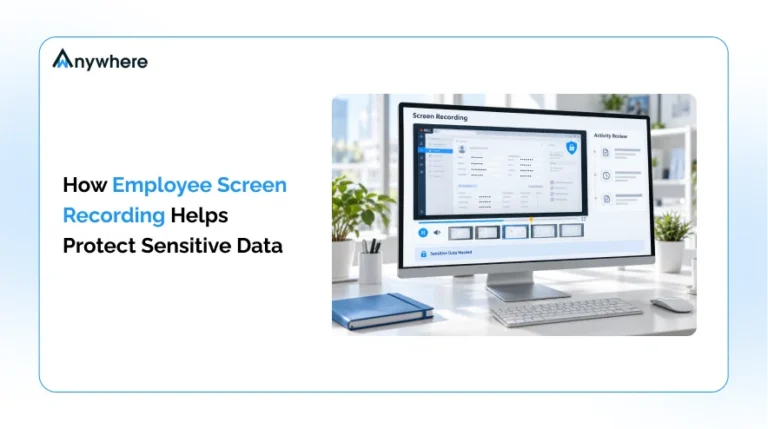
At set intervals, periodic screenshots help verify the work associated with tracked hours. Rather than requiring employees to explain what they were doing during a given block of time, a screenshot can answer that question instantly, saving both the employee and the manager the back and forth of a status update.
Step 4, managers review reports instead of constantly checking employees
This is arguably the most important step for the without micromanaging goal of this entire process. Instead of managers reviewing raw screenshots one by one throughout the day, well-designed reports and summaries let them see the full picture at once. That single shift can meaningfully reduce unnecessary status meetings, fewer what are you working on messages, less manual timesheet verification, and far fewer frequent employee check-ins overall. When reports do the heavy lifting, managers get their time back too.
Also Read: How to Track Employee Hours, 7 Effective Ways
Key features to look for in time tracking software for employees
Not all tracking tools are built with the same philosophy, and the features a platform offers usually say a lot about whether it leans toward surveillance or toward genuine visibility. Here are the features worth prioritizing when evaluating tracking software for employees.
Automatic time tracking
Automatic time tracking reduces the manual timesheet errors that come from employees forgetting to log hours or estimating time after the fact. When the software handles the recording, both employees and managers can trust the numbers without relying on memory.
Screenshot tracking
Customizable or periodic screenshots provide work context without turning into continuous monitoring. The ability to control how often screenshots are taken, and to be transparent with employees about that schedule, is what separates a fair system from an invasive one.
Activity tracking
Activity data helps managers understand broader work patterns rather than isolated moments. It is less about catching a single idle minute and more about spotting trends across a day, a week, or a project.
Detailed timesheets and reports
Good tracking software should turn raw data into something usable, including daily work hours, weekly reports, project time breakdowns, and team activity summaries. Clear online timesheets are what actually get reviewed, so their readability matters as much as the underlying data.
Remote team monitoring
For distributed teams, time tracking software for remote employees needs to deliver visibility without creating unnecessary interruptions. Remote employees should not feel like they need to be constantly available just to prove they are working, and the right software design prevents that pressure from building up.
Privacy and customizable settings
Screenshot frequency controls, transparent monitoring policies, role-based access, and data visibility controls all belong in this category. These settings are what let a business calibrate monitoring to its actual needs instead of defaulting to the most invasive option available.
Benefits of tracking employee work hours with screenshots
When screenshot-based tracking is implemented thoughtfully, the benefits extend well beyond simply knowing who logged in and for how long.
Improve time tracking accuracy
Screenshots add context when reviewing logged hours, making it easier to confirm that tracked time genuinely reflects work done rather than an idle browser tab left open.
Reduce manual timesheet errors
Automated tracking reduces how much organizations have to rely on employees remembering to log every hour by hand, which cuts down on both accidental errors and end of week guesswork.
Build accountability without constant check-ins
Reviewing reports rather than repeatedly asking employees for status updates keeps accountability in place without turning every day into a series of interruptions.
Improve remote team visibility
Managers get a clearer view of work progress across distributed teams, which matters most when a team is spread across multiple cities or working different hours. Pairing time data with attendance management closes the remaining gaps around who is actually available on a given day.
Support project and client reporting
Time records and work activity data feed directly into how organizations review project effort, resource allocation, billable hours, and overall team workloads, which is especially valuable for client-facing teams that need to justify hours spent.
How screenshot-based time tracking helps improve productivity
The purpose of screenshot-based tracking is not simply to monitor employees for the sake of monitoring them. Its real value shows up when the data collected is used to spot opportunities to improve how work actually gets done.
Identify time-consuming activities
Time data can reveal where employees or entire teams are spending most of their working hours, sometimes surfacing patterns that would be invisible without it, like a recurring task quietly eating up more time than anyone realized.
Reduce unnecessary meetings and check-ins
Managers can lean on reports instead of repeatedly requesting progress updates, which frees up time on both sides of the conversation.
Improve workload distribution
Time reports can help identify employees who are overloaded or tasks that are unevenly distributed across a team, long before burnout becomes a visible problem. This is where broader employee productivity software earns its place alongside plain hour logging.
Focus on results instead of online presence
This might be the single most important point in this entire article. The best tracking systems should help managers understand work progress and productivity, not encourage them to monitor every minute of an employee’s day. Tracking that optimizes for visible activity over actual outcomes tends to backfire, pushing employees toward looking busy instead of doing meaningful work.
How to use employee tracking software without micromanaging
This is really the core question this article set out to answer, and it deserves a direct, practical answer rather than a vague one.
Be transparent about what is being tracked
Employees should clearly understand what data is collected, when screenshots are taken, who can access that information, and why tracking is being used in the first place. Transparency at this level is not just good practice, it directly affects how monitoring is received. Employees who feel misled or kept in the dark about monitoring tools are far more likely to lose trust in their employer, especially younger employees who already hold different expectations around workplace privacy, according to SHRM’s research on shifting privacy expectations.
Set reasonable screenshot intervals
Constant screenshots create unnecessary pressure and can make employees feel like they are being watched rather than supported. The goal should always be periodic work verification, not a continuous visual feed of someone’s screen.
Focus on trends instead of individual minutes
Managers get far more value from reviewing weekly productivity trends, project progress, and workload patterns than from questioning every short period of inactivity. A single quiet hour rarely tells the full story, but a pattern across a month usually does.
Measure outcomes alongside activity
Time and screenshots should support performance evaluation, not become the only performance metric a manager relies on. Activity data works best as one input among several, not the entire picture.
Create clear employee monitoring policies
Documenting tracking expectations, privacy rules, screenshot usage, data retention timelines, and employee access and permissions gives everyone a shared reference point, which removes a lot of the ambiguity that makes monitoring feel unfair in the first place.
Privacy and compliance considerations for screenshot monitoring
Responsible employee monitoring is not just good practice, it is increasingly a compliance expectation, and businesses that skip this step often end up dealing with avoidable friction later.
Inform employees before monitoring begins
Employees should understand an organization’s monitoring practices before tracking starts, not discover them after the fact. Being upfront from day one sets the tone for how monitoring is perceived going forward.
Protect sensitive information
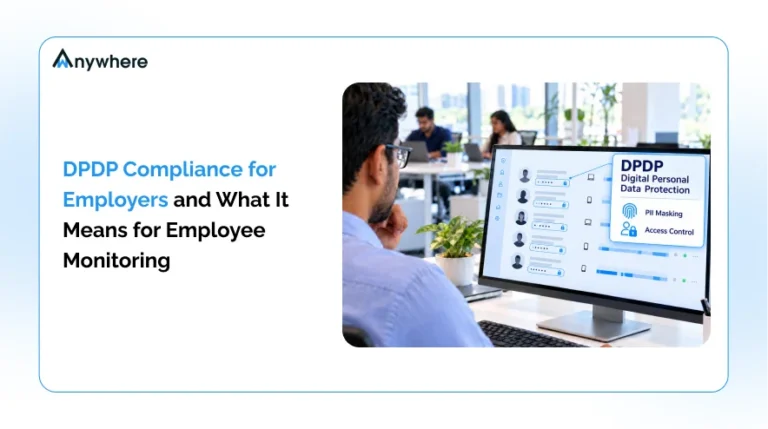
Businesses should take deliberate steps to minimize exposure to personal information, passwords, financial information, and customer data that might otherwise appear in a screenshot. This is where features like PII masking become genuinely important rather than a nice to have.
Limit access to monitoring data
Only authorized users should have access to screenshots and employee activity records. Broad, unrestricted access to this kind of data is one of the fastest ways to turn a helpful tool into a source of employee distrust.
Use data only for legitimate business purposes
Every piece of this comes back to the same idea. Monitoring data should serve transparency, productivity, security, and compliance, and should not be repurposed for anything beyond that. That principle is what shapes the approach to screenshot monitoring, PII masking, and audit trails inside AI security and compliance, giving businesses employee activity tracking that holds up to scrutiny rather than raising more questions than it answers.
Less watching. More knowing
Get the visibility you need to manage remote and hybrid teams, without micromanaging them
How to choose the right tracking software for employees
With so many tools on the market, choosing the right one comes down to matching features to the actual level of oversight a business needs, not defaulting to whichever tool offers the most data points.
Choose the right level of monitoring
Different businesses need different levels of visibility. A small creative team and a regulated BPO operation are not going to need the same monitoring depth, and forcing one approach onto both usually backfires.
Look for customizable screenshot settings
Businesses should be able to control how frequently screenshots are captured, rather than being locked into a single fixed interval that may be too aggressive for some teams and too sparse for others.
Check reporting and analytics features
Strong tools offer employee reports, team reports, project tracking, and productivity insights that go beyond raw numbers and actually help managers make decisions.
Consider remote and hybrid work requirements
Time tracking software for remote employees needs to account for different time zones, flexible schedules, and varying levels of digital access, which is not always a given with tools originally built for in-office use.
Evaluate pricing and free options
Free time tracking software for employees can work well for very small teams just getting started, but businesses should compare limitations around reporting depth, integrations, screenshot storage, security, and scalability before committing, since free tiers often trade away exactly the features that matter most as a team grows.
Also Read: Top Employee Time Tracking Apps and Software
Best practices for introducing screenshot-based time tracking to employees
How a tracking tool gets introduced often matters as much as how it functions day to day.
Explain the purpose before implementation
Employees should understand from the start that the purpose of the tool is to improve visibility and workflow management, not to catch anyone doing something wrong. Framing matters here more than most managers expect.
Start with clear policies
Guidelines for how tracking data will be used should exist before the software goes live, not get written after the first complaint comes in.
Give employees visibility into their own data
Wherever possible, employees should be able to review their own tracked time and activity information. Letting people see their own data tends to do more for trust than almost any policy document.
Review and adjust the tracking approach
The right level of tracking is not a one-time decision. Regularly evaluating whether monitoring is still appropriate and useful keeps the system from drifting toward more surveillance than the business actually needs.
Track employee work hours with better visibility, without the micromanagement
Tracking employee work hours does not have to mean constantly watching employees. When implemented transparently, screenshot-based tracking can provide useful context around logged time without turning into surveillance. The right approach combines accountability with privacy, and keeps the focus on productivity insights rather than minute-by-minute monitoring. Businesses that want this balance should choose tracking software for employees that offers flexible monitoring settings, clear reporting, and real privacy controls.
Give your team a clearer way to track work hours, understand productivity, and maintain accountability. Explore the time tracking solutions built for remote, hybrid, and on-site teams, or book a demo to see the reporting side in action.
Frequently asked questions
How often should employee monitoring software take screenshots?
Screenshot frequency should stay reasonable and aligned with the actual purpose of tracking. The goal is to provide context for logged hours, not to continuously watch employees throughout the day.
Does screenshot monitoring improve employee productivity?
It can improve visibility and accountability when used responsibly, but productivity should also be measured through outcomes, project progress, and work quality rather than screenshots alone.
What is the best time tracking software for remote employees?
The right tool depends on team size, reporting needs, screenshot controls, privacy features, integrations, and security requirements, so it is worth evaluating a shortlist against your specific setup rather than picking the most popular option by default.
Can I find time tracking software for employees free?
Yes, some providers offer free plans or trials, but businesses should compare feature limitations, user limits, reporting capabilities, and data storage before settling on a solution long term.
How can managers avoid micromanaging employees while tracking time?
Managers can focus on reports, trends, project outcomes, and workload insights rather than reviewing every screenshot or every minute of activity individually. The shift from watching moments to reviewing patterns is really what separates healthy tracking from micromanagement.

Table of Contents
Boost productivity and compliance with wAnywhere
Read summarized version with