

 Set as a preferred Google source
TL;DR
BPO agents leak data through access they already have, so the early warning signs look like unusual behaviour rather than a break-in. Watch for bulk exports, unapproved USB and cloud transfers, access outside an agent’s assigned queue, odd login patterns, bypassed controls, phone or screen capture, and data grabs before an exit. Treat each one as a signal to verify, correlate it with other activity and investigate fairly before acting.
Picture an agent on a healthcare claims process pulling 4,000 patient records on a Tuesday night. Their role allows it. Nothing trips the firewall. By the time the client’s auditor asks why, the file has sat on a personal drive for three weeks.
That is how insider risk usually plays out on a BPO floor. Agents work inside systems that hold:
- Customer PII such as names, addresses, dates of birth and ID numbers
- Banking, loan and account histories on financial services processes
- Patient health information on healthcare and insurance processes
- Login credentials and confidential client documents
Because the access is legitimate, a leak rarely announces itself. Insider threat indicators are what separate routine work from data walking out the door. Catch them early and you are answering a policy question. Miss them and you are explaining a breach to a client.

Spot The Risk Before The Record Leaves The Desk
wAnywhere flags unapproved USB drives, phones pointed at screens and unknown people near agent workstations, so your team can verify early and act fairly.
What Are Insider Threat Indicators?
Insider threat indicators are observable patterns in how a person accesses, moves or handles data that point to a higher risk of misuse, whether deliberate or accidental. CISA’s definition covers anyone using authorised access or inside knowledge to harm an organisation, and it counts careless acts alongside malicious ones. In a BPO, the signals come from three kinds of insiders.
Malicious Insiders
Agents, team leads or contractors who knowingly copy, sell or leak customer data. Motives range from fraud-ring cash offers to taking a customer list to a competitor. They usually know which controls exist and try to stay under the thresholds.
Negligent Insiders
Well-meaning staff who expose data through shortcuts, such as emailing a call log home to finish a report or pasting a customer complaint into a public AI tool to draft a reply. Ponemon Institute research names negligence as the root cause of most insider incidents.
Compromised Insiders
Legitimate accounts or devices taken over by external attackers, usually through phishing or stolen credentials. The activity looks exactly like the agent’s own, which is why login context and device signals matter as much as data volume.
The early signals often look identical across all three, so a signal should trigger verification, never a verdict.
Also Read: Insider Risks vs Insider Threats – Understanding the Difference and Leveraging AI Security Solutions
8 Insider Threat Indicators BPO Security Teams Should Watch For
No single signal proves employee data theft. What you are looking for is a break from an agent’s normal pattern, ideally confirmed by a second, unrelated signal. Treat these eight as a checklist, not a list of accusations.
1. Unusually Large File Downloads Or Customer Data Exports
A full export of a CRM view, a bulk download of closed tickets from the support platform or a complete pull of a collections portfolio deserves a second look. Set baselines per process, not per company. A quality analyst exporting call samples every week is normal; a voice agent doing the same is not. Check for a ticket or client reporting cycle that explains the volume before escalating.
2. Unauthorised USB Devices And External Storage Usage
Removable media still moves large files without a network trail. On a locked-down floor, any new storage device connecting to an agent machine is worth logging. For work-from-home agents, the risk widens to phones plugged in “just to charge”, external drives and Bluetooth file transfers. Recording which peripherals connect, and when, lets investigators match a USB device event against what was on screen at that moment.
3. Accessing Customer Information Outside Assigned Responsibilities
An agent on a telecom client’s billing queue has no reason to browse that client’s high-value accounts, let alone open records belonging to a different client. Role-based access control and least privilege should block most of this, yet BPO access tends to sprawl as agents get cross-trained, moved between campaigns or handed temporary rights during peaks that nobody revokes. Look for lookups with no linked call or ticket and repeated visits to high-value accounts.
On healthcare processes the same pattern also cuts against the HIPAA minimum-necessary principle. Our guides on HIPAA compliance software requirements and healthcare security software that stops insider leaks cover the controls to check.
4. Unusual Login Times, Locations Or Access Patterns
A 2 a.m. login from a day-shift agent, a session from a new country, an unfamiliar device or a burst of MFA prompts can each point to a compromised account or deliberate misuse. Alone, each is weak evidence. Rosters change and laptops get swapped. Correlate the login with what happened next. A late-night session followed by a bulk export is a very different case from one followed by routine case notes.
5. Transferring Sensitive Information Through Personal Email Or Cloud Applications
Forwarding a customer spreadsheet to a Gmail address, uploading call recordings to a personal Google Drive or sending a photo of an account page over WhatsApp all sidestep the audit trail your client depends on. A fast-growing variant is pasting customer details into consumer AI tools. Verizon’s 2026 Data Breach Investigations Report found that regular AI use among employees tripled from 15% to 45% in a single year, and it now ranks unapproved “shadow AI” as the third most common type of non-malicious data leakage. Many client contracts treat any of these as a breach of data-handling terms, whatever the intent.
6. Attempts To Bypass Security Controls
Watch for attempts to stop the endpoint agent, install remote-access or VPN software, run a portable browser, switch to a personal hotspot or win repeated exceptions for blocked sites. One attempt may be a frustrated agent fighting a slow app. A repeated pattern, especially alongside data movement, looks deliberate.
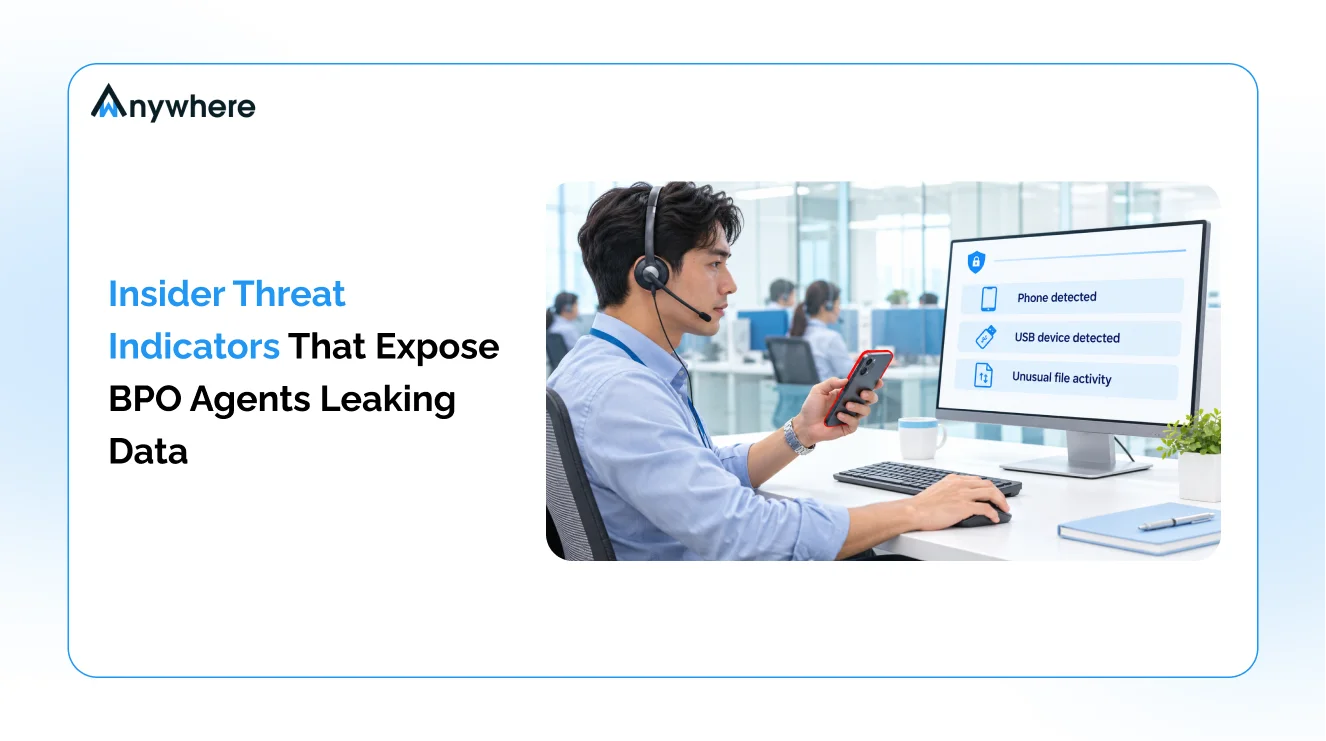
7. Unusual Printing, Screenshots Or Mobile Phone Activity
The simplest exfiltration method in a contact centre is a phone camera pointed at a monitor. It leaves no file, no email and no USB event. Related signals include print jobs from teams that rarely print and frequent screenshots or screen recordings while customer data is displayed. Remote work adds new gaps, like an unknown person in the room or an extra screen nobody accounted for. Clean desk rules and phone-free floors cover the office, and a written cell phone policy gives agents clear rules to follow. At home, camera-based presence checks and screen-capture controls do that job.
8. Suspicious Data Access Before Resignation Or Role Changes
Resignations, campaign transfers and pending exits are not warning signs in themselves. The concern is unusual activity around them: an agent who serves notice and starts exporting contact lists, or access rights that survive the move. This is the window where data theft by employees is easiest to rationalise, because people tell themselves the contacts are partly theirs or that nobody checks. Closer review during notice periods and same-day access removal at exit shut it down.
Also Read: Shadow IT Risks In BPO And GCC Operations And How To Spot Unsanctioned Apps
Real-World Insider Threat Examples In BPO Operations
The scenarios below are illustrative composites, not documented incidents, but they reflect patterns security teams regularly see. Use them as insider threat examples when briefing operations heads or running tabletop exercises.
Customer Database Theft Before Leaving A BPO
A senior agent on a lending process accepts an offer from a debt-recovery firm. Over their final two weeks, they export borrower records in small batches to stay under volume alerts, then copy them to a USB drive on the last day. The giveaways were unlinked exports, a new storage device and access that outlived the resignation.
Sharing Client Information Through Personal Accounts
A team lead wants to finish a client report over the weekend and emails the raw call-log extract, phone numbers included, to a personal address. There is no malice. The data has still left the client’s approved environment, and the BPO now has a reportable event.
A Compromised Employee Account Exposes Customer Data
An agent enters their credentials into a fake payroll portal. Two nights later, the account signs in from an unfamiliar device and searches hundreds of customer profiles. Every query uses legitimate permissions, so only the login context and the volume give it away.
Also Read: How AI Cell Phone Detection Uses The Existing Webcam To Prevent Data Breaches
How BPOs Can Detect And Investigate Insider Threats
Detection works when signals from different tools are read together. A DLP alert on its own is often noise. A DLP alert, a new USB device and an off-shift login on the same account within the same hour is a case. The useful sources are:
- User and Entity Behaviour Analytics (UEBA) baselines and deviations. See how user behaviour analytics supports compliance at work
- Data Loss Prevention (DLP) alerts
- Endpoint Detection and Response (EDR) telemetry
- Application and access logs from CRM, ticketing and client systems
- USB and peripheral activity records
- Authentication data: time, location, device and MFA behaviour
- File access, download and transfer patterns
Speed has a price tag. Ponemon Institute’s 2026 Cost of Insider Risks study found that organisations taking more than 90 days to contain insider incidents averaged $21.9 million in annual costs, compared with $14.2 million for those containing them within 30 days, yet only 13% of incidents were contained inside that 30-day window.
Then follow a consistent process. If you do not have one written down yet, start with this guide to an insider threat incident response plan.
- Identify the unusual activity and record exactly what triggered it.
- Check with the supervisor or process owner for a legitimate business reason before contacting the employee.
- Correlate endpoint, application and access logs across the same time window.
- Preserve evidence with timestamps and a documented chain of custody.
- Escalate confirmed concerns to security, HR, legal and compliance together, and inform the client where contracts require it. A remediation workflow keeps each step and owner on record.
Keep monitoring proportionate and disclosed. Agents should know what is monitored and why, recordings should stay with authorised reviewers, and nobody should be disciplined over a single alert. A fair process protects the investigation as much as the employee.
Also Read: How Security Remediation Workflows Reduce Response Time And Risk
Is Your Endpoint Layer Blind To Insider Signals?
Run the free wAnywhere System Audit Tool to see how the devices handling customer data are actually configured.
7 Insider Threat Prevention Measures Every BPO Should Implement
Detection tells you something has gone wrong. Prevention reduces how often it can, across large agent teams and multiple client accounts.
1. Implement Role-Based Access Control
Map access to each process and client rather than to job titles. An agent on one client’s inbound queue should never see another client’s data. Apply the least-privilege principle set out in NIST SP 800-53 and use time-bound access for peak-season or cross-training needs.
2. Monitor Unusual File Access And Data Transfers
Baseline normal volumes for each process and alert on deviations, including slow, steady exports designed to stay below fixed thresholds.
3. Restrict Unauthorised USB And Peripheral Devices
Block removable storage by default, allow only approved devices and extend the policy to Bluetooth and unknown Wi-Fi networks for remote agents. Log every exception.
4. Deploy DLP And Endpoint Security Controls
Data leakage prevention tools stop sensitive content leaving through email, web uploads and cloud apps, while EDR catches tampering and unauthorised software. Tune DLP policies to each client’s data types, such as account numbers or patient IDs, to cut false positives.
5. Conduct Regular Access Reviews And Timely Offboarding
Review access every quarter and after every campaign change. Revoke credentials on the last working day.
6. Train Employees On Data Handling And Security Policies
Keep training short, process-specific and frequent. Cover client confidentiality rules, phishing, approved tools (AI assistants included) and how to report something suspicious without fear of blame.
7. Establish An Incident Reporting And Investigation Process
Document who triages alerts, who investigates, when HR and legal step in and how clients are informed. A rehearsed process turns a suspicious alert into a decision in days rather than weeks.
Also Read: 10 Best Data Loss Prevention (DLP) Software Tools For 2027
How Workforce Monitoring Supports Insider Threat Detection In BPOs
Many of the signals above happen at the workstation, where network tools see least. wAnywhere, an AI-powered security and compliance platform, adds that layer of visibility alongside your existing data leakage prevention, EDR, SIEM and identity controls. Capabilities relevant to insider risk include:
- USB, Bluetooth and SSID monitoring to flag unapproved devices and networks
- Mobile phone, unknown-person and multiple-person detection while customer data is on screen
- Clean Desk monitoring and PII/PHI masking to limit what can be captured
- Face authentication to confirm the right agent is at the screen
- Activity records, audit trails and, where configured, screenshots and session playback for investigations
wAnywhere does not judge intent, and it is not a substitute for dedicated security tooling. It gives investigators workstation context to verify a signal quickly and fairly, and it gives compliance teams proof that policies hold, in the office and at home. Explore how wAnywhere helps call centre and BPO teams improve workforce visibility and strengthen BPO security across hybrid operations.
Identify Insider Threats Before They Become Data Breaches
Insider risk in a BPO rarely begins with a dramatic event. It begins with an export that is slightly too big, a device that should not be there or a login that does not fit the roster. Effective insider threat prevention combines least-privilege access, DLP and endpoint controls, trained agents, workstation visibility and an investigation process people trust. Act on early signals, verify before you accuse, and keep employees informed about what is monitored and why. Platforms like wAnywhere help close the visibility gap at the desk, but the result still depends on how consistently your team reviews what it sees.
Give Every Investigation The Evidence It Needs
Audit trails, device alerts and session playback from agent workstations in the office or at home, built to work alongside your DLP and EDR stack.
Frequently Asked Questions
What Are The Three Types Of Insider Threats?
Malicious insiders misuse their access on purpose. Negligent insiders expose data through careless actions, such as emailing files to personal accounts. Compromised insiders are legitimate users whose accounts or devices have been taken over by attackers, so the activity looks normal.
How Can BPO Companies Detect Employees Stealing Data?
Correlate signals instead of reacting to single alerts. Combine UEBA, DLP, endpoint logs, USB activity, login data and workstation monitoring, then verify each anomaly against business need. This catches data theft by employees early while keeping false accusations to a minimum.
What Is The Difference Between An Insider Threat And A Data Breach?
An insider threat is the risk posed by someone with legitimate access. A data breach is a confirmed incident in which data reaches unauthorised parties. Insider threats can lead to breaches, but many are detected and contained before any data leaves.
How Can Organisations Prevent Employee Data Theft?
Limit access to what each role needs, block unapproved storage and transfer channels, deploy DLP and endpoint controls, review access regularly, remove credentials promptly at exit and train staff on data handling. Visible, disclosed monitoring also deters opportunistic theft.
Can Employee Monitoring Help Detect Insider Threats?
Yes, when it is transparent and proportionate. Workstation monitoring adds context that network tools miss, such as unapproved devices, phone photography or unknown people near the screen. It supports investigations but should complement, not replace, DLP, EDR and access controls.

Table of Contents
One AI Platform for Security, Compliance and Productivity
Read summarized version with