 Set as a preferred Google source
TL;DR
Audit readiness is the ability to show current, reliable evidence that your security controls work, at any point in the year rather than only in the weeks before an assessment. Teams that treat it as a routine discipline spend less time chasing documents and catch control gaps sooner. The core moves are simple: map overlapping requirements, assign control owners, automate repeatable evidence collection and track remediation to closure. Then measure the return with a formula that sets quantified benefits against realistic costs. Device-level checks are a useful layer in that process, not the whole program.
Audit readiness is an organization’s ability to show, at any point, that its security controls, policies and supporting evidence are in place, current and available for review. For most security leaders, the reality looks different. An audit date lands on the calendar, and the team starts chasing screenshots, approvals and access logs across several platforms, while every new system, vendor or business unit adds another layer to manage.
The fix is not working faster in the weeks before an assessment. It is building a repeatable process for maintaining evidence, monitoring controls, closing gaps and measuring what compliance actually costs. Automation helps, but only as well as the processes behind it. This guide covers how to stay prepared year-round, cut avoidable preparation time, calculate the return on automation and see where system-level security checks fit.
What Is Audit Readiness And Why Does It Matter?
Audit readiness means being able to demonstrate that relevant controls, policies, processes and evidence are in place, up to date and retrievable when an auditor asks for them. Auditors want proof that controls operate as intended over time, not just policies. A well-written access control policy carries little weight if nobody can produce the quarterly access reviews it requires.
That makes preparedness a question of evidence quality and currency. If your security audit process depends on reconstructing records after the fact, you are exposed to gaps you may not be able to close in time.
What Does Being Audit-Ready Actually Mean?
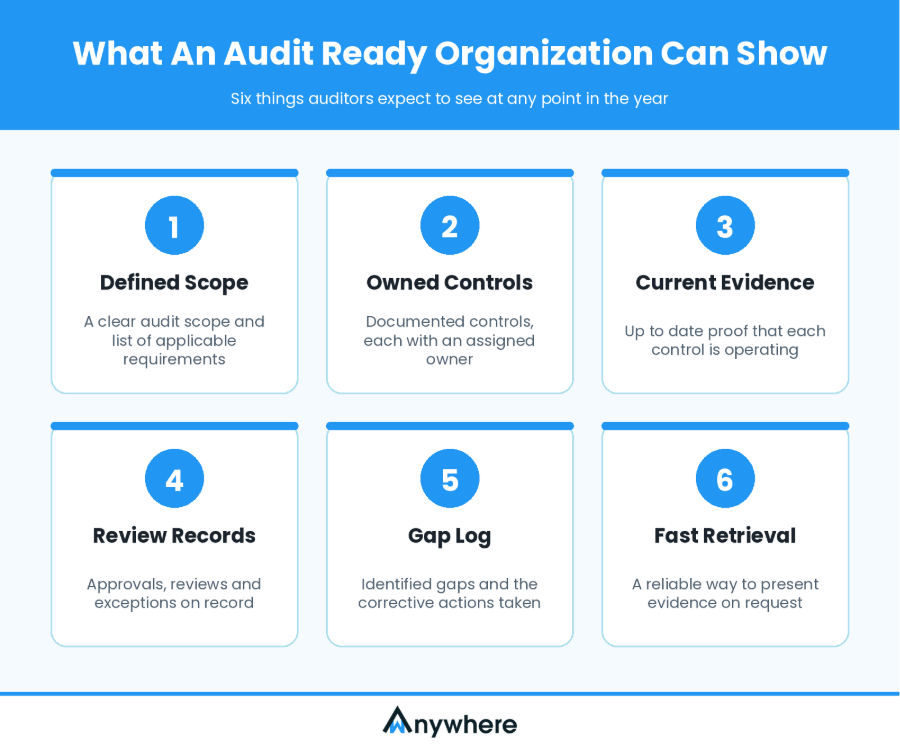
In practical terms, an audit-ready organization can point to six things.
- A clearly defined audit scope and a list of applicable requirements
- Documented controls, each with an assigned owner
- Current evidence showing that each control is operating
- Records of approvals, reviews and exceptions
- A log of identified gaps and the corrective actions taken
- A reliable way to retrieve and present supporting evidence on request
Why Last-Minute Audit Preparation Creates Problems
Treating the audit as a deadline project creates predictable friction. Teams chase control owners, the same evidence gets requested twice for different frameworks, and outdated records surface with nobody sure who owns them. Meanwhile, security work that would actually reduce risk gets pushed aside.
Maintaining preparedness throughout the year reduces the need to rebuild an evidence package before every assessment. Here is how the two approaches compare.
| Manual, reactive approach | Continuous readiness approach |
| Evidence gathered near the deadline | Evidence maintained through routine processes |
| Repeated requests to control owners | Clear ownership and scheduled reminders |
| Duplicate collection across audits | Reuse of evidence where requirements align |
| Gaps discovered late | Periodic checks and earlier remediation |
| Limited visibility into preparation status | Defined readiness metrics and reporting |
Continuous readiness does not eliminate manual work, but it removes much of the avoidable rework.

Find device-level security gaps before your auditor does
Check encryption, firewall, patch status, EDR and more across supported Windows devices with wAnywhere’s free system audit tool.
Why Does Audit Preparation Consume So Much Time?
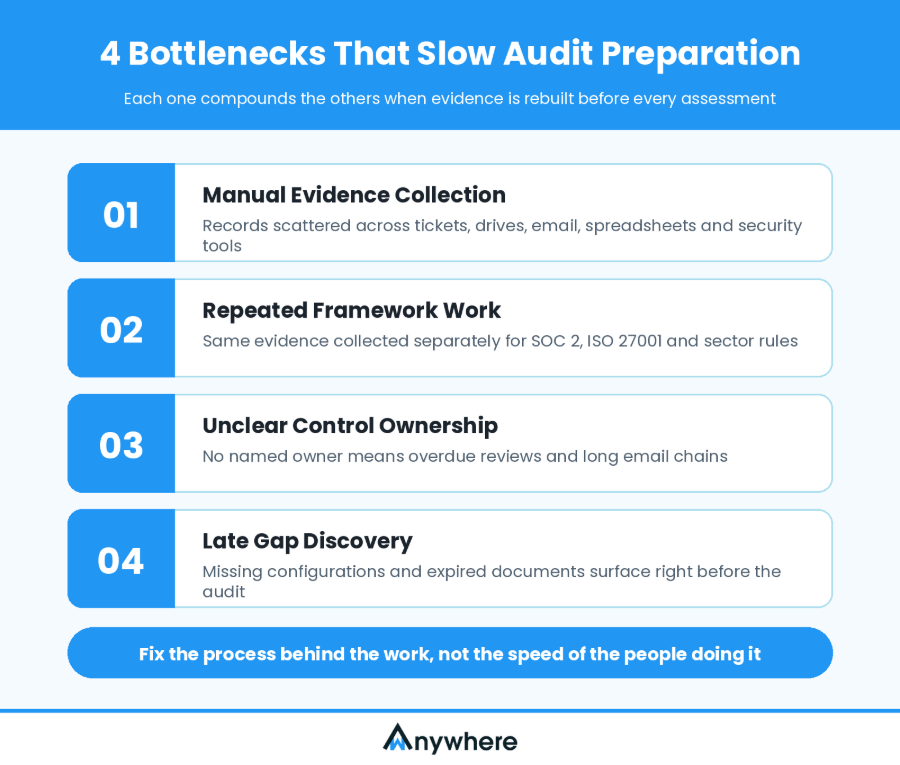
The scope of compliance work keeps widening. PwC’s Global Compliance Survey 2025 found that nearly 90% of respondents said the breadth of their compliance responsibilities has increased over the last three years. More obligations mean more evidence, more owners and more coordination, and the four bottlenecks below tend to compound one another.
Manual Evidence Collection Across Disconnected Systems
Evidence is scattered across ticketing systems, shared drives, email, spreadsheets, identity platforms, device inventories and security tools. Someone has to locate, verify, rename and upload each record, often one artifact at a time.
Repeated Work Across Compliance Frameworks
Organizations answering to SOC 2, ISO 27001 and sector regulations often collect equivalent evidence separately for each, even where one artifact could support several requirements if the relationship had been mapped in advance.
Unclear Control Ownership And Follow-Up
When a control has no named owner, reviews go overdue, procedures drift and deadlines slip. Every gap in accountability becomes an email chain during the pre-audit crunch.
Outdated Evidence And Late Discovery Of Control Gaps
Missing security configurations, incomplete approvals and expired documentation tend to surface only when an audit is close. At that point, remediation competes with evidence gathering for the same people’s time.
The pattern across all four bottlenecks is the same. Reducing audit time means fixing the process behind the work, not asking employees to assemble documents faster.
Also Read: How To Enforce A Clean Desk Policy In Your Business
7 Ways Security Leaders Can Improve Audit Readiness And Reduce Audit Time
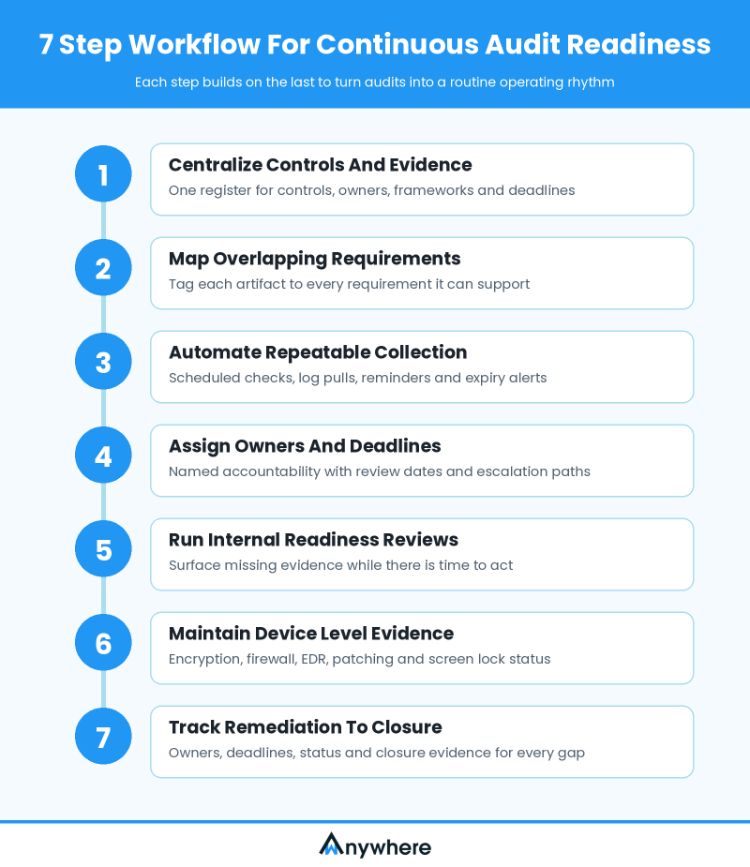
The steps below work best as a prioritized workflow rather than seven separate tips. Each one builds on the last, and together they turn audit readiness from an annual project into a routine operating rhythm.
1. Establish A Centralized Inventory Of Controls And Evidence
Security leaders need a single view that covers:
- Controls relevant to each audit
- Applicable frameworks and requirements
- Control owners
- Evidence requirements
- Review frequency and deadlines
- Current status and outstanding issues
A structured control register or suitable GRC system makes these relationships easy to follow. Centralization does not mean storing every sensitive artifact in one unrestricted location, since access controls and retention requirements still apply.
2. Map Overlapping Requirements Across Frameworks
One artifact, such as an access review record, can support several requirements when the underlying criteria align. Map evidence to every applicable requirement when you first collect it, rather than recreating the mapping before each audit.
Frameworks are not interchangeable, though. Reusing evidence never removes the need to verify that it satisfies the specific requirement being assessed.
3. Automate Repeatable Evidence Collection
Some evidence lends itself well to automation, including:
- Scheduled system configuration checks
- Collection of relevant security logs
- Recurring access review reminders
- Evidence expiry notifications
- Report generation
- Assignment reminders and status updates
Automation works best when the evidence source is reliable, the collection process is repeatable and a named person reviews exceptions. Not every artifact can be collected automatically, and automating one report or device check does not establish compliance with an entire framework.
4. Assign Control Owners And Establish Clear Deadlines
Every control needs an accountable owner who knows what must be done, how often and what evidence to retain. Set review dates, reminders and escalation paths. Automated reminders reduce coordination, but accountability stays with the control owners.
5. Conduct Internal Readiness Reviews Before The Audit
Periodic internal reviews surface missing evidence, overdue activities and unresolved exceptions while there is still time to act. For each issue, document:
- What is missing or failing
- The control or requirement affected
- The person responsible
- The remediation deadline
- The status of corrective action
- Evidence showing the issue has been addressed
An internal review helps you find and fix gaps earlier. It does not guarantee that an external auditor will find no issues.
6. Maintain Device-Level Security Evidence
When employee endpoints fall within audit scope, preparedness also depends on how those devices are configured. Relevant checks may include:
- Disk encryption
- Firewall and antivirus status
- Endpoint detection and response (EDR) availability
- VPN connectivity
- Patch management
- Password and screen-lock settings
- Administrator privileges
- System integrity
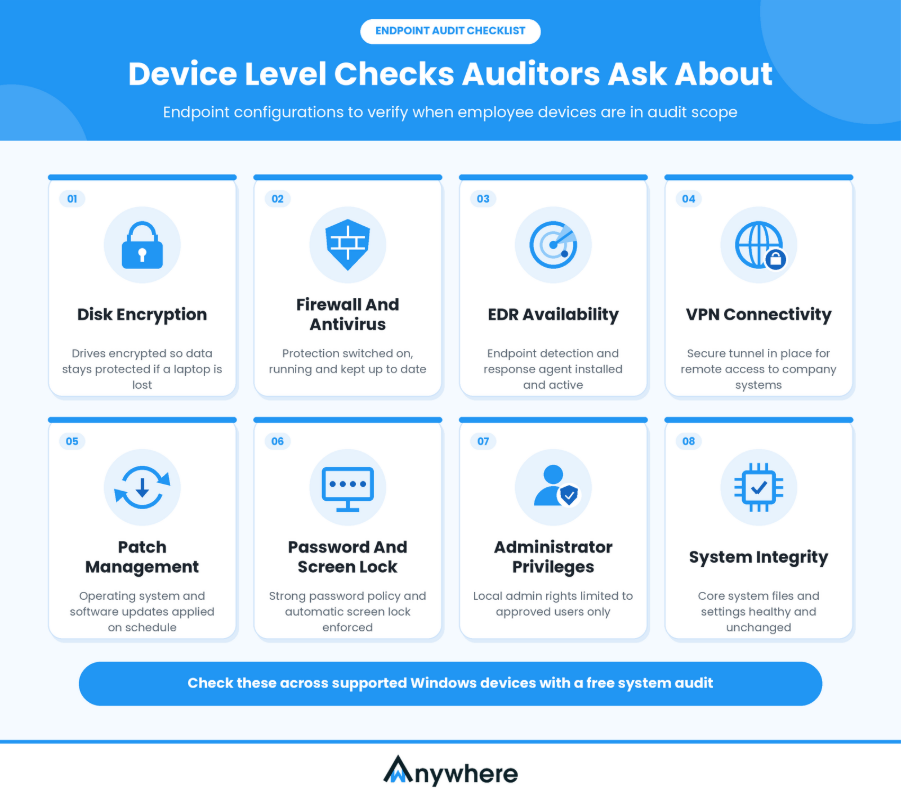
Automated device security checks help IT teams spot potential gaps and generate supporting reports. wAnywhere’s free system audit tool is one example, checking supported Windows device parameters and producing reports on security configuration and system health. It is one part of a broader process, not a GRC platform or certification solution.
7. Track Remediation And Keep Evidence Current
Collecting evidence is only half the job. Keep a remediation register with owners, deadlines, status and closure evidence, and make sure it distinguishes between a control that is documented, one that has been tested and one with an unresolved issue.
The objective across all seven steps is to fold preparedness into routine security operations rather than run it as a separate annual project.
Also Read: wAnywhere’s Free Workforce System Audit Tool To Monitor Devices Health And Performance
How Does Compliance Automation ROI Work?
Compliance automation ROI is the measurable value generated by automating compliance activities, compared with the cost of implementing and running that automation. The value can include direct labor savings, lower external support costs, less duplicated effort and a more efficient path through each assessment.
It helps to separate operational value (fewer manual hours), risk-related value (earlier visibility into control gaps) and business value (smoother customer security reviews). The last depends heavily on your industry and customers, and certification alone does not guarantee revenue growth.
What Costs Should You Include In The Calculation?
A credible business case counts everything it takes to make automation work:
- Software licensing and subscriptions
- Implementation and integration
- Staff training and change management
- Ongoing administration and maintenance
- Time spent reviewing automated outputs and resolving exceptions
Leaving out implementation and maintenance costs overstates the benefits.
What Benefits Should You Measure?
Track the metrics that automation is meant to move:
- Hours spent collecting and validating evidence
- Hours spent chasing control owners
- Audit support and coordination costs
- Time spent repeating evidence collection
- Number of overdue evidence items
- Time required to close identified gaps
- Cost of external support, where applicable
Not every improvement converts directly into cash. Hours saved often create capacity for other work rather than reducing payroll.
How Can Security Leaders Demonstrate ROI To Leadership?
Establish a baseline before automation, then compare the same metrics after implementation. Leadership reporting should separate realized savings, freed-up staff capacity, reduced operational friction and longer-term risk-related benefits.
Risk-related benefits deserve context rather than a line in the formula. IBM’s Cost of a Data Breach Report 2025 found that organizations using AI and automation extensively across their security operations saved an average of USD 1.9 million in breach costs and shortened the breach lifecycle by 80 days. That signals strategic value, but unless you can defensibly attribute avoided losses to a specific investment, keep it out of your hard ROI figure.
Also Read: Top User Activity Monitoring Tools For Enterprises
How To Calculate The ROI Of Compliance Automation
The calculation itself is straightforward. The discipline lies in choosing honest inputs and measuring them consistently.
The ROI Formula For Automated Compliance
Use this formula:
Compliance Automation ROI (%) = [(Quantified Benefits − Total Automation Costs IBM) ÷ Total Automation Costs] × 100
Measure benefits and costs over the same period, such as 12 months, and avoid counting the same benefit twice. If auditor coordination time is already in your labor figure, do not add it again separately.
A Practical Example Of Automation Returns
Consider a hypothetical organization that estimates the following annual figures after automating evidence collection and recurring compliance administration.
| Item | Illustrative annual amount |
| Value of reduced manual work | ₹6,00,000 |
| Reduced external audit coordination costs | ₹1,00,000 |
| Total quantified benefits | ₹7,00,000 |
| Annualized software, implementation and maintenance costs | ₹2,50,000 |
| Net quantified benefit | ₹4,50,000 |
The illustrative ROI works out as (₹7,00,000 − ₹2,50,000) ÷ ₹2,50,000 × 100 = 180%.
These figures are illustrative only, not industry benchmarks or promised wAnywhere outcomes. The ₹6,00,000 labor figure represents the estimated value of recovered staff capacity, and it becomes a cash saving only if the organization actually reduces spending or avoids a cost it would otherwise have incurred. Speculative breach-prevention savings are deliberately left out.
How Can Organizations Measure Improvements In Audit Preparedness?
No single number tells the full story, so track efficiency, evidence quality and remediation together.
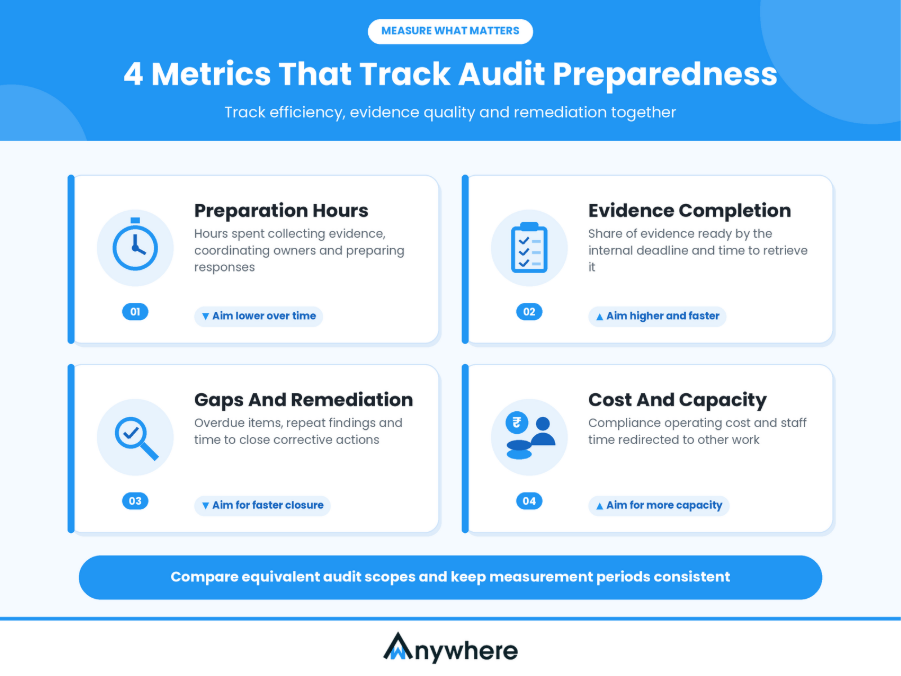
Hours Spent Preparing For Audits
Track total hours spent collecting evidence, coordinating with owners and preparing responses, comparing equivalent audit scopes wherever possible.
Evidence Completion And Retrieval Time
Measure how much required evidence is available by your internal deadline and how long it takes to retrieve an artifact when an auditor requests it.
Control Gaps And Remediation
Track overdue evidence, unresolved control issues, repeat findings and the time needed to complete corrective actions. A rising number of findings is not automatically bad news, since better monitoring often reveals gaps that already existed.
Compliance Cost And Staff Capacity
Compare compliance operating costs before and after automation, and report both realized savings and the value of staff time redirected to other work. Present these metrics in a concise leadership dashboard with clear definitions and consistent measurement periods.
Also Read: Copy Paste Detection To Control Malicious Intents And Data Security
How wAnywhere Can Support Device-Level Readiness For Audits
Workforce endpoints often sit inside an organization’s compliance scope, and a laptop with encryption switched off or a disabled firewall is a gap IT teams need to fix before an assessment finds it.
The wAnywhere free system audit tool checks supported Windows device parameters, including encryption, firewall, antivirus, EDR, VPN, patch management, password policies, administrator privileges and screen-lock settings. Its reports help teams review device health, identify potential issues and prioritize remediation, which makes a free check a practical first step for leaders who want a quick picture of where their devices stand.
Whether those reports qualify as audit evidence depends on the control requirements, the evidence’s reliability and your auditor’s criteria. The tool supports device-level checks and does not replace a GRC platform, an external auditor or a broader compliance program.
A device check covers configuration, but it shows how an endpoint was set up only on the day it ran. Auditors also want to see that policies were followed across the entire audit period. That is where wAnywhere’s Audit Trail fits as the next step. It keeps a chronological record of how teams handle sensitive data, covering device-level actions, event history and AI-organized signals such as mobile detection and multiple-person detection. Your team gets organized, searchable records for reviewing exceptions and answering evidence requests, so nobody has to reconstruct activity after the fact. As with any evidence source, how those records map to a specific control depends on your framework and your auditor.
Make Continuous Readiness An Ongoing Business Advantage
Reducing audit time takes more than collecting evidence quickly. Security leaders need repeatable workflows, clear control ownership, current records, timely remediation and a dependable way to measure what compliance costs and what it returns. The return on automation should rest on measurable benefits and realistic implementation costs, not optimistic assumptions. When preparedness becomes part of everyday operations, the payoff extends to better visibility and more informed security decisions. The device layer is a sensible place to begin, and wAnywhere’s free system audit tool lets your team check workforce configurations and surface potential gaps before building out with broader security and compliance solutions.
Keep a continuous record of how your teams handle sensitive data
wAnywhere’s Audit Trail turns everyday workforce activity into organized, searchable records your team can review before assessment season.
Frequently Asked Questions
How Can Organizations Reduce Audit Preparation Time?
Maintain evidence throughout the year instead of rebuilding it before each audit. Assign control owners, map overlapping requirements across frameworks, automate repeatable collection tasks and resolve gaps early. Some manual review will always remain.
What Is The ROI Of Compliance Automation?
It is the measurable financial value that automation generates relative to the cost of implementing and maintaining it. Typical benefits include recovered staff capacity, lower external coordination costs and less duplicated evidence collection.
How Do You Calculate The Return On Compliance Automation?
Subtract total automation costs from quantified benefits, divide the result by total automation costs and multiply by 100. Both figures must cover the same period, such as 12 months, and rest on consistent assumptions with no double counting.
Does Automating Compliance Guarantee A Successful Audit?
No. Automation makes evidence collection and monitoring more consistent, but outcomes still depend on audit scope, control design, implementation, operating effectiveness, evidence quality and the requirements being assessed. It strengthens the process without replacing it.
How Can Device Audits Support Compliance Efforts?
Device audits identify missing security configurations and report on supported device parameters such as encryption, patching and firewall status. They support the endpoint-related parts of an audit and do not replace broader governance, risk and compliance activities.

Table of Contents
Boost productivity and compliance with wAnywhere
Read summarized version with