 Set as a preferred Google source
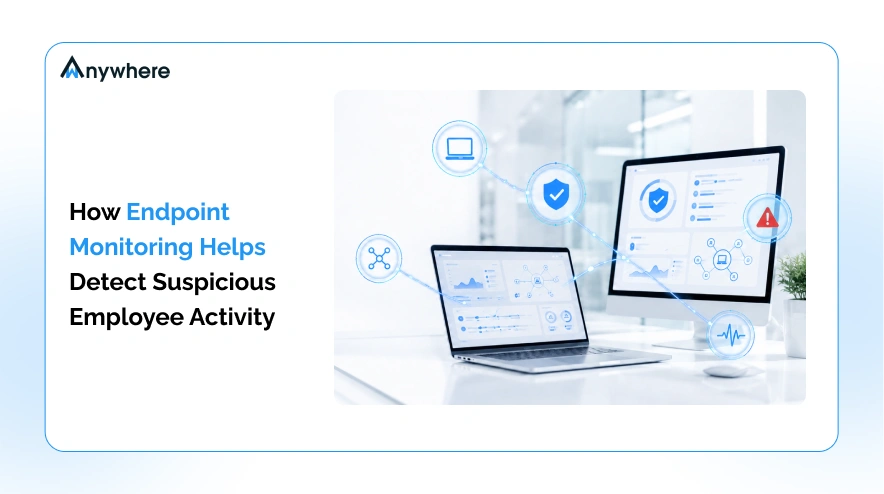
Endpoint monitoring software detects suspicious employee activity by recording device level behavior and comparing it against a baseline of what normal looks like for that user, role, and team. When a laptop starts behaving differently, an unfamiliar network connection, an unapproved application, a large file transfer at 2 a.m., the system flags the gap before it becomes a breach. Most insider incidents show up on the endpoint long before they ever reach the network layer, which is exactly why detection has to live on the device rather than at the perimeter.
Endpoint monitoring is a category distinct from productivity tracking. Productivity tools answer whether work happened. Endpoint monitoring answers a different question, what happened on this device, and was it safe. That distinction is the reason endpoint monitoring sits alongside endpoint data loss prevention in a modern security stack rather than inside a workforce analytics one.
Endpoint monitoring software is a security control that records device level activity, including file transfers, application use, logins, and network connections, then compares that activity against a behavioral baseline to flag anomalies that could indicate data loss, credential misuse, or insider risk.
What Is Endpoint Monitoring Software and How Does It Work
Endpoint monitoring works by placing a lightweight agent on every device an employee uses for work, collecting activity signals continuously, and running that activity against a model of what normal looks like for that specific user. The output is not a transcript of everything an employee does. It is a short list of moments where behavior diverged from pattern, ranked by how much it diverged and why that matters.
What Counts as an Endpoint in a Hybrid Workplace
The definition of an endpoint has expanded well past the office desktop.
- Laptops, desktops, thin clients, and virtual desktop sessions
- Company issued mobile devices
- Personal devices with corporate access, which remains the largest blind spot for most security teams
That last category is where policy usually lags reality. A personal phone with access to the company inbox or CRM is functionally an endpoint, even when it never appears on an asset inventory.
The Three Core Functions of Endpoint Monitoring
Every mature endpoint monitoring deployment does three things, in this order.
- Continuous activity collection on the device
- Analysis of that activity against a behavioral baseline
- Alerting a human when the gap between observed and expected behavior is wide enough to matter
Skipping the second step is what turns a monitoring tool into a surveillance tool. Raw collection without a baseline just produces noise.

Suspicious activity rarely starts on your network. It starts on a laptop.
See what endpoint monitoring catches before perimeter tools ever notice.
How Endpoint Monitoring Differs From Employee Time Tracking
Time tracking and endpoint monitoring get bundled together in vendor conversations, but they solve different problems. Time tracking answers whether work happened, how long a task took, and whether an employee was active during scheduled hours. Employee productivity software is built for that question. Endpoint monitoring answers what happened on the device and whether that activity was safe. A team can run both, since the underlying data collection often overlaps, but the feature sets and the questions they answer are not interchangeable, and conflating them in an internal policy document is a common source of employee mistrust.
Also Read Endpoint Data Loss Prevention, a Complete Guide for Security Teams
Why Suspicious Employee Activity Goes Undetected
Most organizations already run a stack of perimeter security tools. The gap is not a lack of investment. It is that insider activity, by definition, does not cross the boundaries those tools were built to watch. The scale of the problem backs this up. The Ponemon Institute’s 2025 Cost of Insider Risks Global Report found that the average annualized cost of insider related incidents climbed to $17.4 million, up from $15.4 million just three years earlier.
Perimeter Security Tools Assume the Threat Is Outside
Firewalls, gateways, and network intrusion detection systems watch traffic crossing a defined boundary between the corporate network and the outside world. That model works well against external attackers. It does nothing when an employee copies a customer list from a CRM to a personal drive on the same machine, because that action never crosses the boundary those tools are watching. Closing that gap is why teams increasingly pair perimeter defence with controls that prevent data breaches in real time at the device layer.
Hybrid Work Removed the Observable Layer
Before hybrid work, a manager walking past a desk, a visible monitor, and physical control over removable media provided a layer of informal supervision that security architecture never had to formally replace. All three disappeared at roughly the same time. Access controls still govern who can get into a system, but they say nothing about what a person does once they are inside it, which is exactly the gap endpoint monitoring is built to close.
Negligence Is More Common Than Malice
It is worth saying plainly, most flagged activity is a shortcut taken under deadline pressure, not a crime. An employee emailing a spreadsheet to a personal address to work on it over the weekend looks identical, on paper, to early stage data exfiltration. Treating every alert as proof of wrongdoing destroys the trust a monitoring program depends on and buries security teams under a backlog they cannot realistically triage. Context, not volume, is what makes detection useful.
Types of Suspicious Employee Activity Endpoint Monitoring Detects
Unauthorized Data Transfers and Removable Media Use
USB writes, external drive connections, and uploads to personal cloud storage accounts from a managed device are among the clearest signals, particularly when the account has no history of that behavior. This is where USB and Bluetooth detection does most of its work, since removable media remains the simplest route out for a confidential file.
Unapproved Applications and Shadow IT
Remote access tools, consumer file sharing clients, and personal VPN software installed outside the approved software list often precede or accompany a data movement event.
Off Hours and Anomalous Login Behavior
Access outside a person’s established working pattern, concurrent sessions originating from geographically implausible locations, and a string of failed authentication attempts followed by a successful one are all patterns endpoint monitoring is built to surface. Teams that need identity assurance on top of activity signals often add AI facial recognition for insider threat prevention so every session is tied to a verified person.
Unusual Network and Connectivity Changes
Joining an unrecognized wireless network, pairing with an unknown Bluetooth device, or tethering to a mobile hotspot to route around the corporate connection are all changes to the device’s network footprint that a baseline model picks up automatically.
Screen Capture, Printing, and Clipboard Misuse
Screenshots of records inside a CRM, bulk printing in the days before a departure, and repeated copying of customer identifiers out of a secure application are lower and slower signals than a USB write, but they matter just as much for detecting data walking out the door in pieces. Screen monitoring software captures this class of signal with the visual context an investigator needs later.
Behavioral Shifts Around Employee Exit Events
File access breadth that expands beyond a person’s normal working set, along with contact list exports and access to dormant repositories, are patterns that cluster heavily in the days around a resignation or termination and deserve heightened scrutiny during that window.
How Endpoint Monitoring Software Detects Suspicious Activity Step by Step
Step 1. Continuous Data Collection on the Endpoint
A lightweight agent records file activity, application use, device connections, and login events on the endpoint itself, so the record exists even when the device is offline or disconnected from the corporate network.
Step 2. Establishing a Behavioral Baseline
The system builds a model of normal activity for each user, role, and team, since normal for an engineer with production access looks nothing like normal for someone in accounts payable.
Step 3. Anomaly Detection and Risk Scoring
New activity is compared against that baseline continuously, and events that diverge meaningfully are scored by severity rather than treated as a flat yes or no.
Step 4. Real Time Alerting and Response
High severity anomalies route to a security analyst immediately, with enough context attached that the analyst can assess the alert without pulling logs from three other systems first.
Step 5. Evidence Capture and Audit Trail
Every flagged event is preserved with a timestamped record suitable for an internal review or, where necessary, a legal proceeding.
Baseline modeling outperforms static rule sets for one structural reason. A static rule requires someone to predict the specific misuse in advance and write a rule for it, while a behavioral baseline flags whatever looks abnormal for that person, including methods no one has seen yet.
Early Warning Signals Security Teams Should Watch For
- First ever removable media use on an account that has never used it before
- File access breadth expanding beyond the normal working set
- Failed logins followed by a successful one outside working hours
- Installation of remote access or personal file sharing software
- Large uploads to consumer cloud storage from a managed device
- Sustained clipboard or screenshot activity inside a customer data system
- A device joining an unrecognized network during a shift
- Attempts to disable, uninstall, or tamper with the monitoring agent
- Access to archived or dormant repositories with no related ticket
- Any of the above occurring during a notice period
Detect the data leaving your organization with one screenshot, one USB drive at a time.
Behavioral baselines flag what static rules never catch.
Endpoint Monitoring and Endpoint Detection and Response Explained
Endpoint monitoring and endpoint detection and response, often shortened to EDR, get treated as interchangeable in vendor marketing, and that confusion leaves real coverage gaps. This is a category explainer, not a comparison between specific vendors.
| Endpoint monitoring | Endpoint detection and response | |
| What it watches | User activity and data movement on the device | Malicious code execution, malware, and exploit behavior |
| What it catches | Data exfiltration, policy violations, insider risk patterns | Malware, ransomware, known attack techniques |
| Primary question | Is this person’s behavior consistent with their normal pattern | Is this process or file malicious |
| Typical owner | Insider risk, HR aligned security, compliance | Security operations, incident response |
| Evidence produced | Activity timeline, behavioral context, audit trail | Malware forensics, process trees, threat indicators |
The gap is a practical one. EDR will not flag an employee emailing a client list to a personal address, because nothing about that action is technically malicious. No malware executes, no known exploit fires, no signature matches. That is precisely the scenario endpoint monitoring is built to catch, which is why mature security programs run both rather than treating one as a substitute for the other.
How to Investigate a Suspicious Employee Activity Alert
Most articles on this topic stop at the alert. Owning what happens next is where a program earns credibility with a security audience, and it is worth treating an alert as a question rather than a verdict. The volume security teams are dealing with makes this discipline non negotiable. Ponemon’s 2026 global study found that 68 percent of organizations experienced between 21 and more than 40 insider incidents over the year, up from 57 percent the year before. Without a consistent verification step, that volume turns into either alert fatigue or missed signal.
Verify Before You Escalate
Check the ticket queue, the project calendar, and the employee’s current workload for a legitimate explanation before treating an anomaly as an incident. A late night file transfer during a product launch week reads very differently than the same transfer with no corresponding work event.
Bring HR In at the Right Stage
Clear ownership prevents an investigation from becoming a turf conflict. Security owns detection and evidence. HR owns the conversation with the employee. Legal owns anything that may become a formal proceeding. Writing those handoffs into an insider threat incident response plan before the first alert lands is what keeps the sequence predictable under pressure.
Preserve Evidence Without Overreaching
Scope collection tightly to the specific incident, document why that scope was chosen, and avoid broad retrospective collection across an employee’s entire history. Overreach is what turns a defensible investigation into a liability.
Privacy, Consent, and Compliance Considerations
A monitoring program that is not designed for privacy from the start will eventually be perceived as surveillance, regardless of how it is described internally. A few practices keep it accountable rather than invasive.
Tell employees what is monitored, in writing, before the agent is deployed. Collect only the data the specific detection question requires, rather than everything the agent is technically capable of capturing. Apply PII masking so sensitive customer information stays unreadable wherever it appears in captured activity. Use role based access so only the people who need to see a recording can see it. Set defined retention periods instead of keeping data indefinitely.
Regulatory requirements vary by jurisdiction and industry, and this is orientation level guidance rather than legal advice. India’s Digital Personal Data Protection Act, the EU’s GDPR, HIPAA in healthcare contexts, and SOC 2 for service organizations all touch monitoring programs in different ways, and legal review before rollout is advisable in every case. A platform built for AI security and compliance should make that evidence exportable rather than something a team assembles by hand.
What to Look For in Endpoint Monitoring Software
Identify Your Detection Goals
Start with what problem the tool needs to solve, whether that is insider risk visibility, data movement control, regulatory evidence, or coverage across a distributed and remote team.
Evaluate Detection Depth
Look for breadth of signals across file, device, application, and network layers, baseline modeling rather than static rules alone, severity scoring on alerts, and offline capture that syncs once the device reconnects.
Check Operational Fit
Weigh the agent’s footprint and impact on device performance, coverage across Windows, macOS, and virtual desktop environments, integration with existing SIEM and identity providers, and the ability to scale across shifts, sites, and time zones.
Review Privacy and Governance Controls
Confirm the platform supports configurable monitoring scope by role and team, field level masking, role based access, defined retention, and exportable logs in a format an auditor will accept.
Compare Detection Only and Detection With Control
Some platforms only flag risky activity after the fact. Others can block a USB write or a network path in real time. Whether a program needs detection alone or detection paired with control depends on risk tolerance, and it is worth testing wAnywhere’s data breach security capabilities directly against that question rather than taking a vendor’s word for it.
How to Roll Out Endpoint Monitoring Without Damaging Trust
Publish the policy before the agent goes live, so employees hear about monitoring from a written document rather than discovering it. Pilot with one team first rather than switching it on organization wide. Run in observation mode for two to four weeks before any alert triggers action. Tune thresholds against real pilot data instead of vendor defaults. Review false positives with team leads so the model reflects how that team actually works. Expand only once the baseline holds.
Treat the first month as calibration, not enforcement. Organizations that switch everything on at full sensitivity from day one generate hundreds of untriageable alerts and lose the room they need for adoption within the first week.
Also Read
- 10 Best Employee Monitoring Software Ranked for 2026
- USB and Bluetooth Detection and Prevention for Endpoints
- Endpoint Data Loss Prevention, a Complete Guide
- Need for an Effective Insider Threat Incident Response Plan
Conclusion
Suspicious activity is almost always visible on the endpoint long before it becomes a breach. What separates a monitoring program that actually works from one that just generates noise is not how much it collects, it is whether that collection is measured against a real behavioral baseline and read in context. Transparency with employees and a proportionate scope of collection are what make a program sustainable rather than something that quietly erodes trust. That combination, detection grounded in context and a program employees were told about in advance, is what endpoint monitoring software is built to deliver.
Frequently Asked Questions
How Does Endpoint Monitoring Detect Suspicious Employee Activity?
It collects device level activity continuously, builds a baseline of normal behavior for each user and role, and flags moments where new activity diverges from that baseline by a meaningful margin, then routes higher severity anomalies to a security analyst for review.
Is Endpoint Monitoring Legal?
In most jurisdictions, monitoring company owned devices and accounts is legal when employees are given clear, written notice of what is monitored and why. Specific requirements vary significantly by country and by state, so legal review before rollout is strongly advised.
What Is the Difference Between Endpoint Monitoring and Endpoint Detection and Response?[
Endpoint monitoring focuses on user activity and data movement to catch insider risk and policy violations. Endpoint detection and response focuses on malicious code and exploit behavior to catch malware and known attack techniques. Mature programs run both.
Can Endpoint Monitoring Detect Insider Threats Before Data Is Stolen?
Yes. Behavioral signals such as first time removable media use, expanding file access, or installation of unapproved remote access tools often appear before any data actually leaves the organization, which gives security teams a window to intervene early.
Does Endpoint Monitoring Slow Down Employee Devices?
A well built agent runs with a small footprint and minimal performance impact. Footprint varies meaningfully across vendors, which is why device performance impact belongs on any evaluation checklist.
What Activities Should a Company Monitor on Employee Endpoints?
At minimum, file transfers to removable media and personal cloud storage, installation of unapproved applications, login patterns, and network or Bluetooth connections outside the approved list, scoped to what the organization's specific risk profile actually requires.

Table of Contents
Boost productivity and compliance with wAnywhere
Read summarized version with